In today’s fast-paced business environment, the ability to quickly access meaningful insights is crucial for success. Voyager AI is your intelligent reporting assistant in Pipeliner CRM, designed to simplify and enhance your reporting processes. Say goodbye to the complexities of traditional report creation and embrace a userUser User means a person who uses or consumes a product or a service, usually a digital device or an online service.-friendly experience that empowers you to make dataData Data is a set of quantitative and qualitative facts that can be used as reference or inputs for computations, analyses, descriptions, predictions, reasoning and planning.-driven decisions effortlessly.

Why Choose Voyager AI Reports?
Simple, Natural Language Input
Creating reports has never been easier. Voyager AI allows you to generate comprehensive reports simply by typing your requests in natural language. Whether you’re a seasoned data analyst or new to reporting, our AI understands your needs and translates them into insightful reports. With just a few words, you can instruct Voyager AI to produce detailed, visual reports that highlight the metricsMetrics Metrics are quantities that are measured and used to: that matter most to your business.
Smart Recommendations and Adaptability
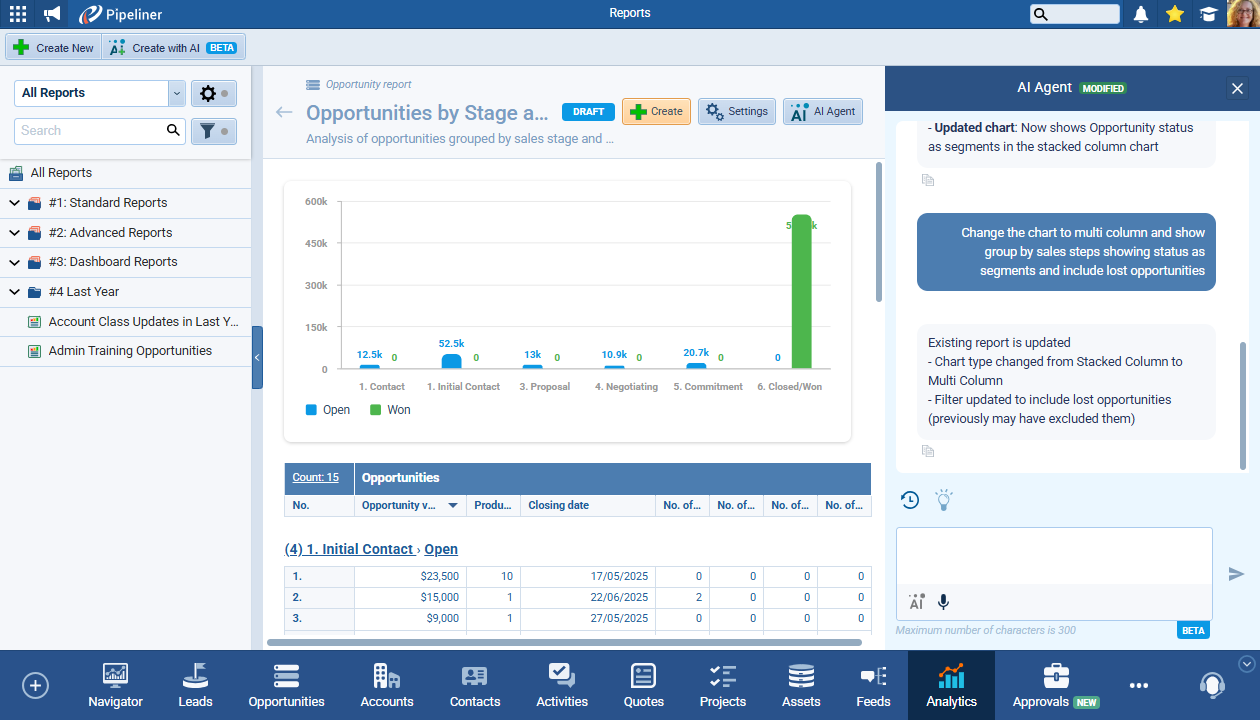
Not sure which chart type best represents your data? Voyager AI analyzes your report structure and automatically suggests the most suitable visualizations. As your data changes, the AI adapts in real-time, ensuring your reports remain relevant and informative. This means you spend less time figuring out the best way to present your data and more time analyzing and acting on the insights provided.
Effortless Report Management
Voyager AI not only creates reports but also manages them. As you work, the AI agent generates and updates report names and descriptions, keeping everything organized. You have complete control over when a report is finalized and saved, allowing you to draft and refine it until it meets your expectations. This flexibility is especially beneficial in collaborative environments where input from multiple stakeholders is needed.
Streamlined Workflow Integration
Switching between the Chat and Suggestions panel is seamless, allowing you to customize your workflow according to your preferences. Whether you prefer guided suggestions or free-text prompts, Voyager AI accommodates your style. Plus, with chat history saved after the first successful generation, you can easily track changes and revisit previous prompts, making collaboration within your team effortless.
Focused and Efficient Interactions
Our AI is designed to keep interactions streamlined and focused solely on report-related tasks. By accepting only report-related prompts, Voyager AI eliminates distractions, ensuring that you get the results you need without unnecessary back-and-forth. This focused approach enhances your productivity and allows you to concentrate on what truly matters: gaining insights from your data.

How to Create a Report with Voyager AI
Creating a report has never been easier. Follow these simple steps to get started:
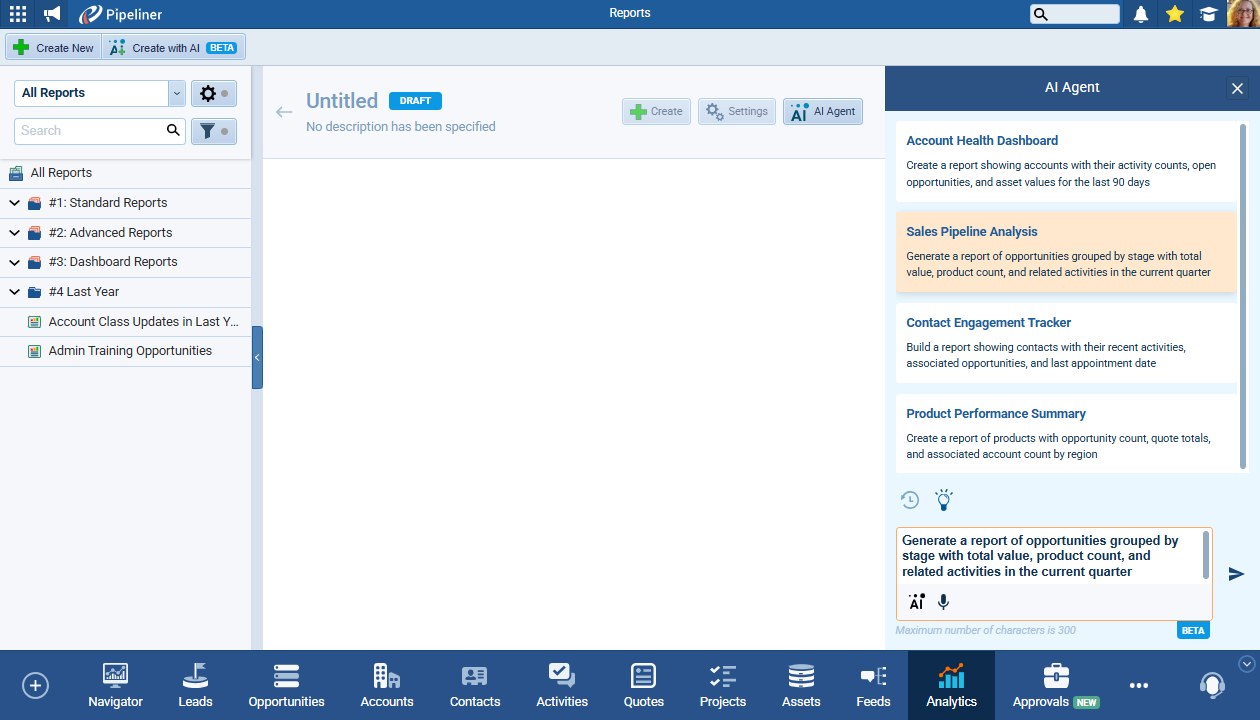
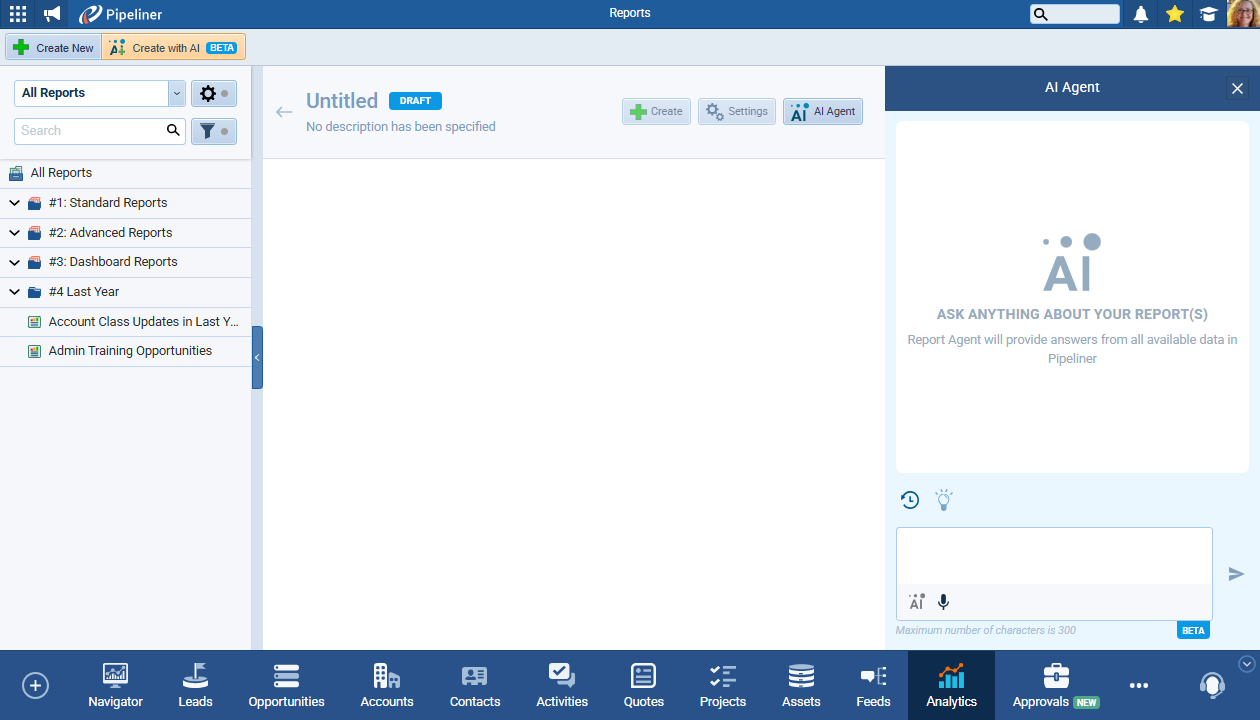
- Navigate to AnalyticsAnalytics Analytics is the active study of different types of data with the aim of discovering meaningful patterns and translating these into insight (such as historical analyses and forecasts), or action (such as those intended to improve business performance). > Reports and click on the “Create with AI (Beta)” button.
- Input Your Prompt: Start typing in the Chat box or click on the lightbulb icon to view suggested prompts. Select a prompt that closely matches your desired report, or modify it as needed.
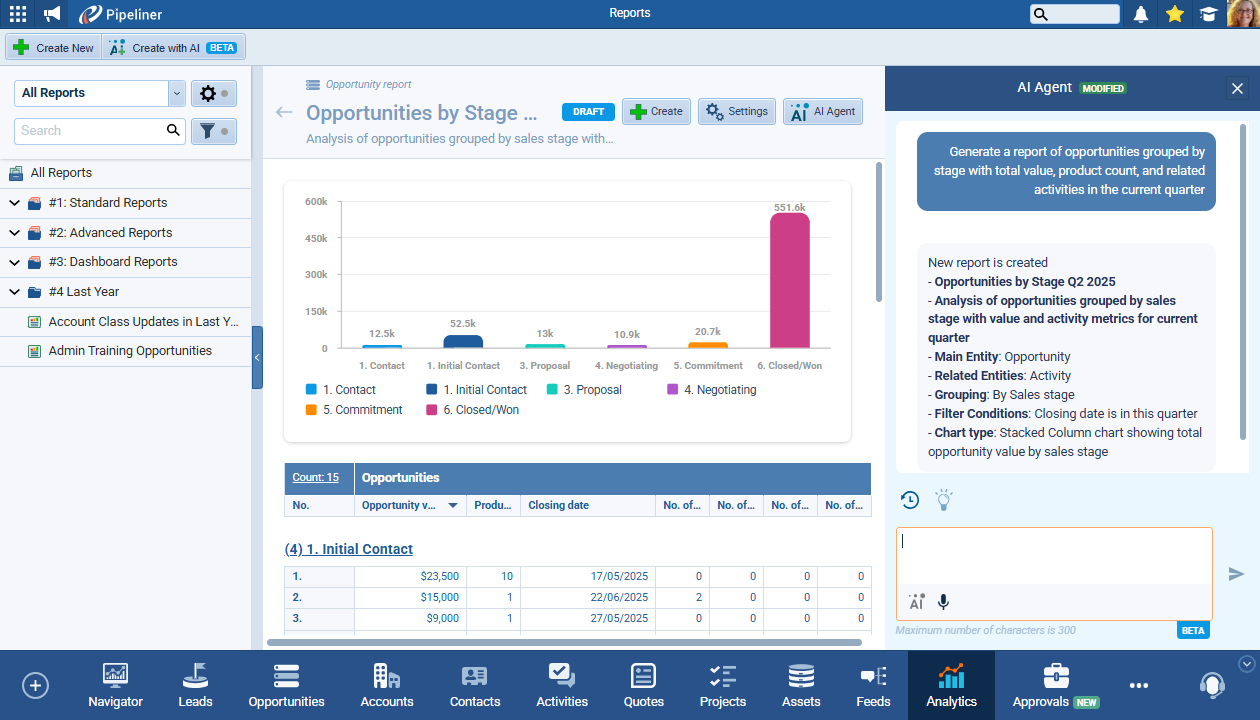
- Generate Draft: Click the arrow to generate the draft report. Voyager AI will create a detailed report based on your specifications, outlining the parameters used in the process.
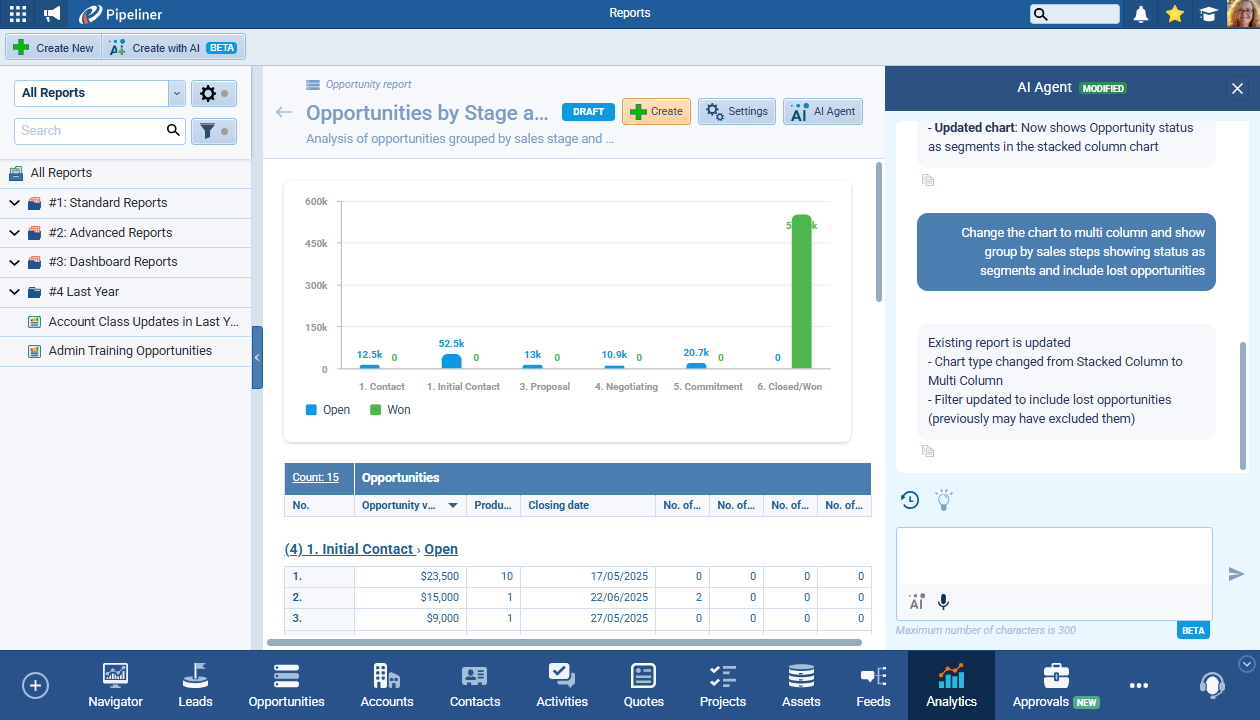
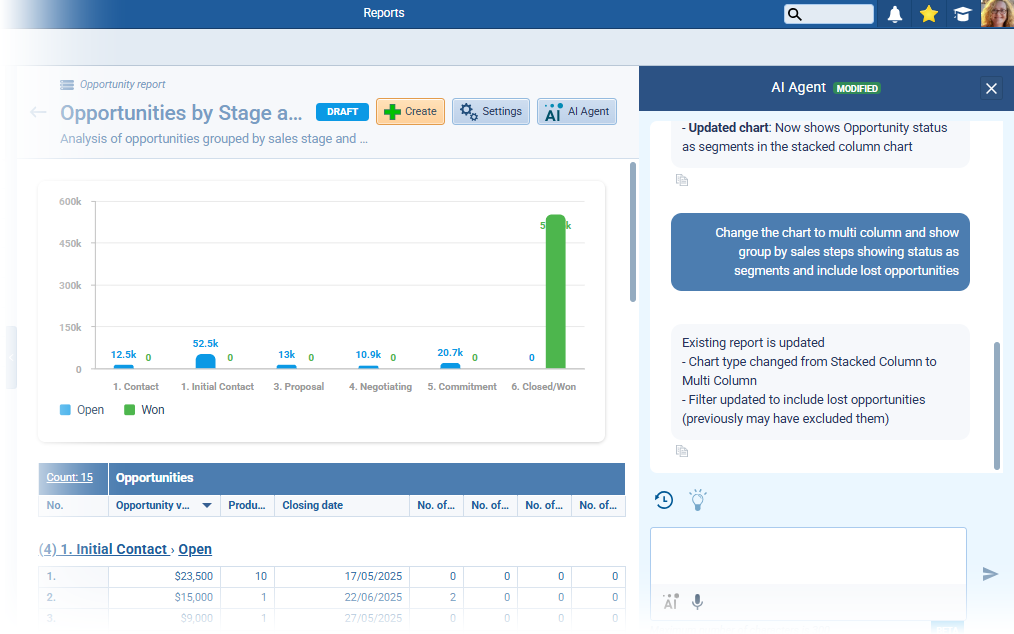
- Refine and Finalize: Continue using the Chat box to enter additional prompts to update the draft report until you are satisfied with the results. Once happy, click “Create” to finalize your report.
- Manage Your Report: After creation, you can use the “Settings” button to adjust parameters or the “AI Agent” button to let the AI edit your report based on new input. Access previous prompts through the chat history for easy reference.
Key Benefits
- Time-Saving: Generate reports quickly, allowing you to focus on strategic activities that drive your business forward.
- User-Friendly: Designed for all skill levels, from beginners to advanced users, ensuring everyone can leverage the power of AI.
- Adaptable: Easily modify reports as your business needs change, providing the flexibility to respond to shifting priorities.
- Collaborative: Track changes and collaborate effortlessly with team members, enhancing communication and alignment.
- Insightful Visuals: Automatically generated charts and graphs help visualize data, making it easier to identify trends and insights at a glance.