In today’s competitive sales environment, having instant access to accurate, detailed productProduct Product refers to anything (an idea, item, service, process or information) that meets a need or a desire and is offered to a market, usually but not always at a price. information — integrated directly into your sales pipelineSales Pipeline Sales Pipeline is a type of visualization showing the status of each sales prospect in the customer life cycle or sales process. — is no longer a luxury; it’s a necessity. Pipeliner CRM’s Custom Products and Services Catalog transforms how your sales team manages products, pricing, and opportunities, empowering smarter decisions and faster deal closures.
Whether you’re selling complex solutions, diverse product lines, or services with customized pricing, this feature is built to streamline your sales processSales Process Sales Process is a series of strategic steps or a set of activities aimed at driving sales growth through the alignment of personnel, market insight, methodologies, relevant business units, and technology., maximize revenueRevenue Revenue is the amount of money a business generates during a specific period such as a year or a quarter; also called sales., and deepen accountAccount Account refers to a record of primary and background information about an individual or corporate customer, including contact data, preferred services, and transactions with your company. relationships.
Elevate Your Sales with Complete Product Visibility and Control
Imagine having a single source of truth for all your products and services — tied directly to every sales opportunity and account.
Pipeliner CRM delivers just that, enabling your team to:
- See What’s Sold and What’s Possible:
The Products tab on each Account provides a clear, real-time breakdown of products and product categories linked to open, won, and lost opportunities. Your sales reps instantly know what has been purchased, what’s currently in the pipelinePipeline Sales pipelineis a visual representation of the stage prospects are in the sales process., and where gaps exist. This visibility fuels more targeted upsell and cross-sell conversations. - Spot Trends and Shifts in CustomerCustomer Customer is an individual or an organization that purchases a product or signs up for a service offered by a business. Buying Patterns:
The innovative Trend View visualizes product sales over time, showing how demand for specific products or categories changes. This empowers sales managers to identify emerging opportunities early and adjust strategies proactively — turning dataData Data is a set of quantitative and qualitative facts that can be used as reference or inputs for computations, analyses, descriptions, predictions, reasoning and planning. into a competitive advantage. - Identify WhiteSpace Opportunities for Growth:
With the WhiteSpace analysis, compare your customer’s product adoption against similar accounts or company groups. Instantly pinpoint products they haven’t purchased but are popular among peers, enabling tailored offers that expand wallet share and boost customer lifetime value.
Powerful Product and Pricing Management at Your Fingertips
Managing products and pricing in a fast-moving market can be complex. Pipeliner CRM simplifies this with:
- Customizable Product Forms:
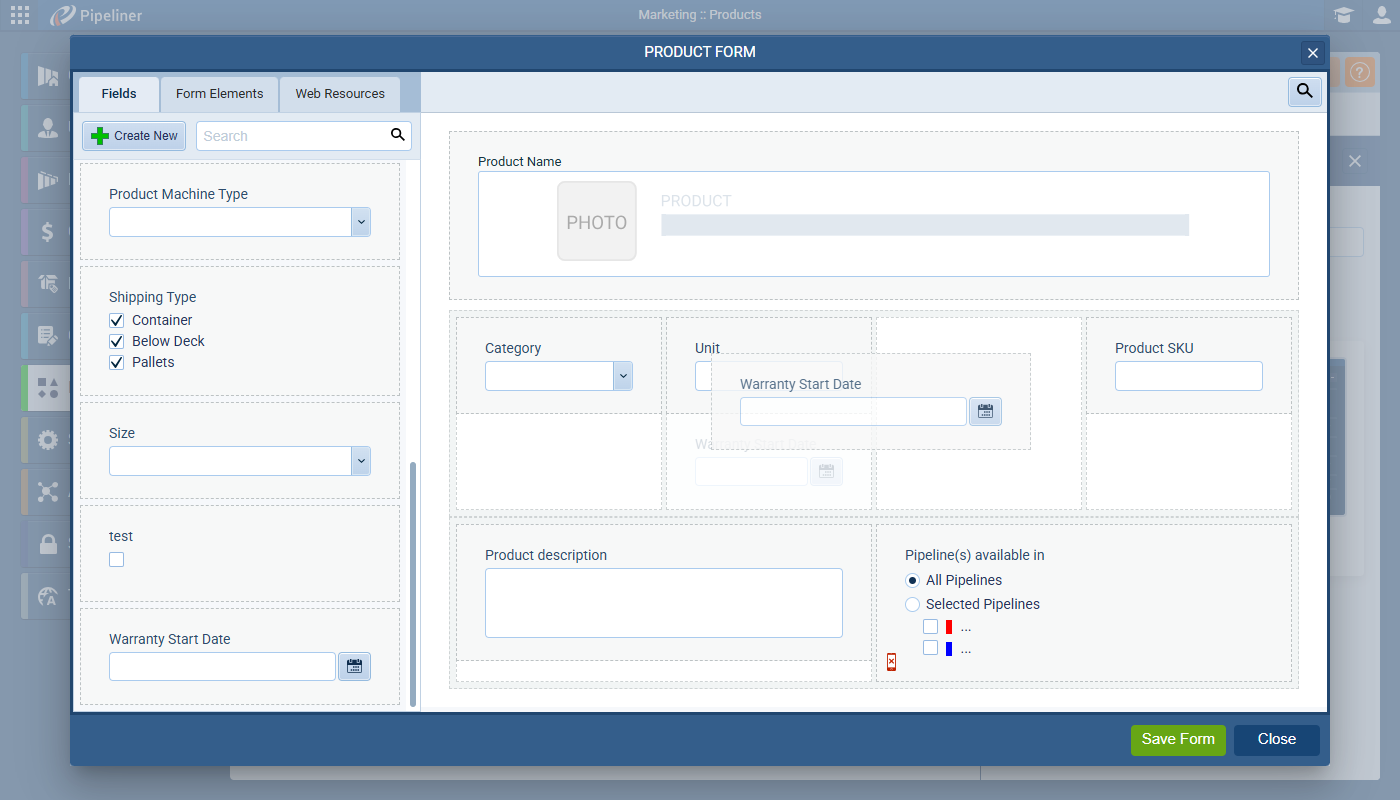
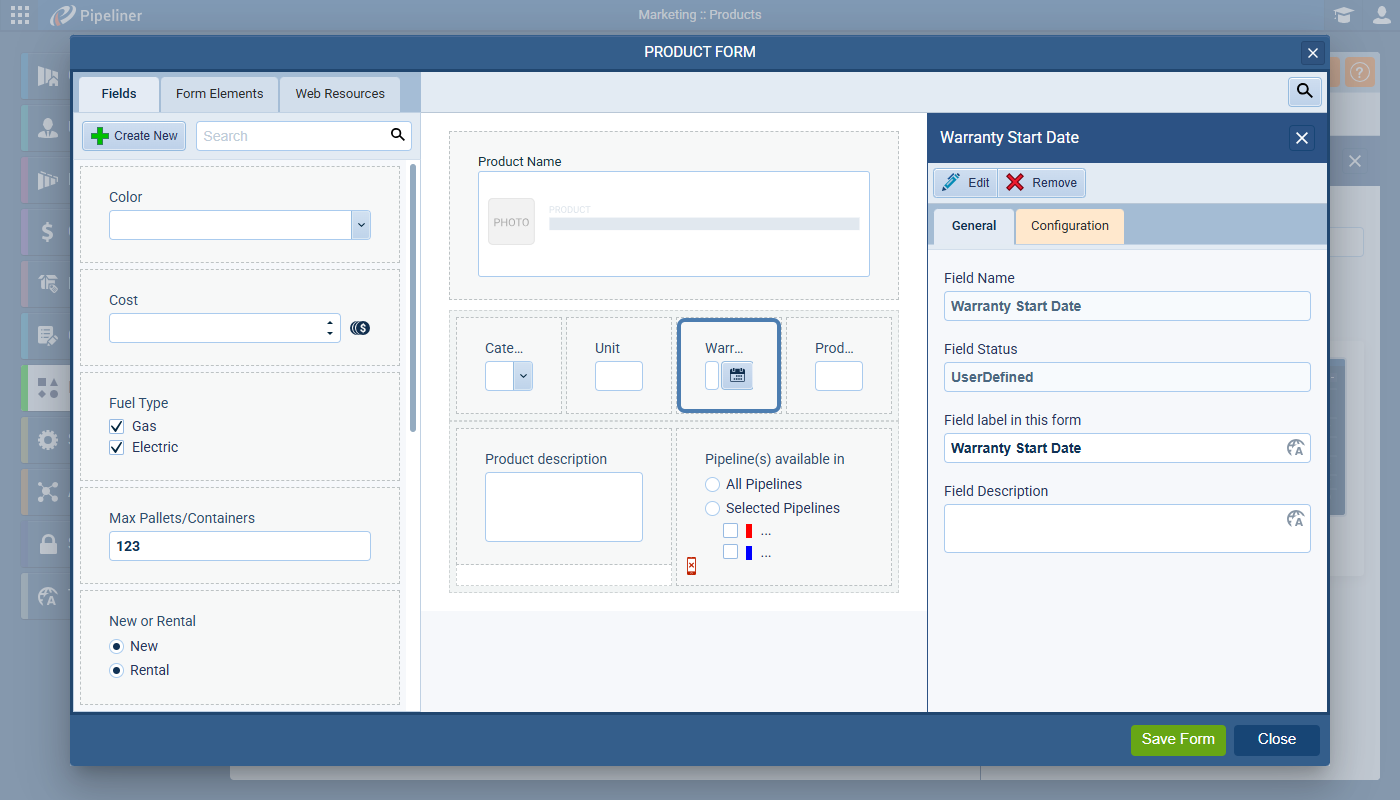
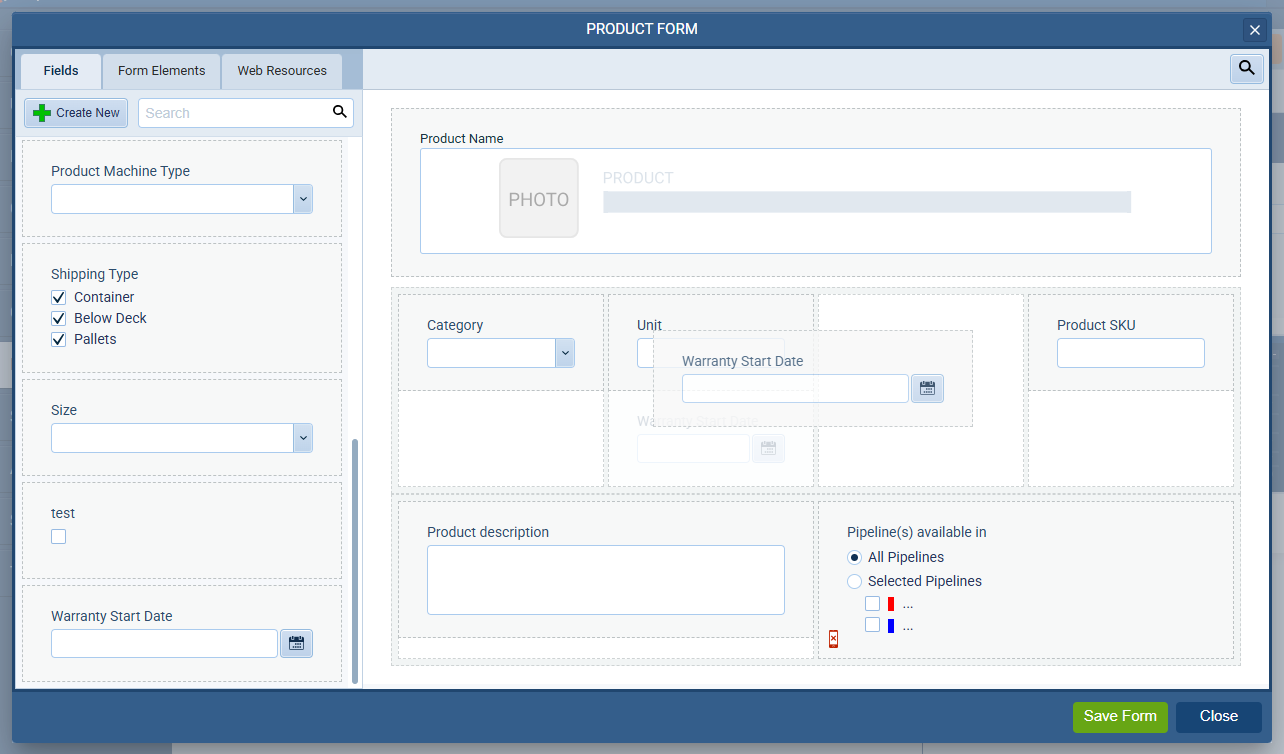
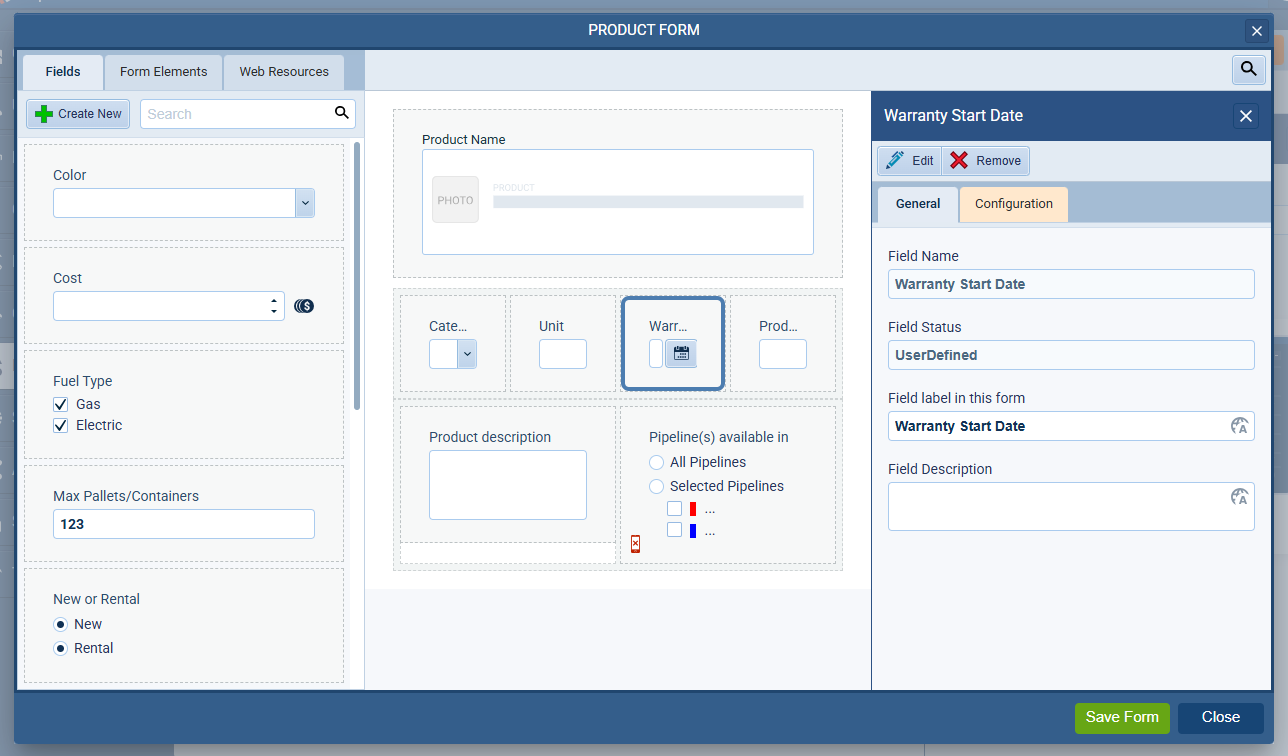
Define different product types with tailored forms capturing all essential details — from technical specs to warranty terms. Whether you sell machinery, software licenses, or consulting packages, your product data stays organized and relevant. - Flexible Price Lists and Customer-Specific Pricing:
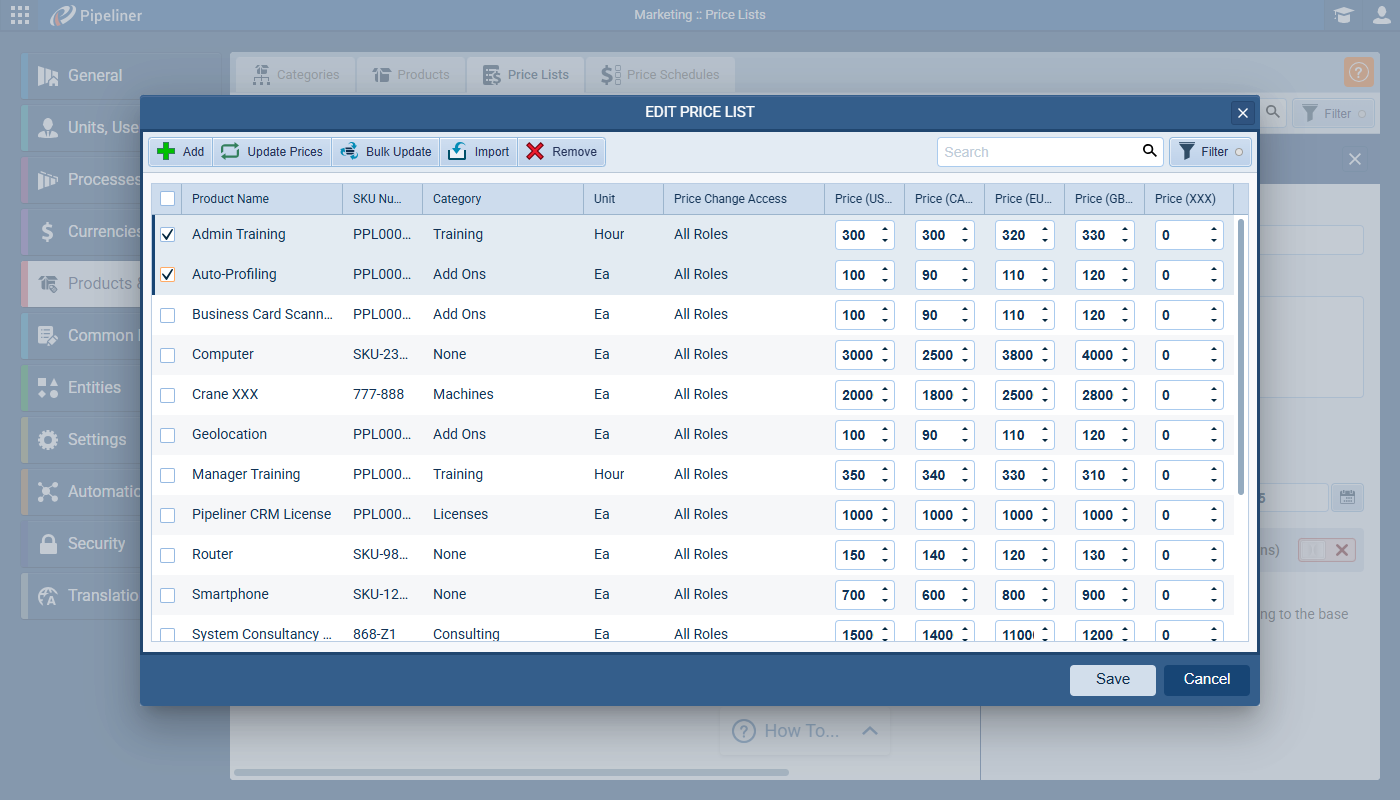
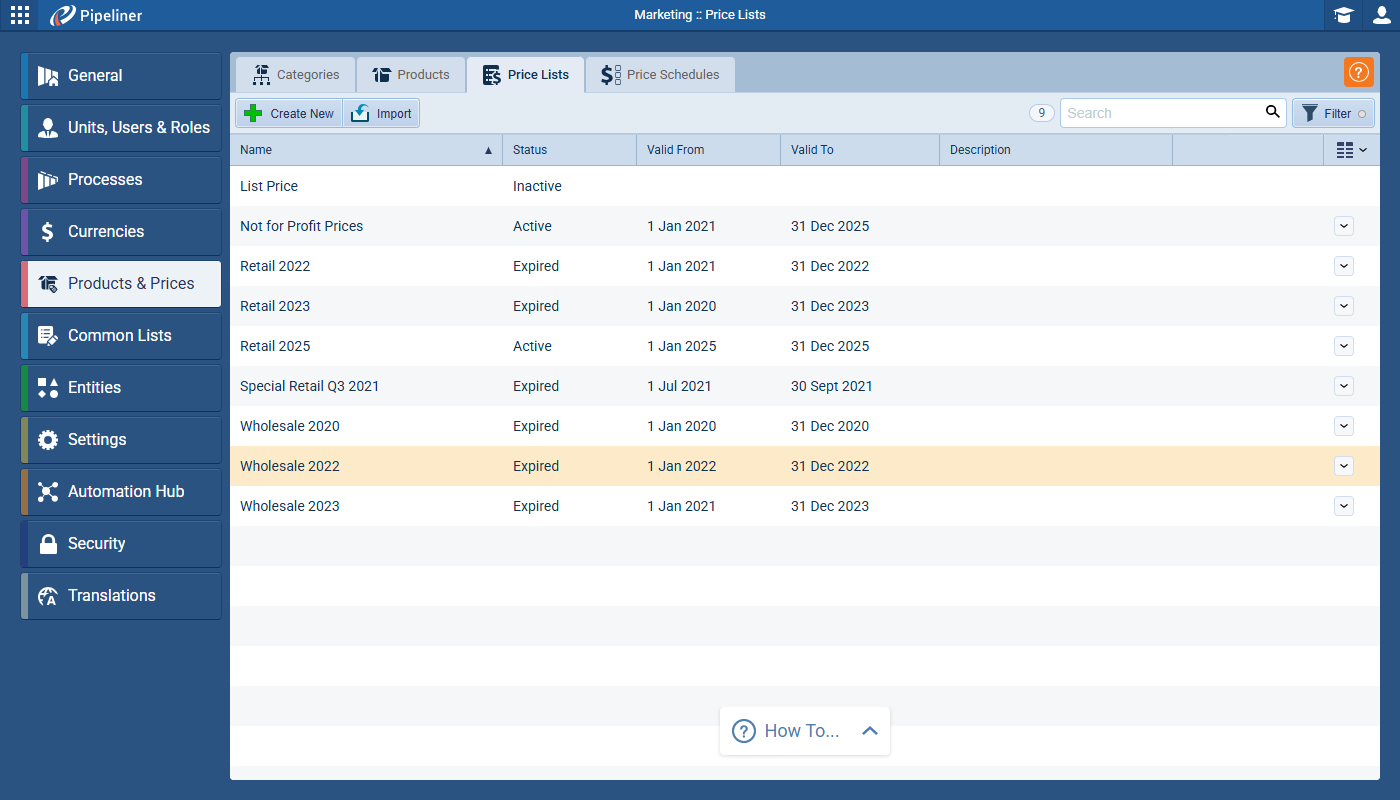
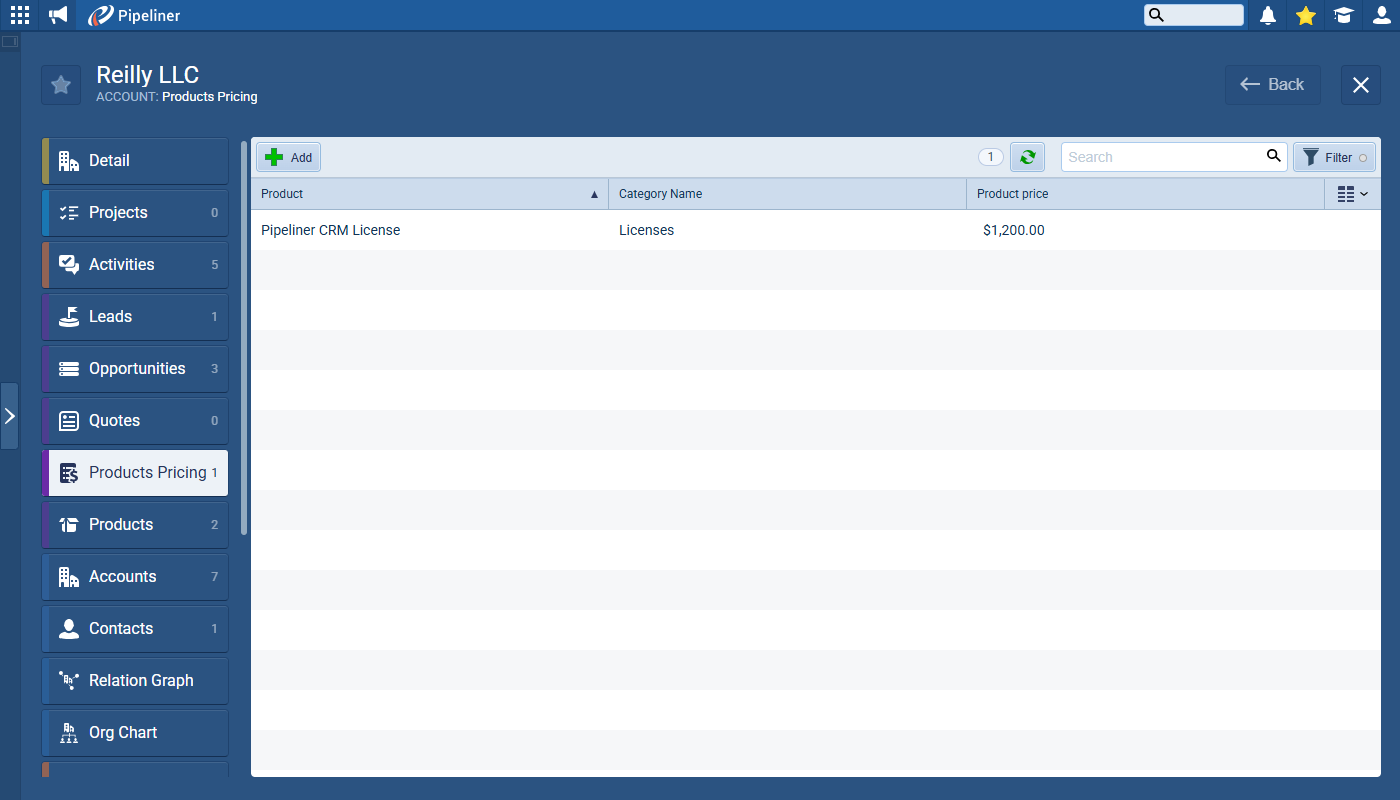
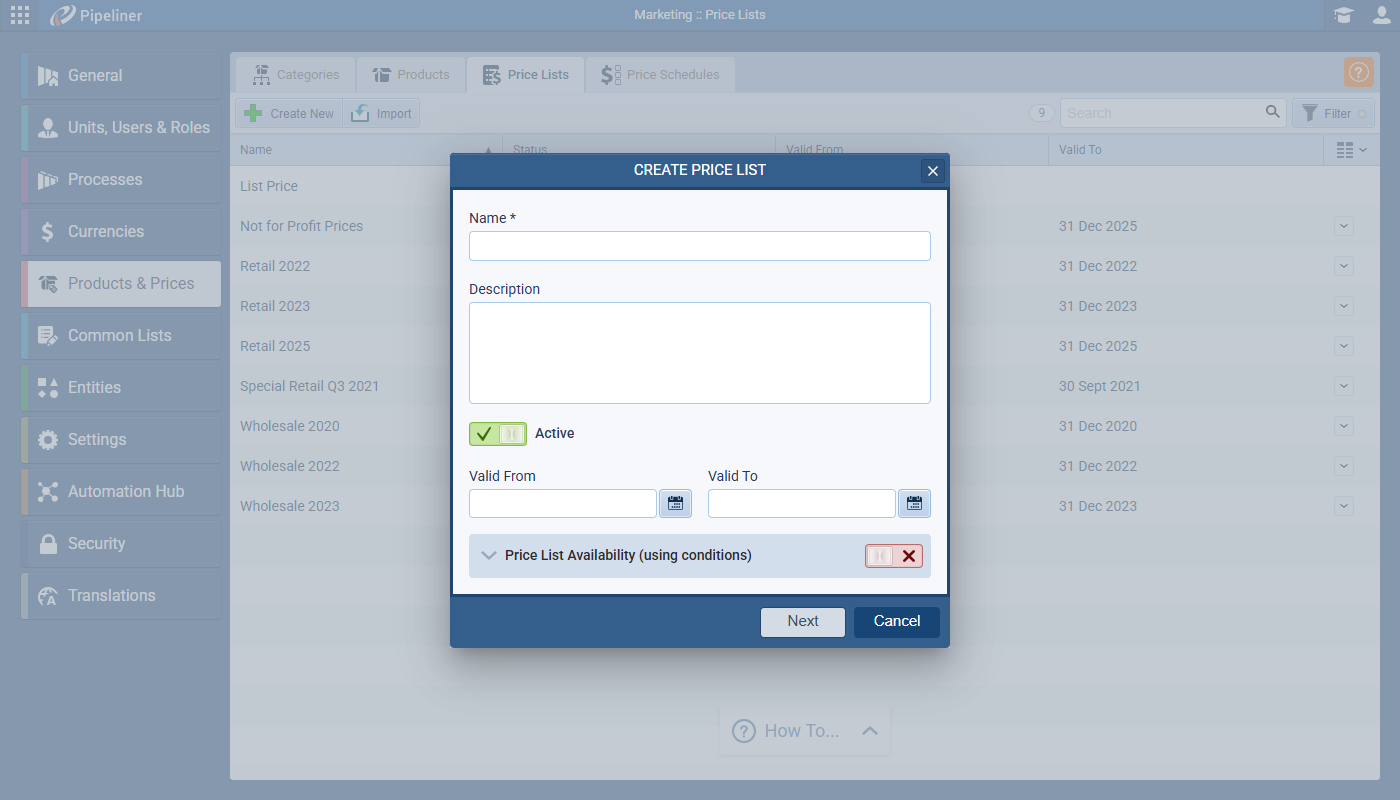
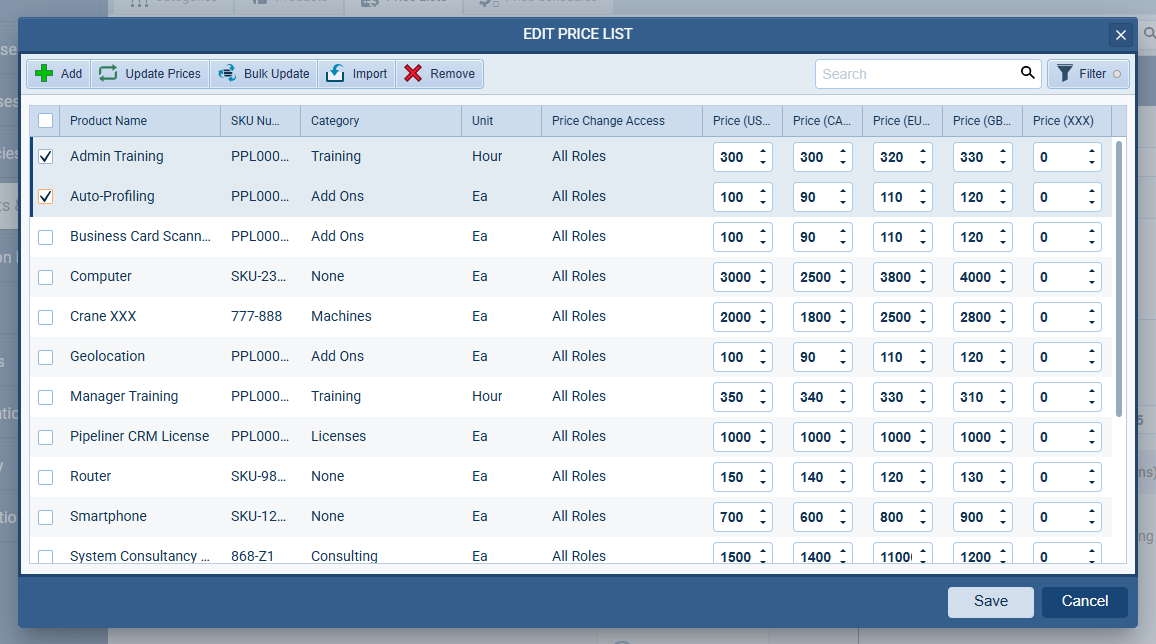
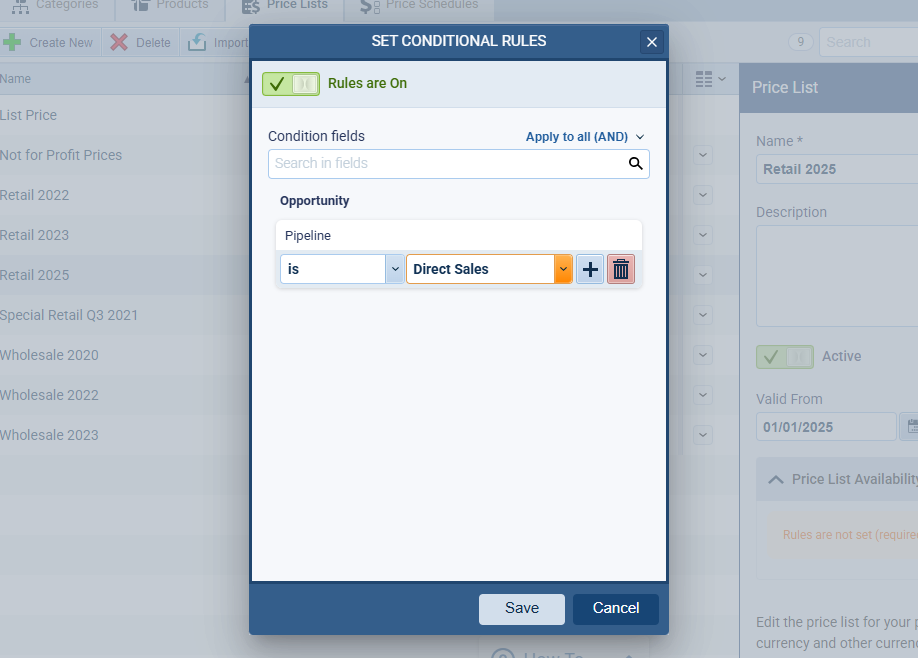
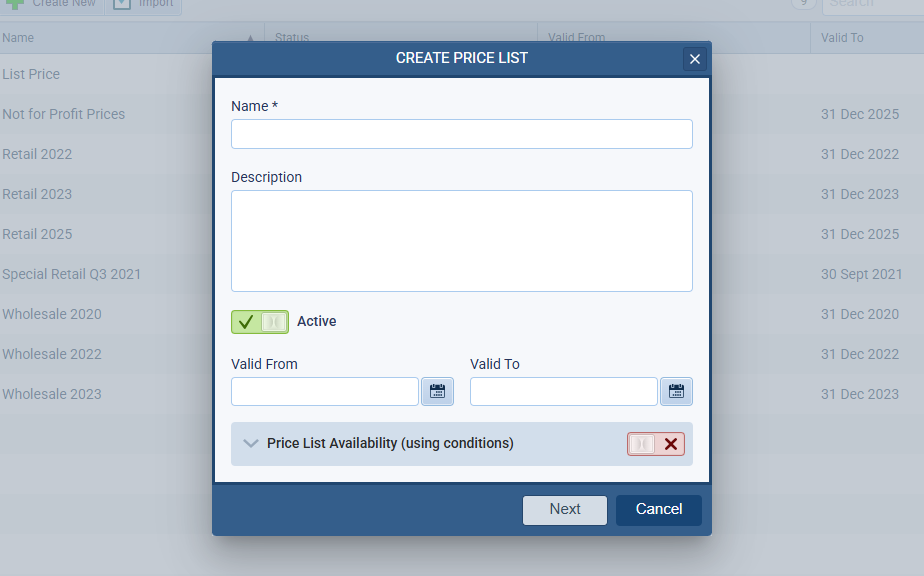
Create multiple price lists to reflect seasonal changes, distributor rates, or special promotions. For EnterpriseEnterprise Enterprise (in the context of sales) is a relatively large organization typically composed of multiple levels, locations, and departments which need multi-layer software systems that support collaboration across a large corporate environment. and Unlimited tier customers, the Product Pricing add-on enables customer-specific prices and price schedules — ensuring every quote is accurate and competitive. - Seamless Opportunity Integration:
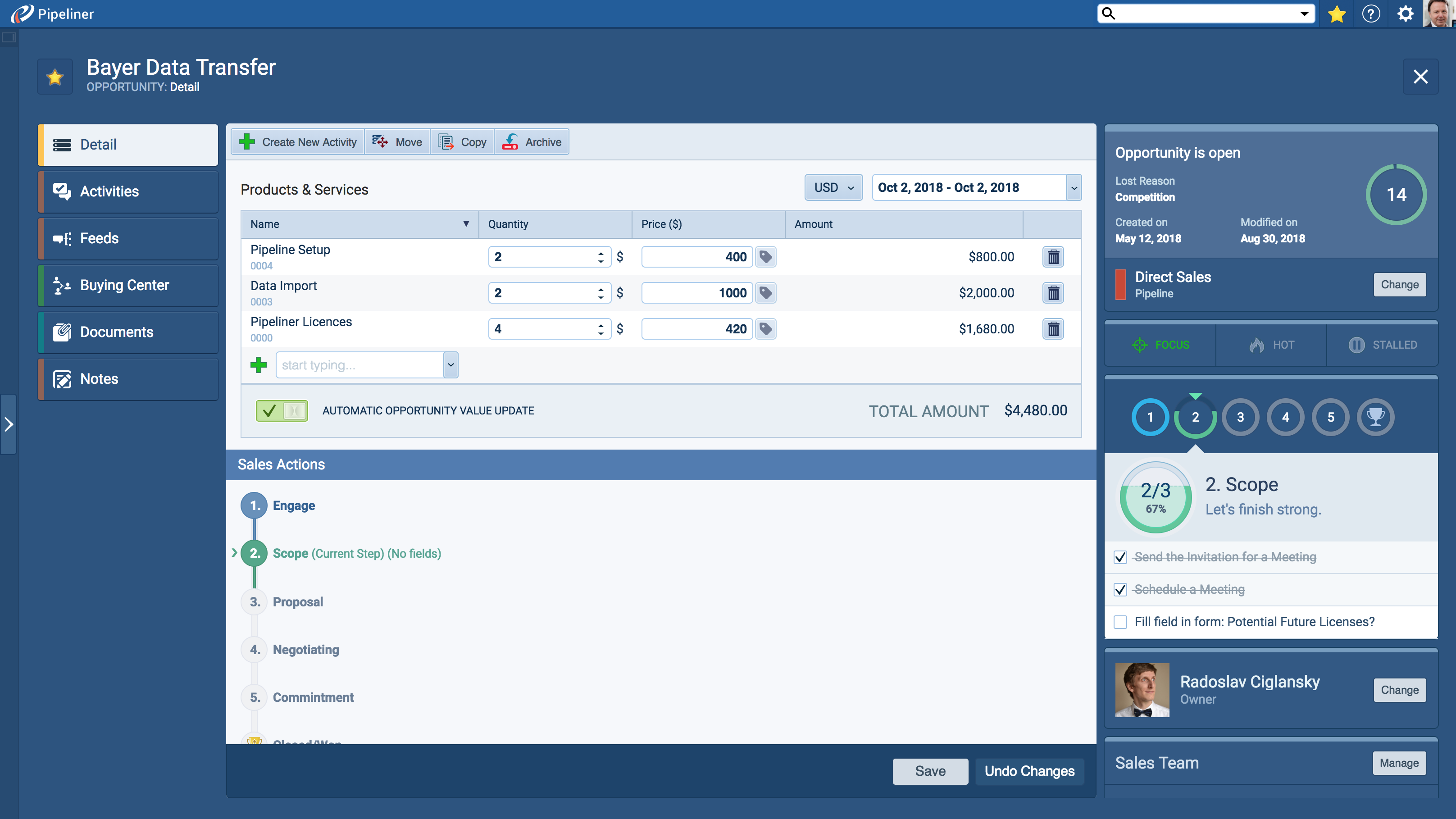
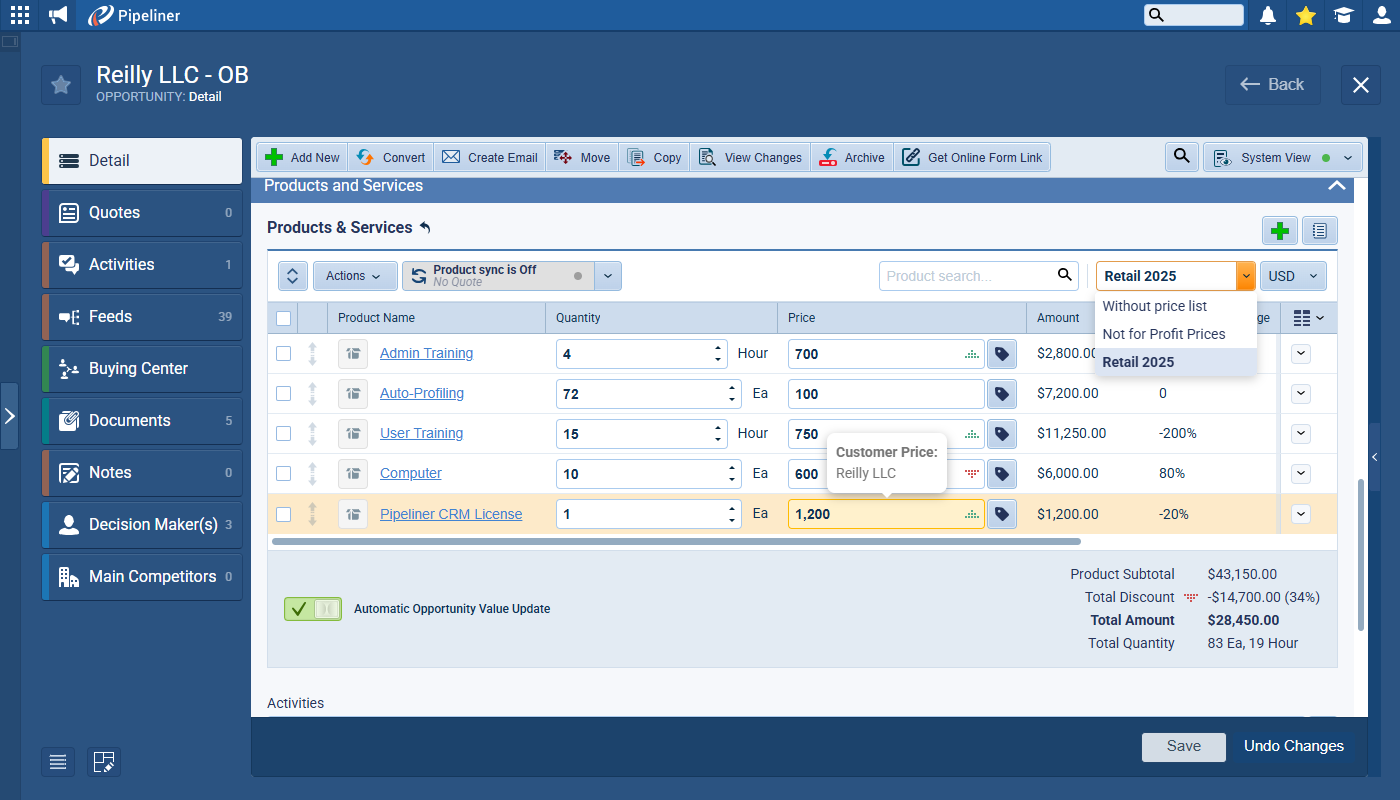
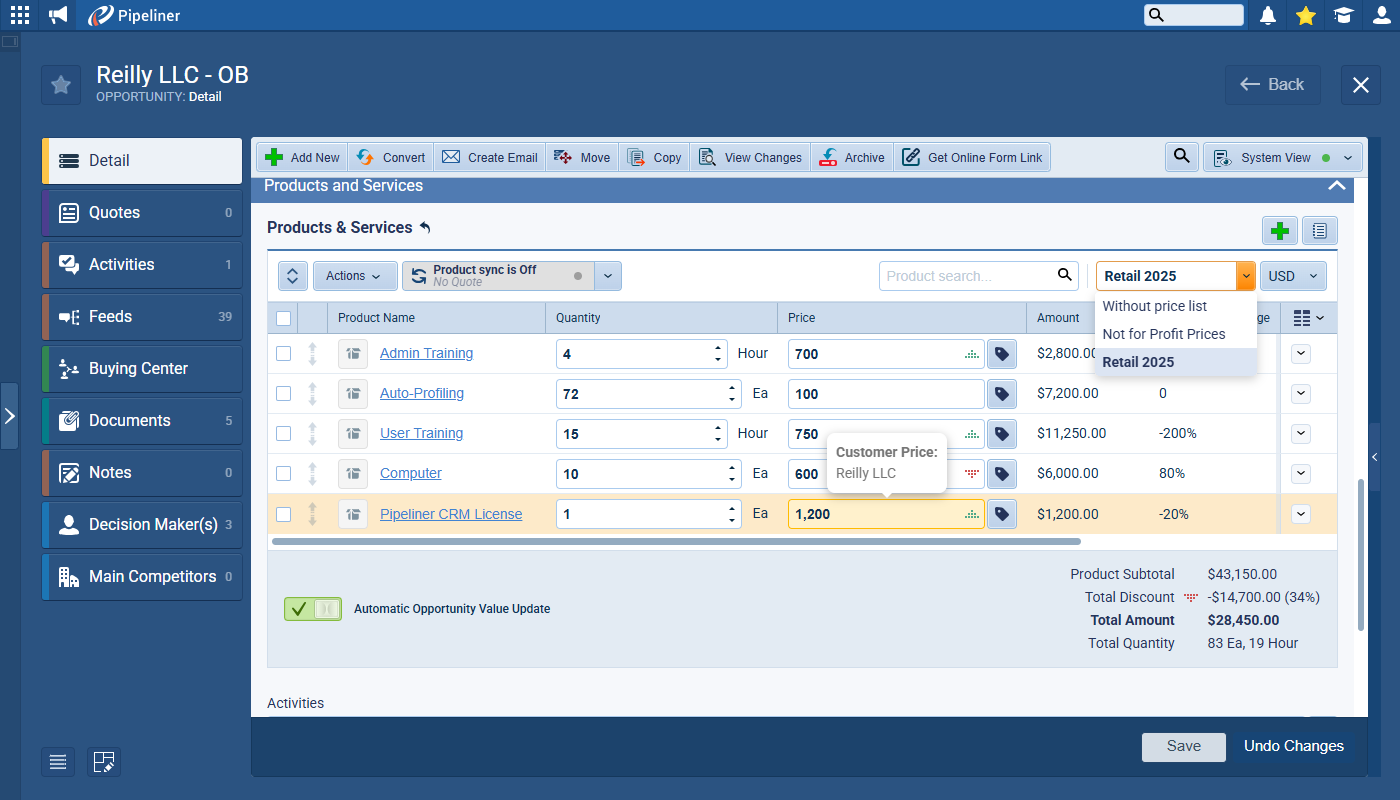
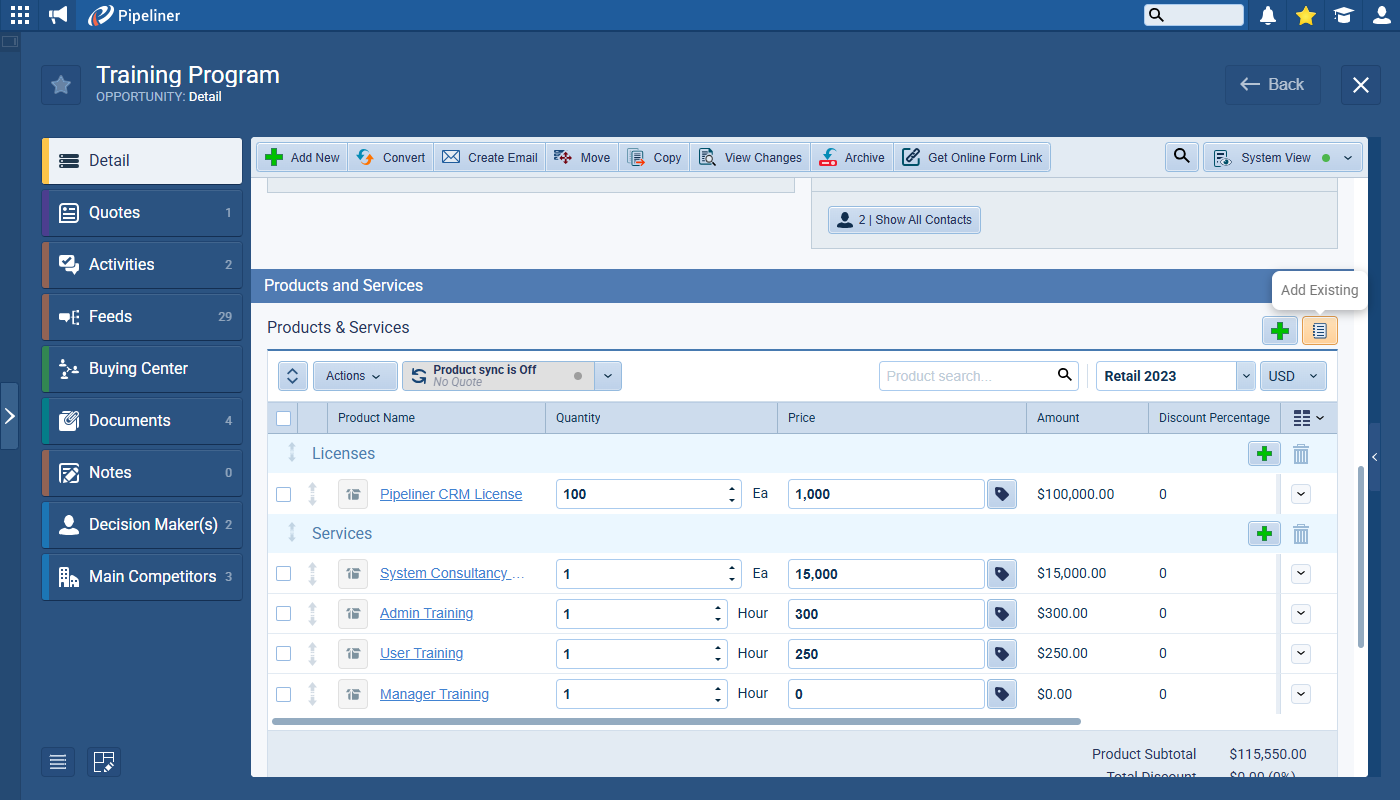
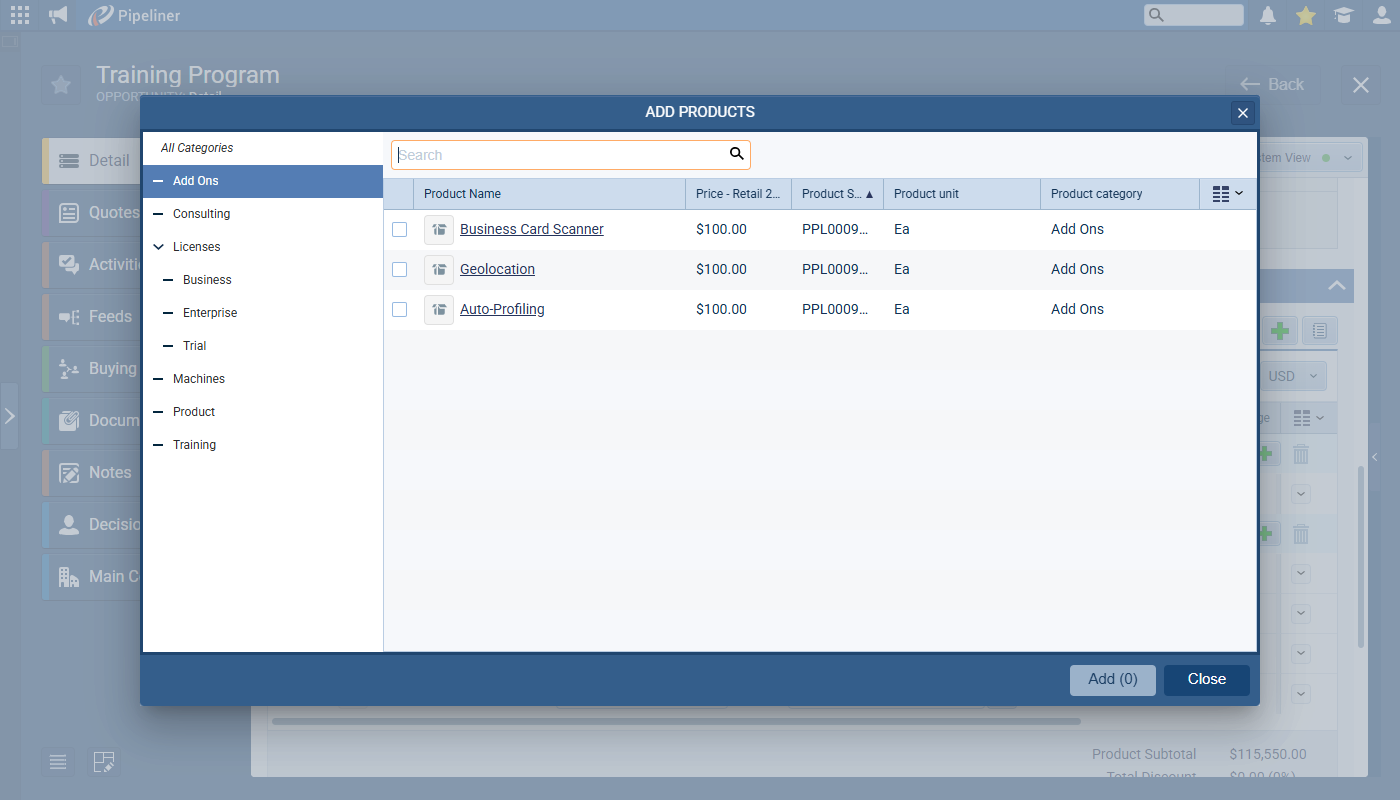
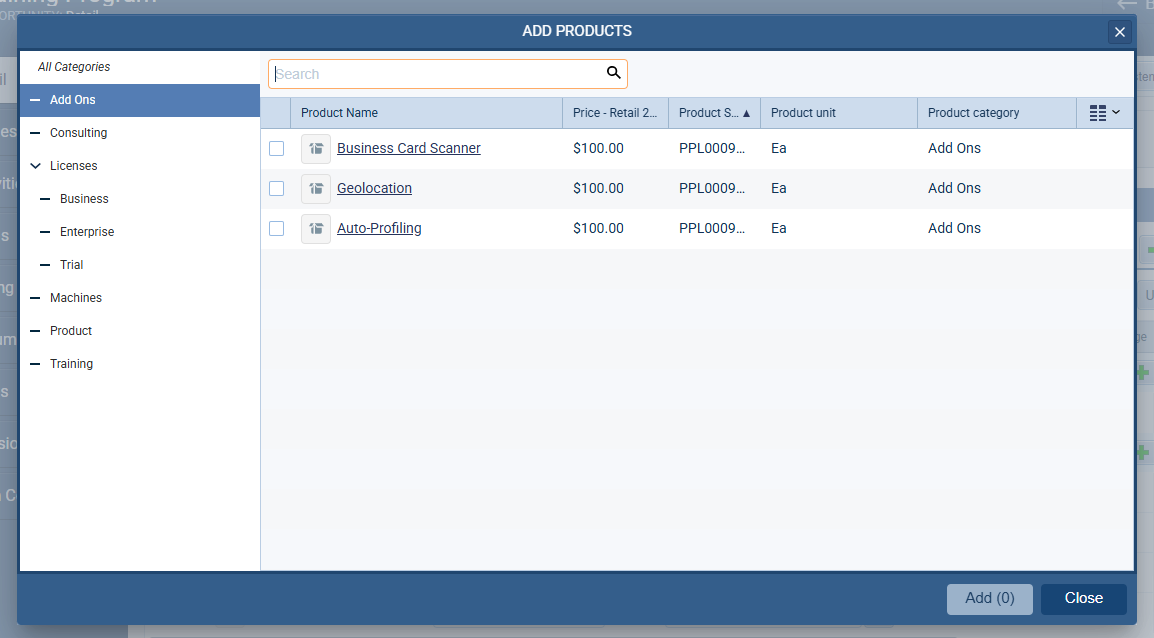
Add products directly to opportunities with intuitive selection and search tools. Quantities and pricing update opportunity values automatically, giving your sales team real-time deal valuations that improve forecast accuracy.
How It Works: From Setup to Sales Success
Build Your Product Catalog with Ease
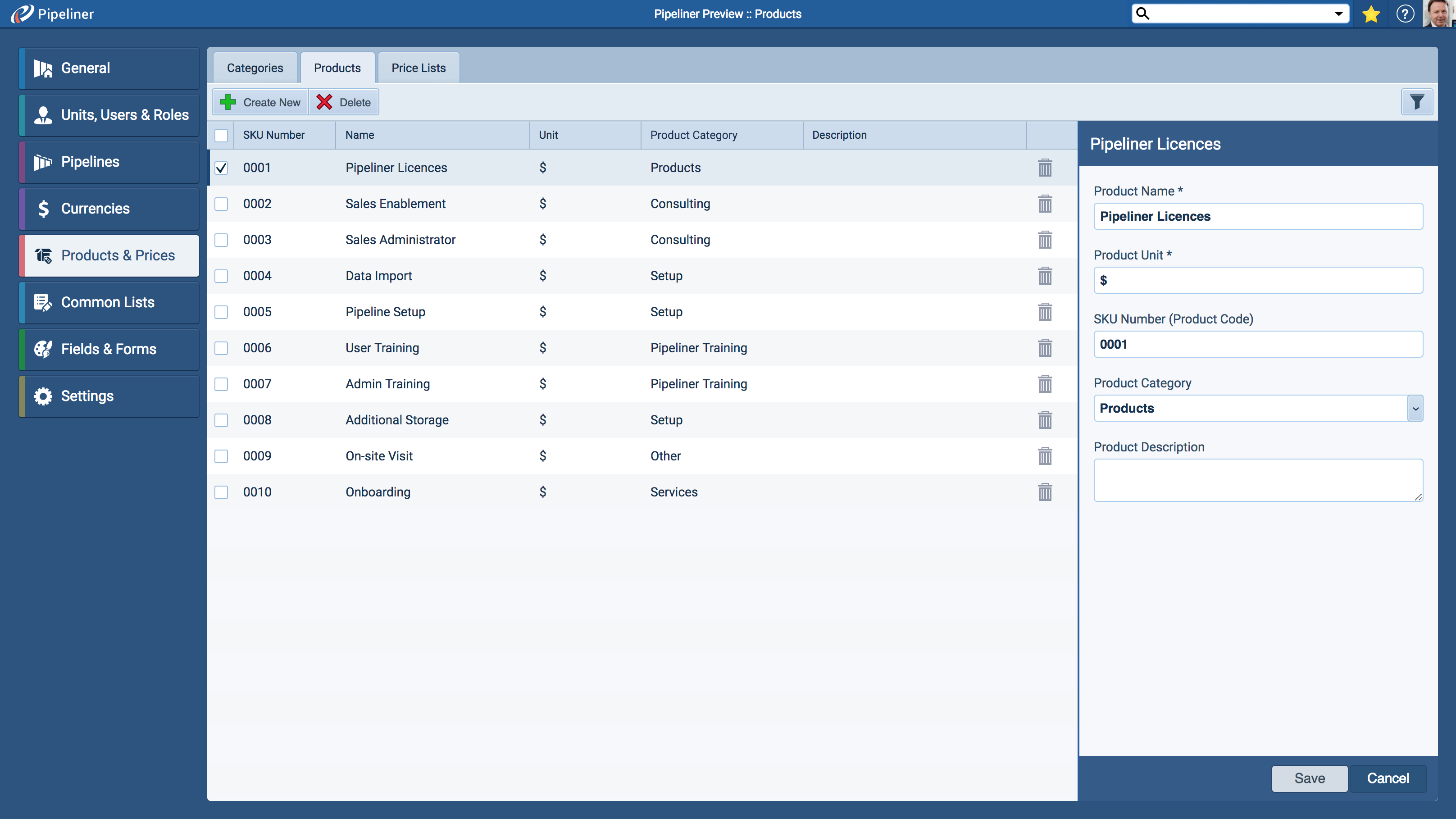
Add products manually or import them in bulk from CSV files. Categorize products into logical groups and subgroups to simplify navigation and reporting. Customize product forms and fields to capture unique attributes relevant to your business.
Define Price Lists and Pricing Logic
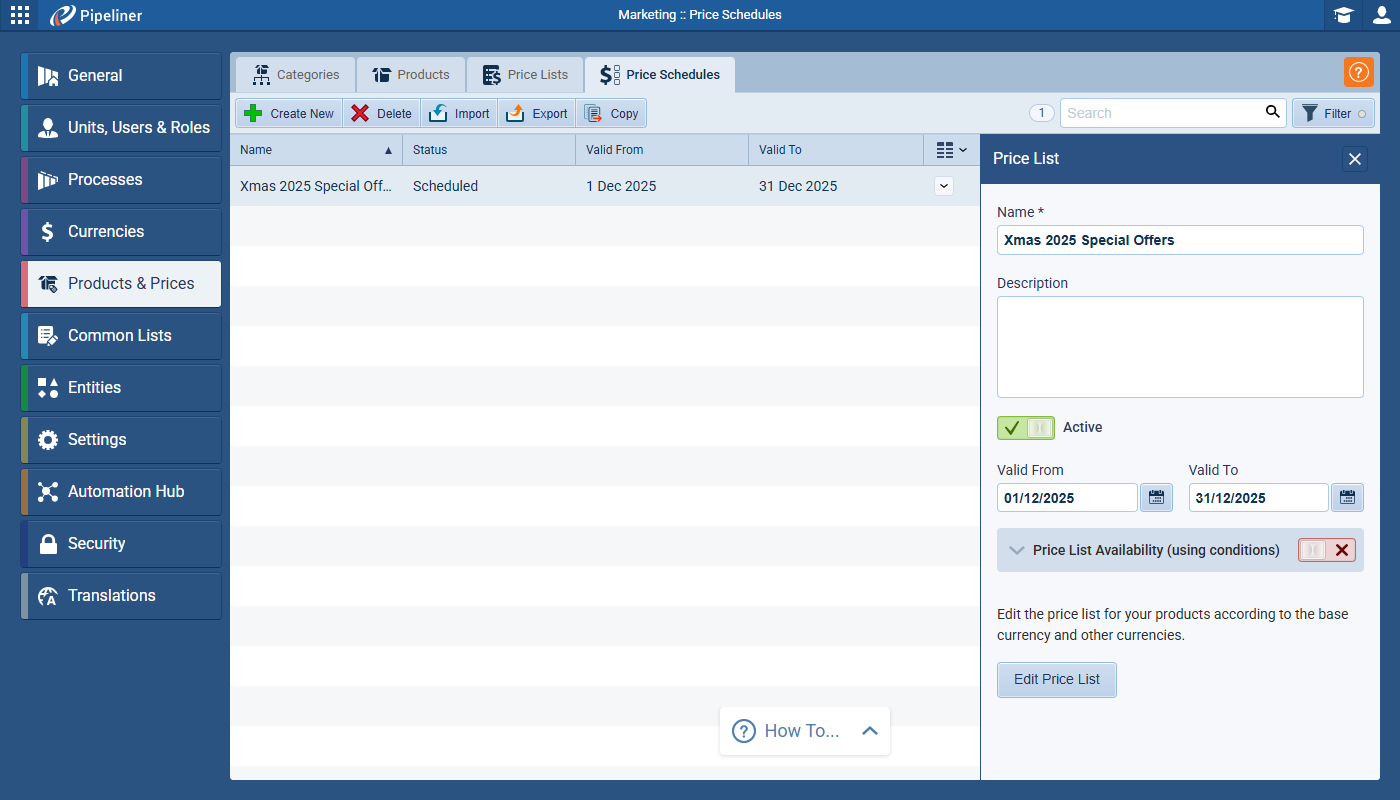
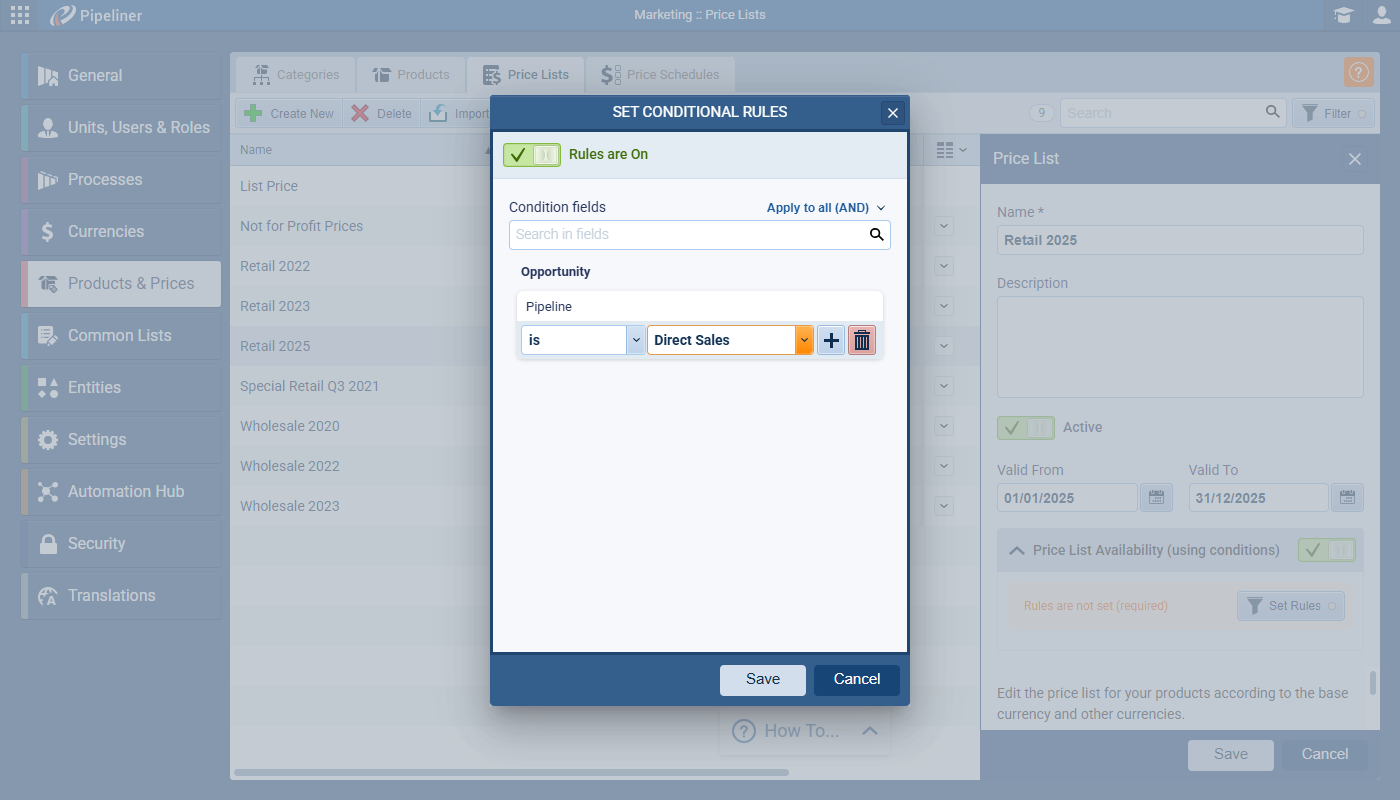
Create active, scheduled, or expired price lists with start and end validity dates. Apply pricing rules and availability filters to ensure your sales team always uses the most current and appropriate prices — eliminating errors and delays.
Empower Your Sales Team with Integrated Tools
Add the Products grid to your Opportunity forms so users can select products, adjust quantities, and see pricing instantly. The system’s pricing logic automatically applies the best price based on schedules or customer-specific prices, streamlining quoting and closing.
Gain Actionable Insights to Drive Revenue
Use the Products tab’s List View for detailed sales history, Trend View for analyzing product performance over time, and WhiteSpace View to uncover hidden opportunities. Drill down into underlying opportunity data with a click to plan your next move with confidence.
Benefits That Drive Business Outcomes
- Boost Sales Efficiency:
Eliminate manual product tracking and pricing errors. Your team spends less time managing data and more time selling. - Increase Win Rates:
Use data-driven insights to craft compelling offers and identify the right products at the right time, improving conversionConversion Conversion is the process of turning a target consumer into a paying customer; or more generally, the point at which a user performs a specific action favorable to a marketer or a seller. rates. - Maximize Revenue Potential:
Discover cross-sell and upsell opportunities with WhiteSpace analysis — turning existing accounts into growth engines. - Enhance Customer Satisfaction:
Deliver accurate, personalized pricing and proposals that build trust and long-term loyalty. - Streamline Sales ForecastingForecasting Forecasting is a prediction or calculation of a trend or event likely to occur in the future based on qualitative, quantitative and historical data as well as emergent but relevant factors.:
With real-time product and pricing data integrated into opportunities, forecasts become more reliable and actionable.
Designed for Flexibility and Scalability
Whether you’re a small business with a focused product line or a large enterprise managing thousands of SKUs and complex pricing tiers, Pipeliner CRM scales with you:
- Create custom product types and forms to handle diverse product portfolios.
- Manage multiple price lists and customer-specific pricing with ease.
- Filter and export product data for detailed analysis or sharing.
- Integrate product details seamlessly into quotes and templates — making every customer interaction professional and precise.
Take Control of Your Products and Pricing Today
Pipeliner CRM’s Custom Products and Services Catalog is more than just a feature — it’s a sales accelerationSales Acceleration Sales Acceleration is the act or practice of speeding up the sales process using tools and technologies that improve the productivity and efficiency of sales professionals. engine. By uniting product data, pricing, and opportunity management, it empowers your team to sell with confidence, close deals faster, and grow revenue sustainably.
Ready to transform your sales process? Discover how Pipeliner CRM can unlock the power of your product catalog and propel your business forward.
Screenshots