In the modern sales environment, dataData Data is a set of quantitative and qualitative facts that can be used as reference or inputs for computations, analyses, descriptions, predictions, reasoning and planning. is everything—but too much data at once can be paralyzing. When you open a complex AccountAccount Account refers to a record of primary and background information about an individual or corporate customer, including contact data, preferred services, and transactions with your company. or Contact record, do you see the information you need right now, or do you scroll through a wall of irrelevant fields? Pipeliner CRM solves the challenge of “Data Overload” with Multiple Form Views. This feature lets you move beyond the static “one-size-fits-all” record layout and create dynamic, role-specific interfaces that adapt to your specific tasks.
Whether you are a Marketer analyzing communication preferences or a Customer SuccessCustomer Success Customer Success is a proactive mindset, function, department or strategy commonly adopted by B2B companies to optimize business with customers, reduce churn rate, drive profits and increase the predictability of recurring revenue. Manager reviewing contract renewals, Pipeliner CRM lets you curate your workspace for maximum efficiency.
What Are Multiple Form Views?
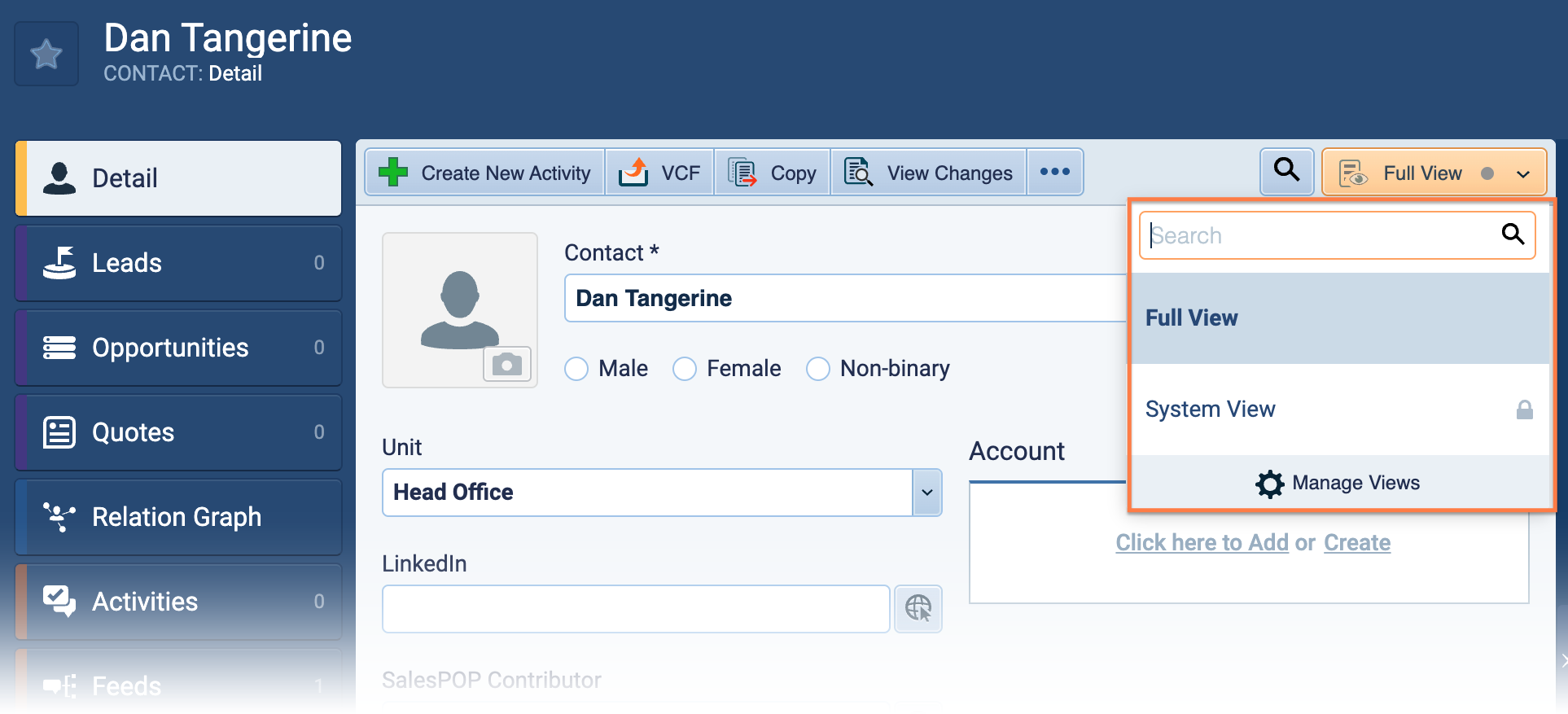
Multiple Form Views allow users to create, save, and share custom layouts for the primary records in Pipeliner CRM: Accounts, Contacts, Leads, and Opportunities.
Instead of a single “Full View” that displays all fields in the database, users can build focused subsets of data. These views can be toggled instantly, allowing you to switch contexts—from “Prospecting Mode” to “Closing Mode”—without leaving the screen.

How Multiple Form Views Transform Your Workflow
Context-Aware Visibility
Different teams care about other data. With Multiple Form Views, you can strip away the clutter.
- For Sales: Create a view that shows only Deal Value, Next Steps, and the Decision MakerDecision Maker Decision Maker in the context of sales, is a person who possesses the required expertise and authority in making purchase decisions.’s contact info.
- For MarketingMarketing Marketing is the field, set of actions, or practice of making a product or service desirable to a target consumer segment, with the ultimate aim of effecting a purchase.: Switch to a view highlighting LeadLead Lead refers to a prospect or potential customer (who can be an individual or organization) that exhibits interest in your service or product; or any additional information about such entity. Source, Campaign History, and Opt-In status.
- For Support: Instantly toggle to see Ticket History, SLA Level, and Contract Expiry.
- The Result: You stop hunting for information. The fields you need are always front and center, speeding up data entry and analysis.
Visual Intelligence with Field Highlighting
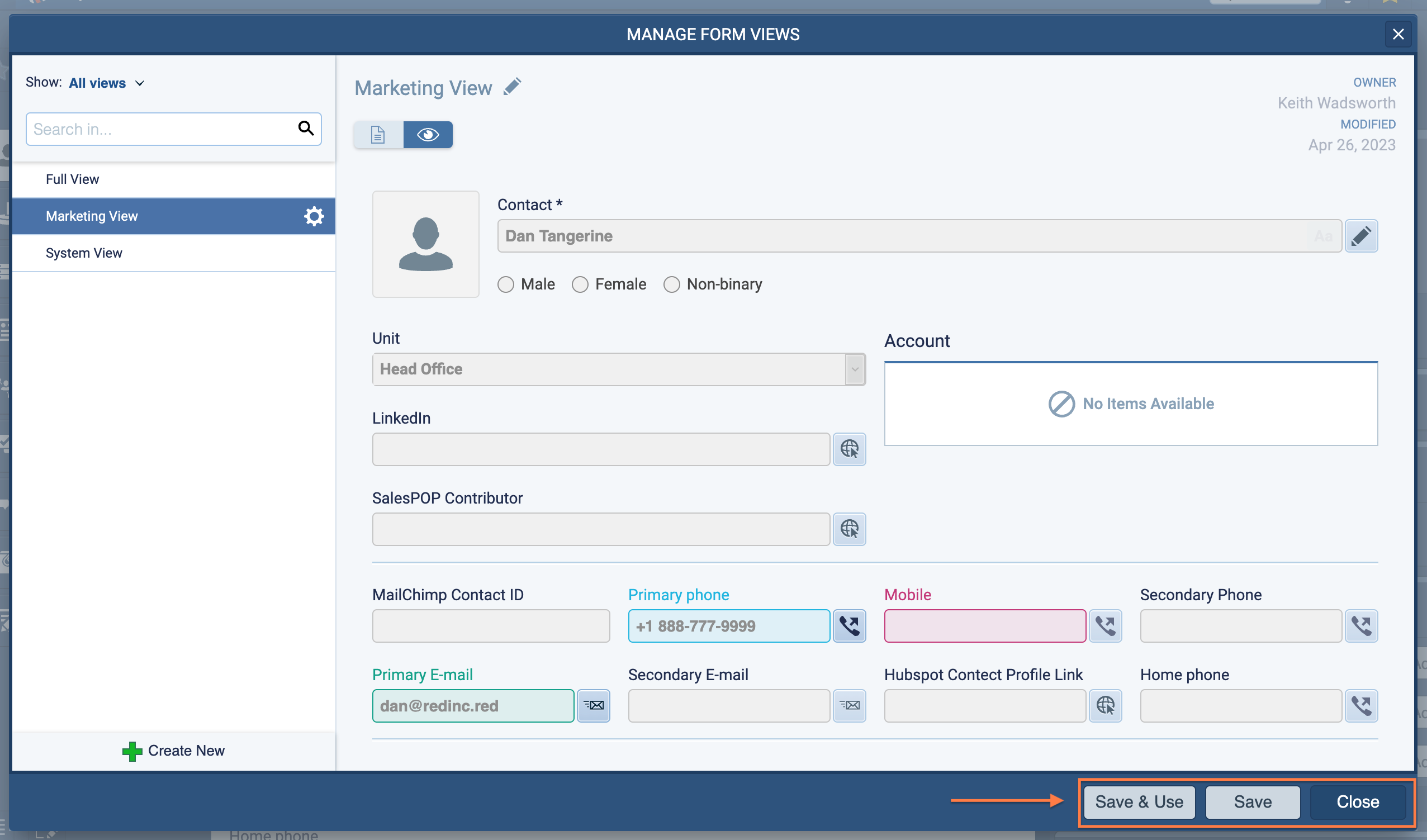
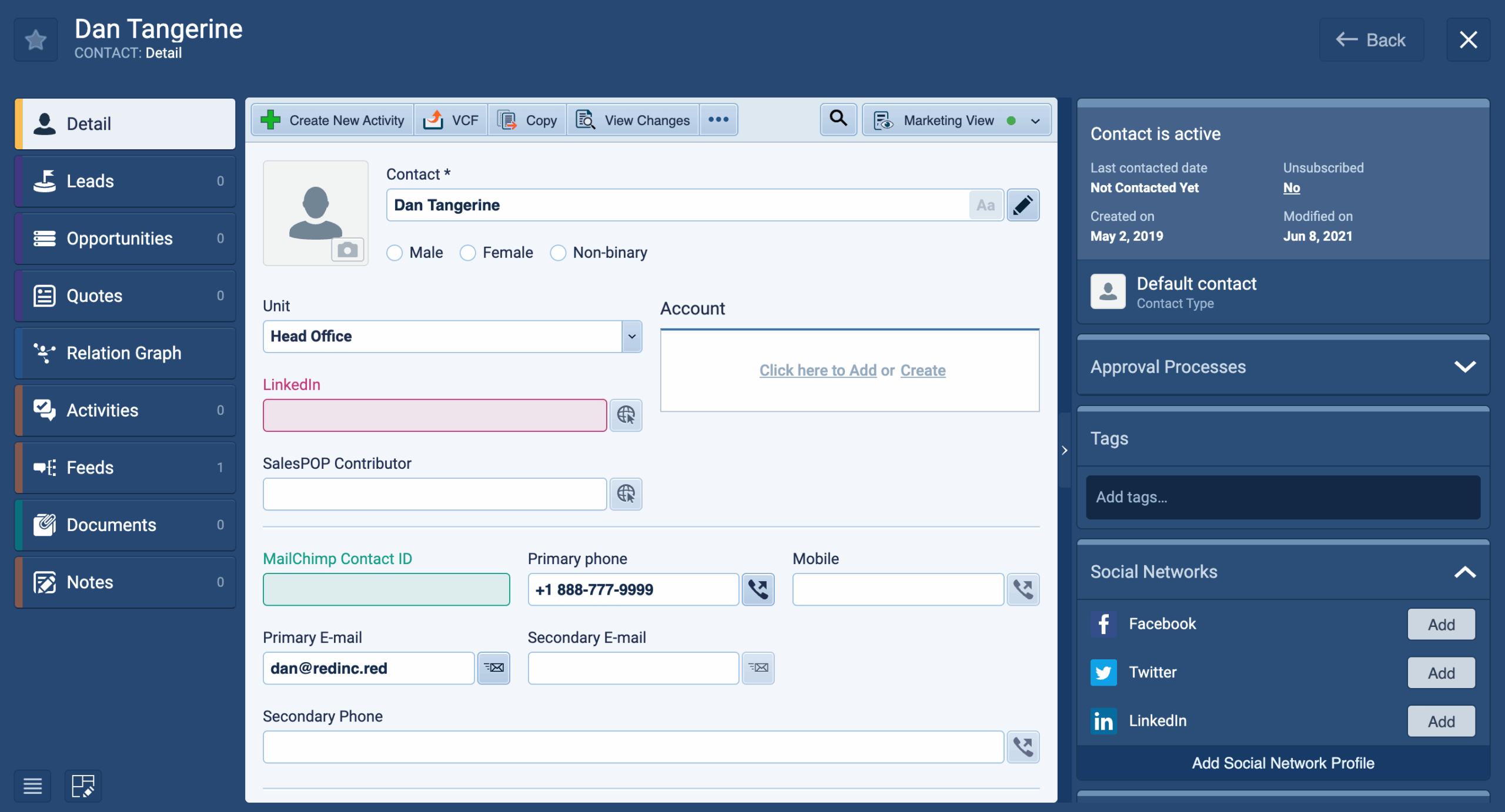
Data shouldn’t just sit on a page; it should speak to you. Pipeliner CRM takes customization a step further with Color-Coded Field Highlighting. Within any custom Form View, you can apply specific colors to critical fields.
- Never Miss a Detail: Highlight mandatory fields in red to ensure 100% data compliance.
- Spot Opportunities: Highlight “Upsell Potential” fields in green so they pop off the screen immediately.
- The Result: A visual interface that guides the userUser User means a person who uses or consumes a product or a service, usually a digital device or an online service.’s eye to the most critical metricsMetrics Metrics are quantities that are measured and used to:, reducing administrative errors and missed opportunities.
Standardized Team Processes (Sharing & Permissions)
For Sales Managers and Admins, consistency is key. You don’t just have to rely on individuals creating their own views; you can build the “Perfect View” and deploy it to the team.
- Share Publicly: create a standardized view available to every user in the organizationOrganization Organization is a cohesive group of people working together and formally bound by a shared identity (e.g., one team, company, club, etc.) and a common purpose (e.g., business growth, athletic victory, etc.)..
- Targeted Sharing: Create a specific view and share it only with the Marketing Team or particular colleagues.
- The Result: faster onboardingOnboarding Onboarding is the process or act of introducing a new customer to your product or service; or integrating a newly hired employee into your workforce or team. for new reps. Instead of teaching them where to find data, you tell them: “Select the ‘New Business’ view from the dropdown.”
Navigation Speed: The “Quick Jump” Feature
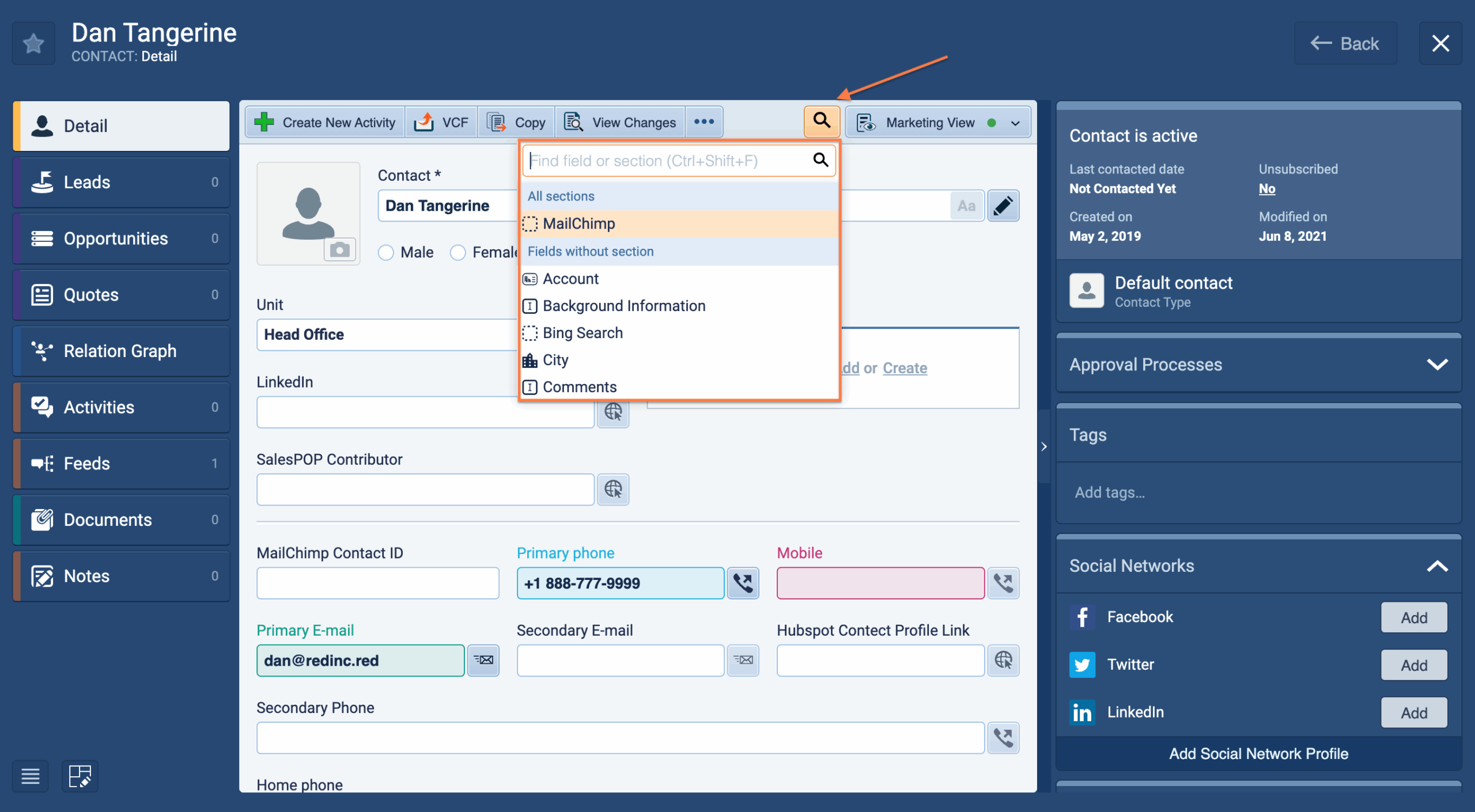
Even with a customized view, complex records can be long. Pipeliner CRM includes a Quick Jump feature designed for power users who hate reaching for the mouse.
- How it works: Click the Search icon next to the Form Views (or use the keyboard shortcut Ctrl+Shift+F on Mac or PC).
- What happens: A search bar appears. Start typing the name of the field or section you need (e.g., “Mobile Phone” or “Invoicing”).
- The Payoff: The system instantly scrolls the form to that specific section and highlights the field. No scrolling. No searching. Just instant access.
Publications
Screenshots
Share this page