Turn every interaction into instant CRM action. Pipeliner CRM Online Forms isn’t just a survey tool; it’s a fully integrated growth engine that seamlessly bridges your digital touchpoints with your critical sales dataData Data is a set of quantitative and qualitative facts that can be used as reference or inputs for computations, analyses, descriptions, predictions, reasoning and planning.. Stop manually transferring data and start fueling your pipelinePipeline Sales pipelineis a visual representation of the stage prospects are in the sales process. with real-time, accurate, and actionable insights.
The Pipeliner CRM Online Forms feature delivers maximum impact by focusing on key selling points (KSPs) that translate directly into CRM advantages. For example, our Direct CRM Sync eliminates the need for copy/paste, ensuring real-time data accuracy and facilitating immediate follow-up. Using Personalized Links means higher conversionConversion Conversion is the process of turning a target consumer into a paying customer; or more generally, the point at which a user performs a specific action favorable to a marketer or a seller. with zero friction, which drives higher completion rates and a better customerCustomer Customer is an individual or an organization that purchases a product or signs up for a service offered by a business. experience.
Furthermore, the ability to use the form submission as an Automatizer Trigger turns form data into automated sales action, significantly accelerating the sales cycleSales Cycle Sales Cycle is a repeating process characterized by a predictable sequence of stages that a company undergoes as it sells its products and services to customers. by automating next steps. With Conditional Fields, you build more innovative forms that adapt to the userUser User means a person who uses or consumes a product or a service, usually a digital device or an online service., gathering more specific, high-quality data relevant to the inquiry. Finally, the feature’s capability for Related Record Creation simplifies complex transactions, enabling you to handle use cases such as Quote Requests directly from a web form.
The Power-Packed Benefits You’ll Love
Introducing Voyager AI: Instant Form Creation
Revolutionize your workflow with the Voyager AI Online Forms Agent. Stop wasting time building forms field-by-field. Now, you can use natural language text prompts to tell the AI what you need, and it will do the heavy lifting for you.
- Generate Forms in Seconds: Instantly create a new form, complete with name, description, field values, and a draft header image, based on a simple prompt like “Create a leadLead Lead refers to a prospect or potential customer (who can be an individual or organization) that exhibits interest in your service or product; or any additional information about such entity. capture form for a productProduct Product refers to anything (an idea, item, service, process or information) that meets a need or a desire and is offered to a market, usually but not always at a price. demo.”
- Intelligent Field Mapping: The AI creates new fields that are intelligently mapped to Pipeliner CRM Entities, ensuring better data integrity and seamless integration from the start.
- Iterative Design: Refine your forms on the fly using the AI dialog. Use follow-up prompts to update existing forms, change the tone, or add/rephrase fields—making form design a collaborative, conversational process.
- Optimized Layouts: The AI understands the need for a polished look and automatically places related fields in a single row (e.g., Name, Email & Phone, and Address) to create a comprehensive, structured, and space-saving layout.
Instant CRM Integration & Record Creation
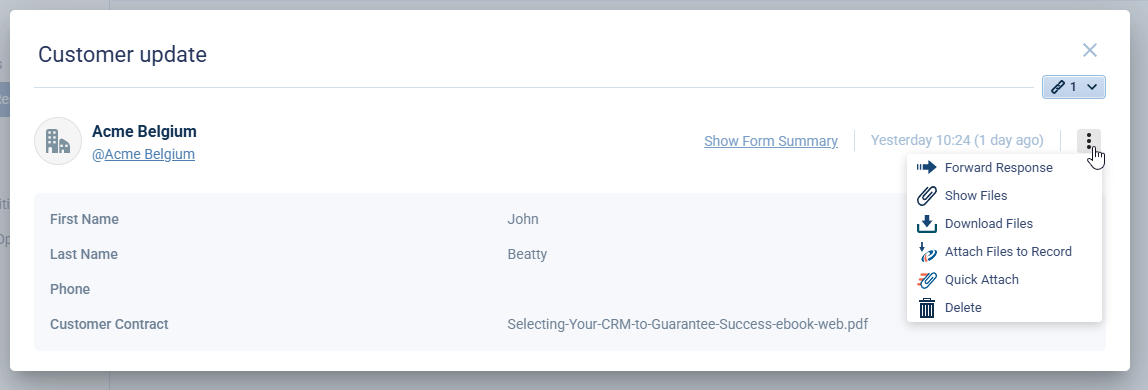
Forget tedious, error-prone data transfer. Every form submission in Pipeliner CRM is designed to eliminate manual data entry. The data is instantly validated and routed to the correct place, automatically creating or updating the corresponding record—be it a Lead, Contact, or Opportunity—directly in Pipeliner CRM. This allows you to Fuel Your Pipeline Instantly. Whether it’s a simple website lead capture or a complex quote request, there is zero lag between customer interest and CRM action. We use Intelligent Record Matching to automatically update existing records with fresh information, or seamlessly create a new one if a match isn’t found, ensuring your data is always accurate.
Seamless Web & Email Deployment
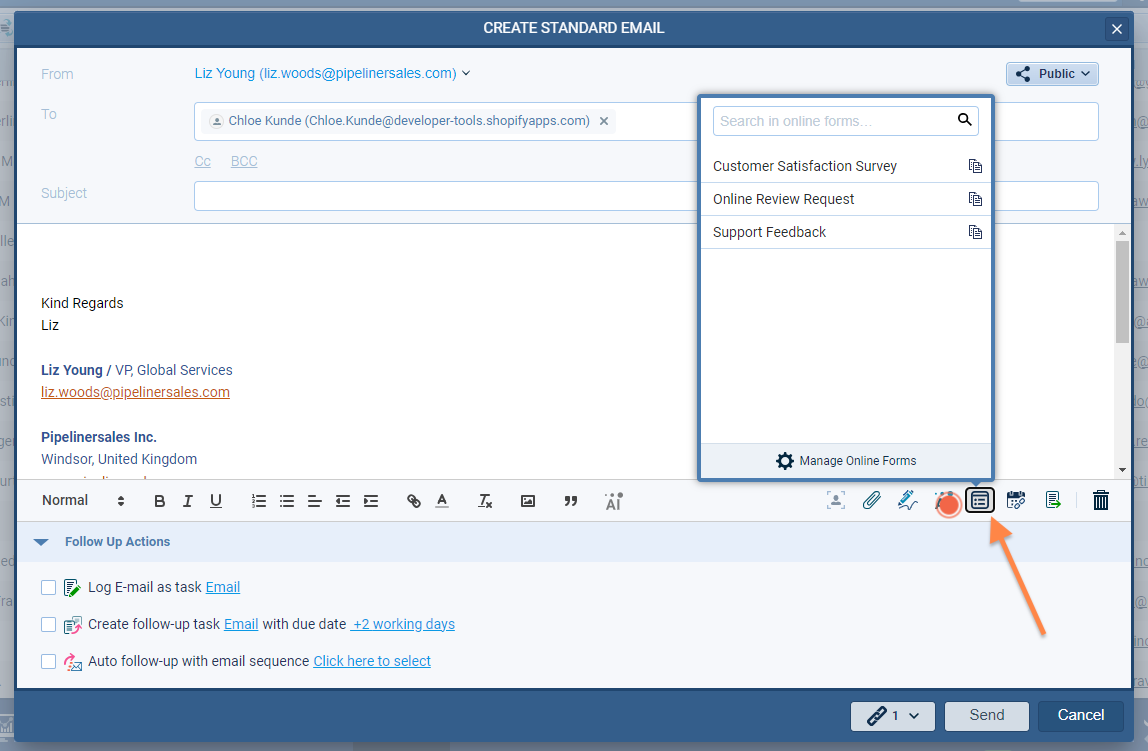
Deploying your forms is Hassle-Free and flexible. You can generate JavaScript embed code for simple integration into any website, or utilize an Iframe for specific deployment needs. To drive high engagementEngagement Engagement is the state or process of keeping a specific class of audience (employees, management, customers, etc.) interested about a company or brand and invested in its success because of its perceived relevance and benefits to the audience., use Personalized, High-Converting Links that instantly populate form fields with known CRM data, dramatically boosting completion rates. Most importantly, we help you Secure Your Data with built-in reCAPTCHA integration, protecting your forms from bots and abuse so you only capture real leads.
Automation & Workflow Mastery
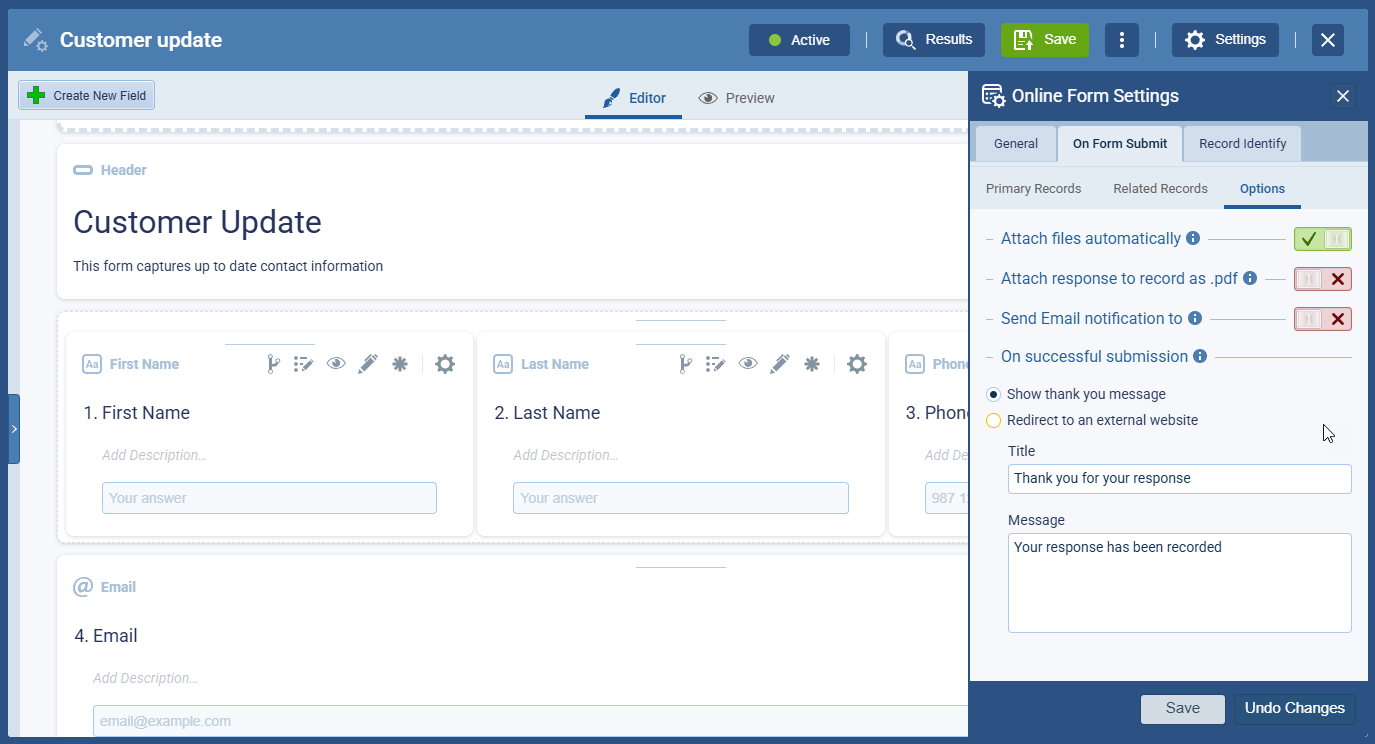
- Trigger Next-Level Workflows: Form submission isn’t the finish line—it’s the starting gun! Use the submission as a direct trigger for Pipeliner CRM Automatizer processes.
- Automate Follow-Up: Instantly assign tasks, send internal notifications, or launch tailored email campaigns upon form completion.
- Multi-Purpose Forms: Design complex forms that can not only update the primary record but also create or update related records (e.g., a Quote related to an Opportunity).
Design & Customization That Converts
Achieve a Fully Branded Experience by customizing color schemes, headers, and images to match your brand identity and website aesthetic perfectly. The drag-and-drop editor supports Optimized Layouts, using multi-column containers to enhance the user experience. You can create single-page forms or smooth, multi-step sections for long surveys. Leverage Conditional Logic Magic by using rules to dynamically show or hide fields based on previous answers, resulting in a smarter, more relevant experience for every respondent.

Advanced Control & Compliance
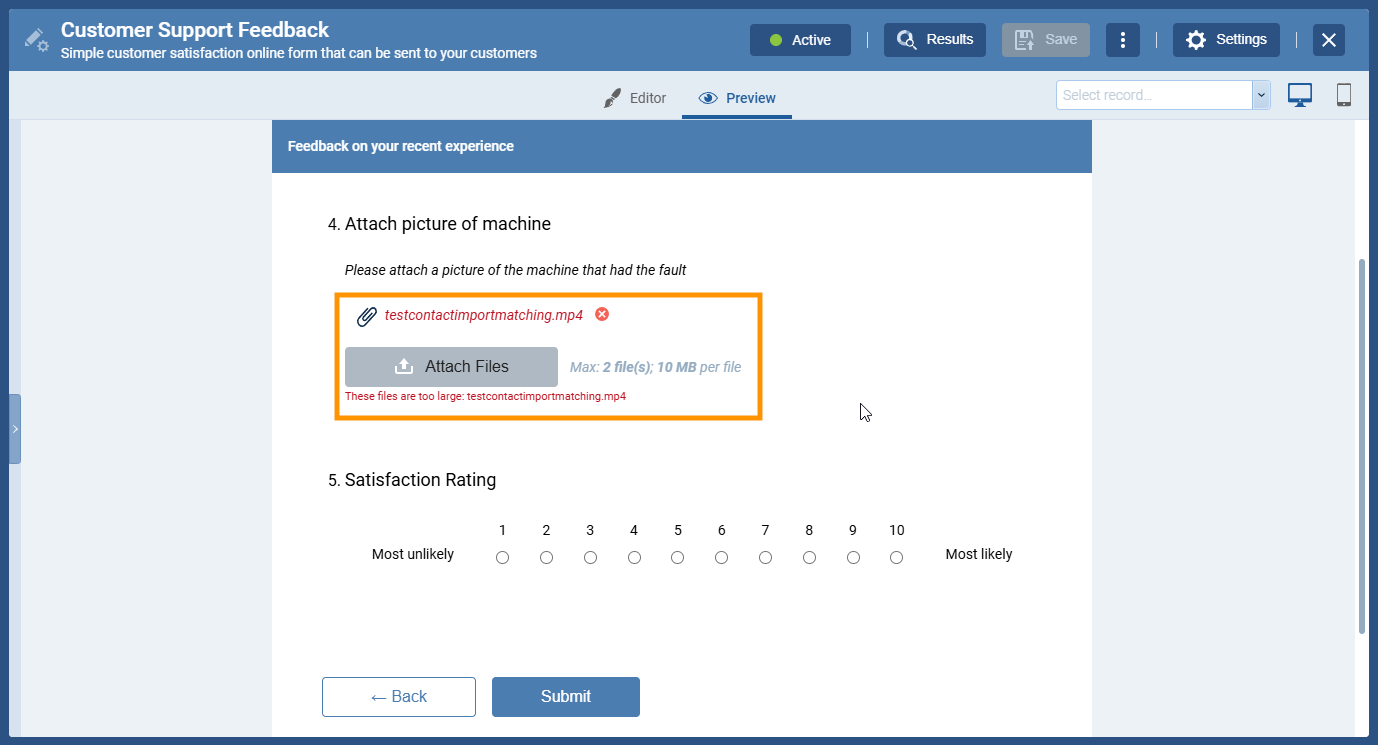
Take control of your data flow and resources. You can Set Clear Response Limits that automatically deactivate forms when a response threshold, deadline date, or file storage limit is reached—an essential feature for events or limited-time offers. Additionally, by incorporating Products & Services fields, you gain Product & Quote Capabilities that enable instant quote requests and order collection via your forms. Finally, every response is logged and analyzed in the CRM Feed, allowing for Comprehensive Tracking & Reporting through dedicated Form Summary analyticsAnalytics Analytics is the active study of different types of data with the aim of discovering meaningful patterns and translating these into insight (such as historical analyses and forecasts), or action (such as those intended to improve business performance). and full support for Standard and Pivot Table Reports, giving you a complete performance overview.