In the complex world of B2BB2B B2B is an acronym for Business-to-Business, a model for selling, relationship-building, or engagement. sales, dataData Data is a set of quantitative and qualitative facts that can be used as reference or inputs for computations, analyses, descriptions, predictions, reasoning and planning. rarely exists in a vacuum. A sales opportunity isn’t just a dollar amount and a closing date; it is a web of relationships. It involves external partners, internal support teams, multiple decision-makers, and aggressive competitors.
The problem with many standard CRM platforms is that they force these complex relationships into flat, disconnected text fields. You end up with data silos where critical context is buried in notes or lost in static dropdown menus.
Pipeliner CRM solves this with Unlimited Custom Fields and advanced Lookup Functionality. We don’t just let you store data; we let you map the dynamic relationships that actually drive your business forward.
The SolutionSolution Solution is a combination of ideas, strategies, processes, technologies and services that effectively helps an organization achieve its goals or hurdle its challenges.: Intelligent Connectivity
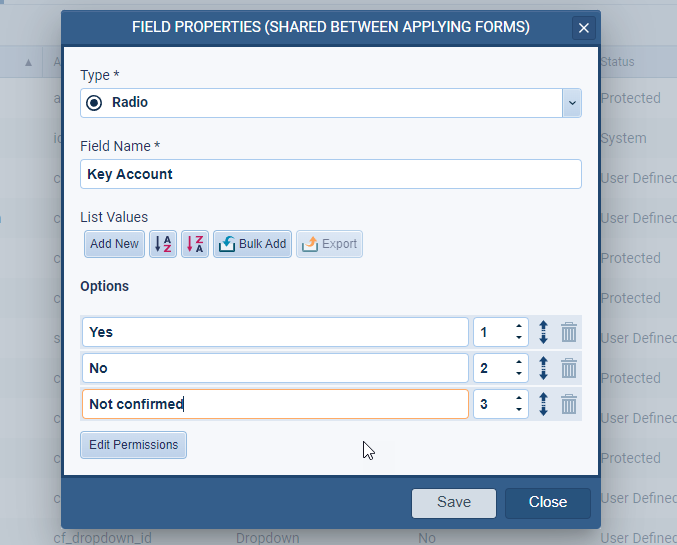
Pipeliner CRM’s Custom Lookup Fields allow you to create deep, functional links between any two records in your system. This isn’t just about typing a name into a box; it’s about creating a digital bridge between entities.
With the Lookup field type, you can link a current record to Accounts, Contacts, Leads, Opportunities, Tasks, Products, Users, and even Custom Entities.
Here is how this connectivity transforms your operations from “Data Entry” to “Data Strategy.”
Eliminate Ambiguity with Primary Records & Constraints
One of the biggest killers of CRM adoption is “dirty data.” When a field asks for a contact, and a rep selects three different people, how do you know which one is the decision-maker?
Pipeliner CRM empowers Admins to enforce data quality at the architectural level:
- Designate a Primary Record: When multiple records are linked (for example, three different “Consultants” attached to a deal), users can flag one as the “Primary” relationship. This ensures reporting and automations always know exactly which record takes precedence.
- Enforce Smart Limits: prevent human error by setting Minimum and Maximum Item Counts.
- Need to ensure every AccountAccount Account refers to a record of primary and background information about an individual or corporate customer, including contact data, preferred services, and transactions with your company. has one—and only one—Customer SuccessCustomer Success Customer Success is a proactive mindset, function, department or strategy commonly adopted by B2B companies to optimize business with customers, reduce churn rate, drive profits and increase the predictability of recurring revenue. Manager? Set the Max Limit to 1.
- Require a deal to have at least two internal technical reviewers before it moves to the NegotiationNegotiation Negotiation is a strategic dialogue, discussion, or bargaining process between two or more parties with the goal of reaching a mutually acceptable agreement. stage? Set the Min Limit to 2.
Context-Aware Filtering (Stop the Scrolling)
Nothing slows down a sales rep faster than scrolling through a list of 500 users to find the one person they need to tag.
Pipeliner CRM’s Filtering Logic makes your fields smart. You can configure a Lookup field to restrict options based on specific criteria.
- Example: If you create a “Technical LeadLead Lead refers to a prospect or potential customer (who can be an individual or organization) that exhibits interest in your service or product; or any additional information about such entity.” field, you can filter the lookup only to display users who have the “Engineering” role or belong to a specific Sales Unit.
This reduces cognitive load, speeds up data entry, and ensures that the wrong people are never assigned to the wrong tasks.
Workflow Integration: Data That Moves With You
Custom fields in Pipeliner CRM are not static. They are deeply integrated into your sales cycleSales Cycle Sales Cycle is a repeating process characterized by a predictable sequence of stages that a company undergoes as it sells its products and services to customers..
- Stage-Specific Visibility: Using Sales Actions, you can configure Custom Fields to appear only when relevant. A “Competitor” lookup field might not be necessary at the “Lead” stage, but it becomes mandatory at the “Proposal” stage. This keeps your interface clean and focused.
- Visualization Choices: Choose how your team views the data. Configure fields as a simple “Multi-select” list or use the visual “Card View” for a richer, more detailed look at the connected records.
From Features to Outcomes: 3 Real-World Applications
To truly understand the power of Unlimited Custom Fields, let’s look at how successful teams use them to solve common business headaches.
The “Internal Ownership” Problem
The Challenge: Multiple internal employees touch an account—Sales Reps, Account Managers, and OnboardingOnboarding Onboarding is the process or act of introducing a new customer to your product or service; or integrating a newly hired employee into your workforce or team. Specialists. It’s often unclear who is responsible for what. The Pipeliner CRM Solution: Create a UserUser User means a person who uses or consumes a product or a service, usually a digital device or an online service. Lookup field named “Account Manager” on the Account record. The Benefit: By linking the specific internal user to the account, you gain clear accountability. This field helps route notifications and ensures the clientClient A client is an entity who pays another entity for products purchased or services rendered. Also called a customer. always has a single point of contact.
The “Competitive Intelligence” Gap
The Challenge: You know you are losing deals to “Competitor X,” but you can’t prove it because that data is buried in sales notes. The Pipeliner CRM Solution: Add an Account Lookup field named “Main Competitors” to your Opportunity records. The Benefit: You can now run reports detailing exactly how often a specific competitor appears in lost deals versus won deals. This turns anecdotal evidence into complex data for strategy adjustments.
The “Executive Access” Bottleneck
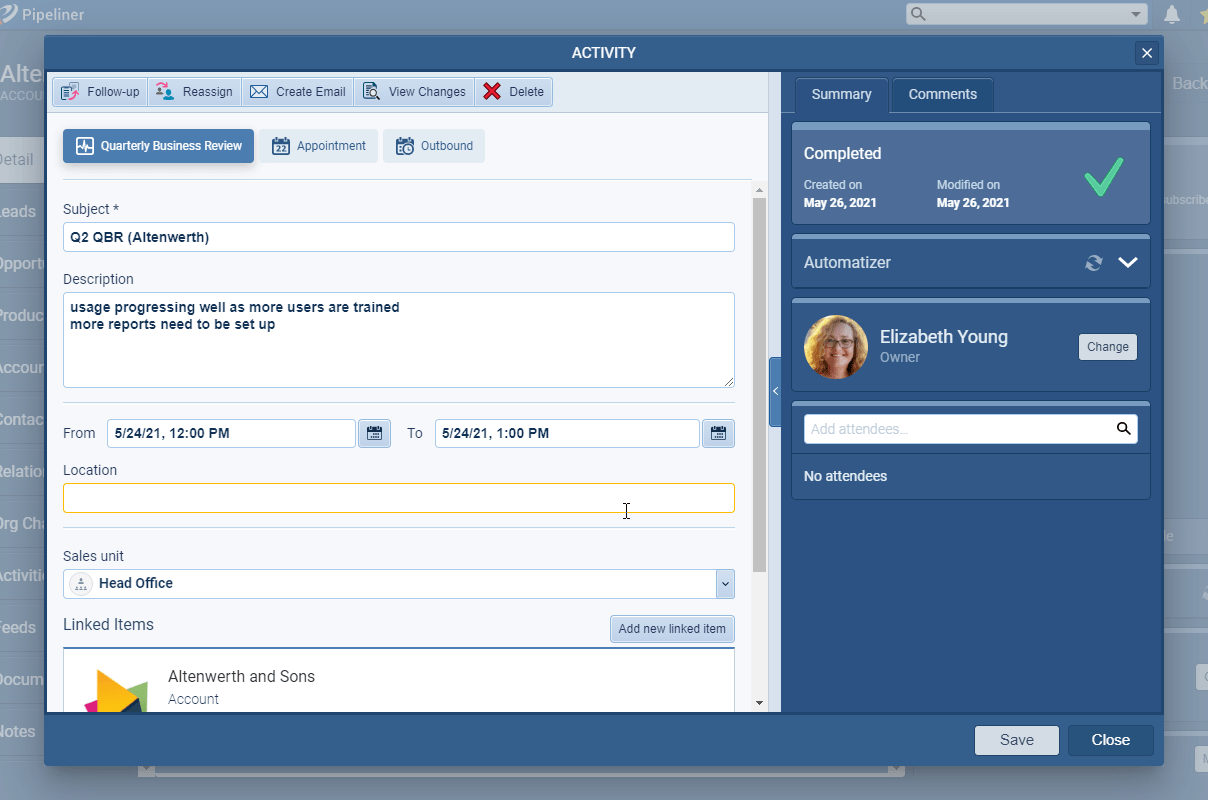
The Challenge: Before a renewal call, the Account Manager has to dig through months of emails to find the notes from the last Quarterly Business Review (QBR). The Pipeliner CRM Solution: Create an Appointment Lookup field named “Last QBR” directly on the Account form. The Benefit: This creates a direct portal to the highest-priority meeting notes, accessible instantly from the main dashboard.
A Unified Ecosystem
The true beauty of Pipeliner CRM’s Custom Fields is that they don’t live in isolation. Because Pipeliner CRM is built on a unified codebase, every custom relationship you make is immediately accessible across the platform:
- In Reporting: Filter and analyze reports based on your custom Primary records.
- In Automation: Use the Automatizer to trigger workflows when a custom field is updated.
- In Mobile: Enable field access for reps in the field via the Pipeliner CRM Mobile App.
- In Communication: Pull data from your custom fields as personalization tokens in email sequences and document templates.
Ready to Connect Your Data?
Your business is more than a flat list of names and numbers. It’s a dynamic network of relationships. It’s time your CRM reflected that.
With Pipeliner CRM’s Unlimited Custom Fields and Lookup capabilities, you can build a system that mirrors your unique business process—without writing a single line of code.
Screenshots