In high-velocity sales, timing is everything. Yet, the average sales representative spends hours every week manually composing follow-up emails, copying and pasting templates, and setting reminders to check for replies. Inevitably, leads slip through the cracks, and opportunities go cold.
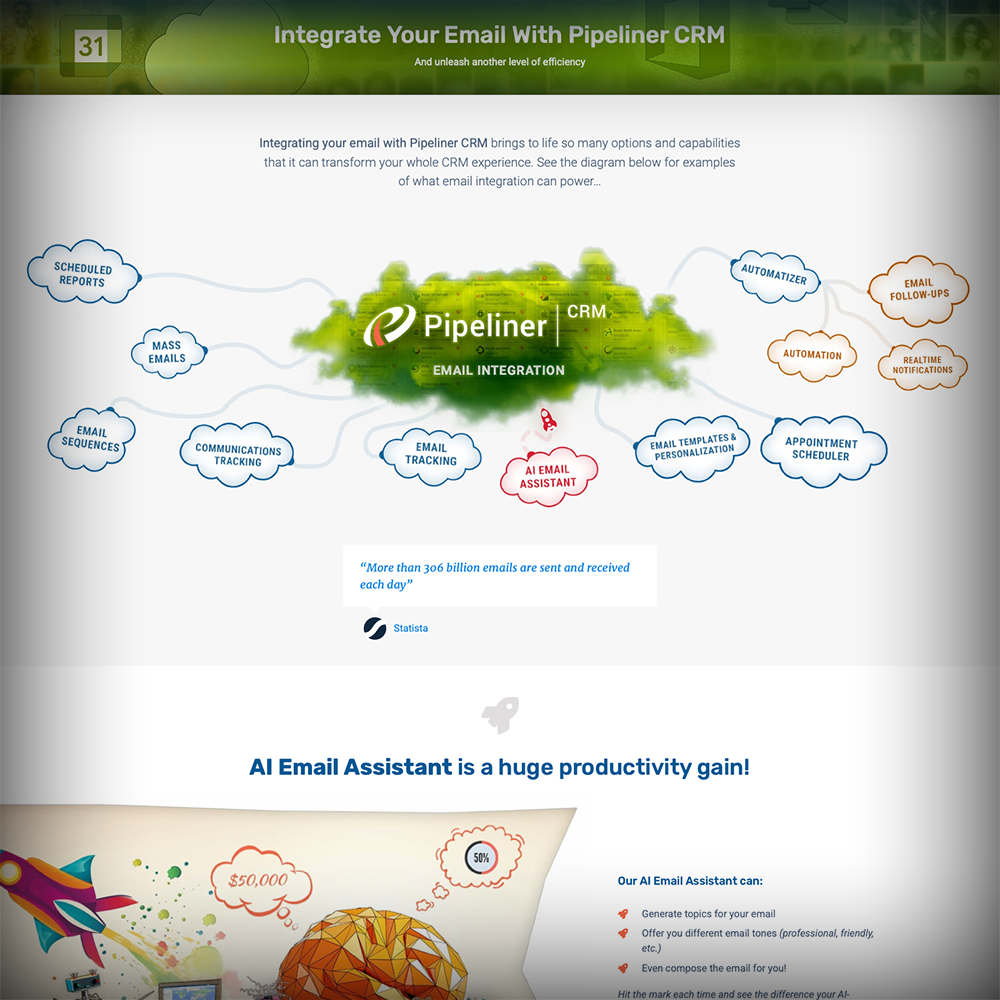
Pipeliner CRM Email Sequencing eliminates this friction. By combining the power of mass automation with the personalization of one-to-one communication, we help your team execute sophisticated nurture campaigns directly within your CRM.
Why Email Sequencing is a Game Changer
Pipeliner CRM’s Email Sequencing is not just an email blaster; it is a strategic workflow engine designed to enhance your customerCustomer Customer is an individual or an organization that purchases a product or signs up for a service offered by a business. relationships while significantly reducing administrative workload.
Consistency Meets Personalization
Send the right message at the right time, every time. Whether you are welcoming a new customer, chasing a stalled deal, or inviting prospects to an event, sequences ensure your brand voice remains consistent. Because emails are sent via your own Office 365 or Gmail integration, they land in the primary inbox, not the “Promotions” tab.
Intelligent “Set and Forget” Logic
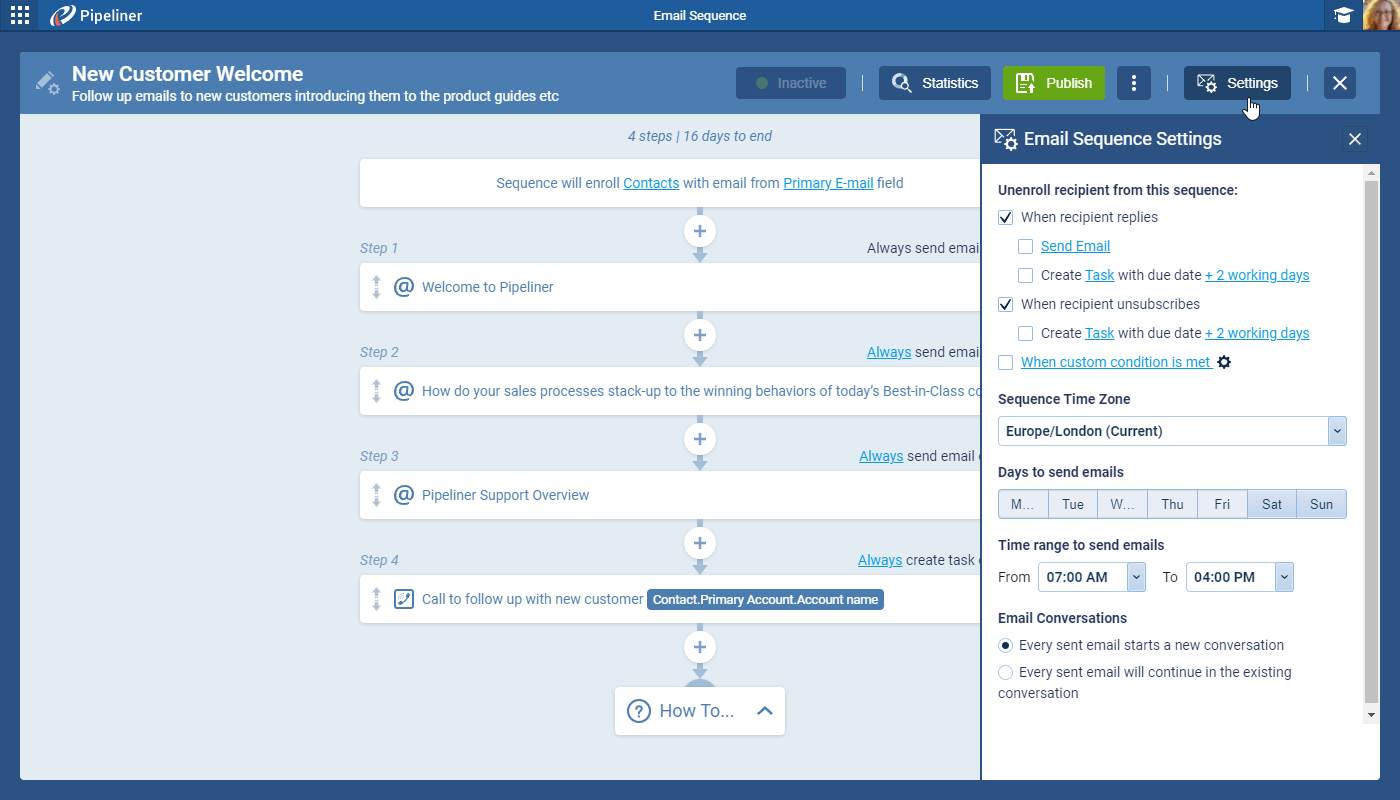
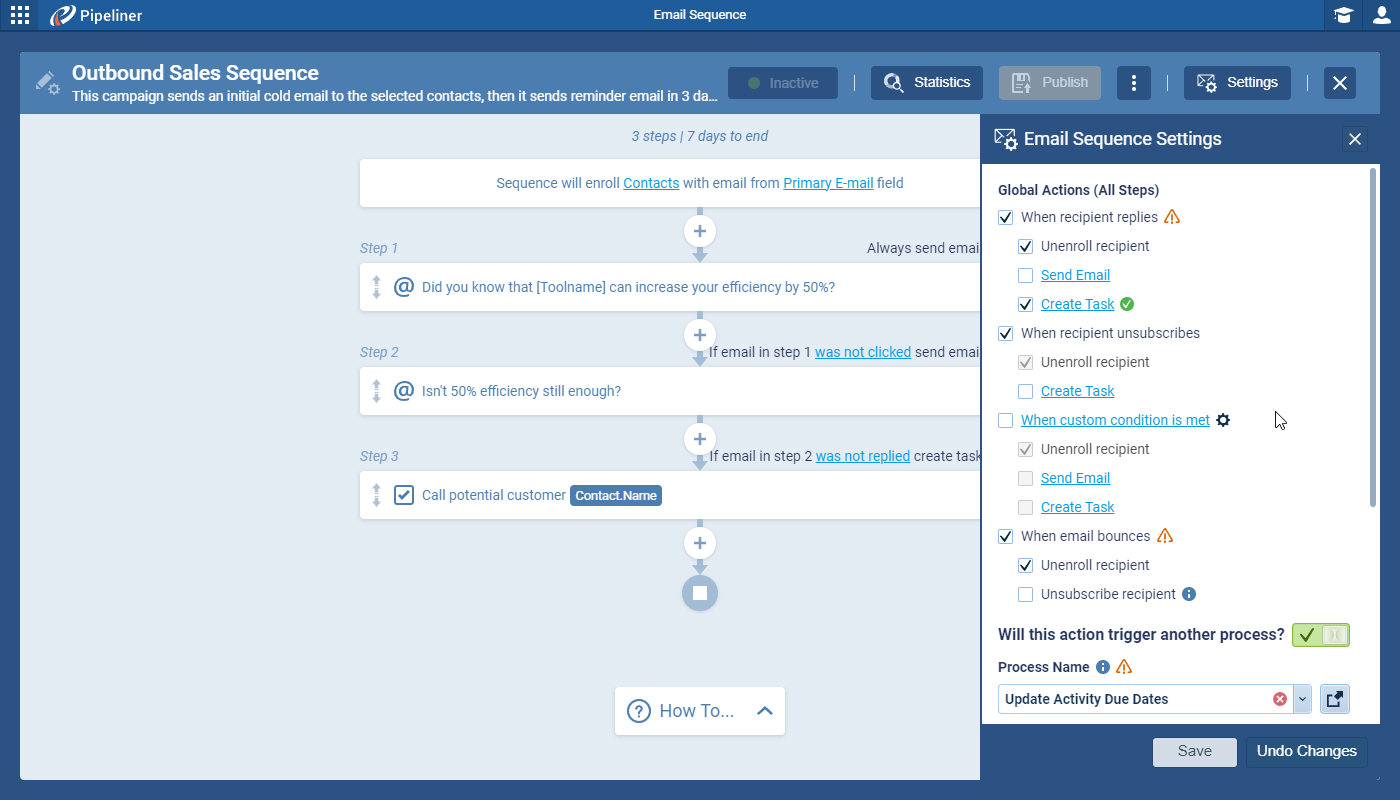
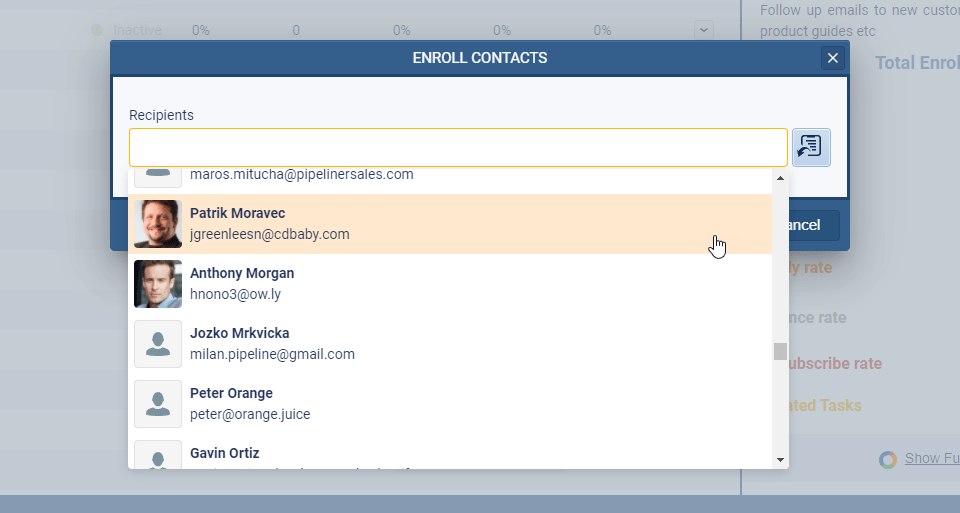
Stop worrying about awkward overlaps. Our sequences are “smart.” If a prospect replies to your email, Pipeliner CRM automatically unenrolls them from the sequence to prevent them from receiving a generic follow-up. This preserves the human touch and protects your reputation.
A Unified Workflow
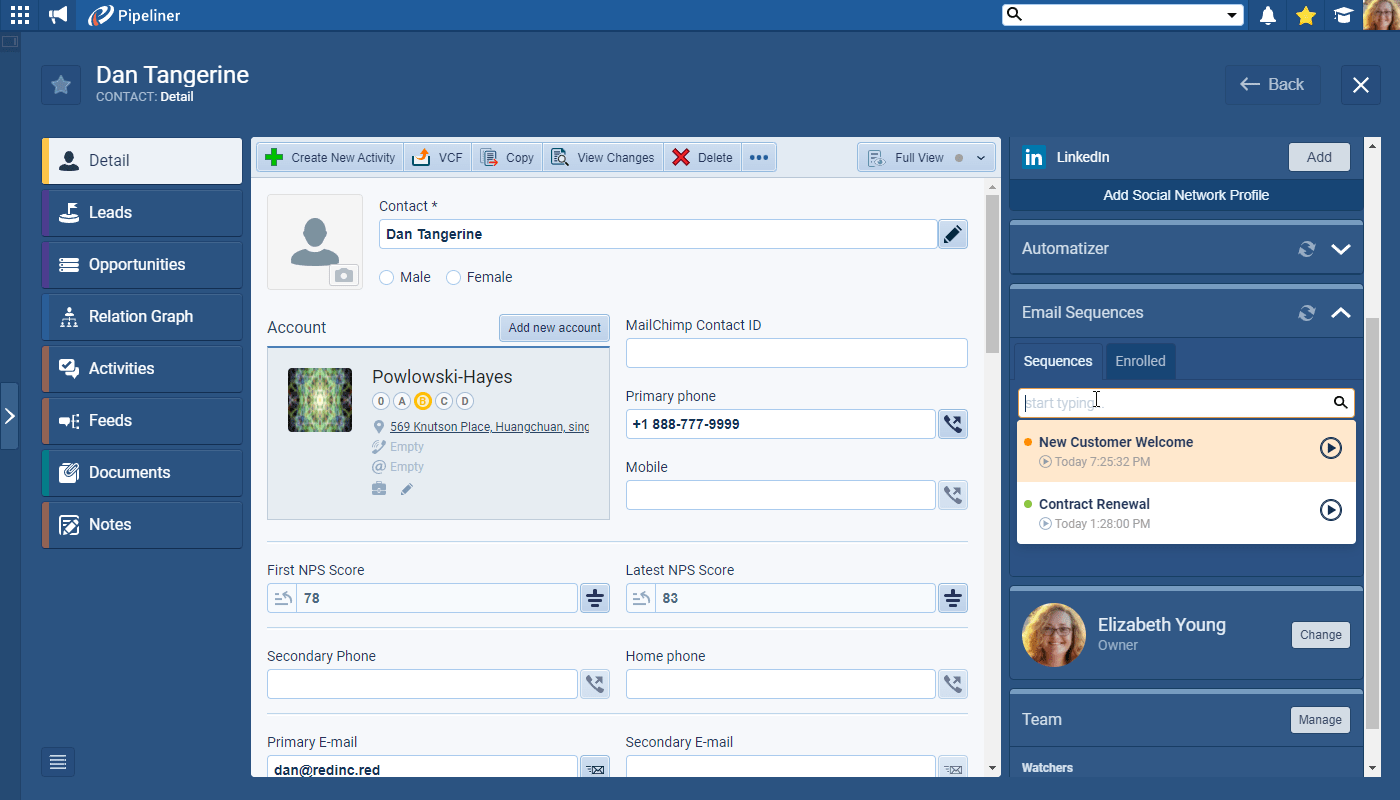
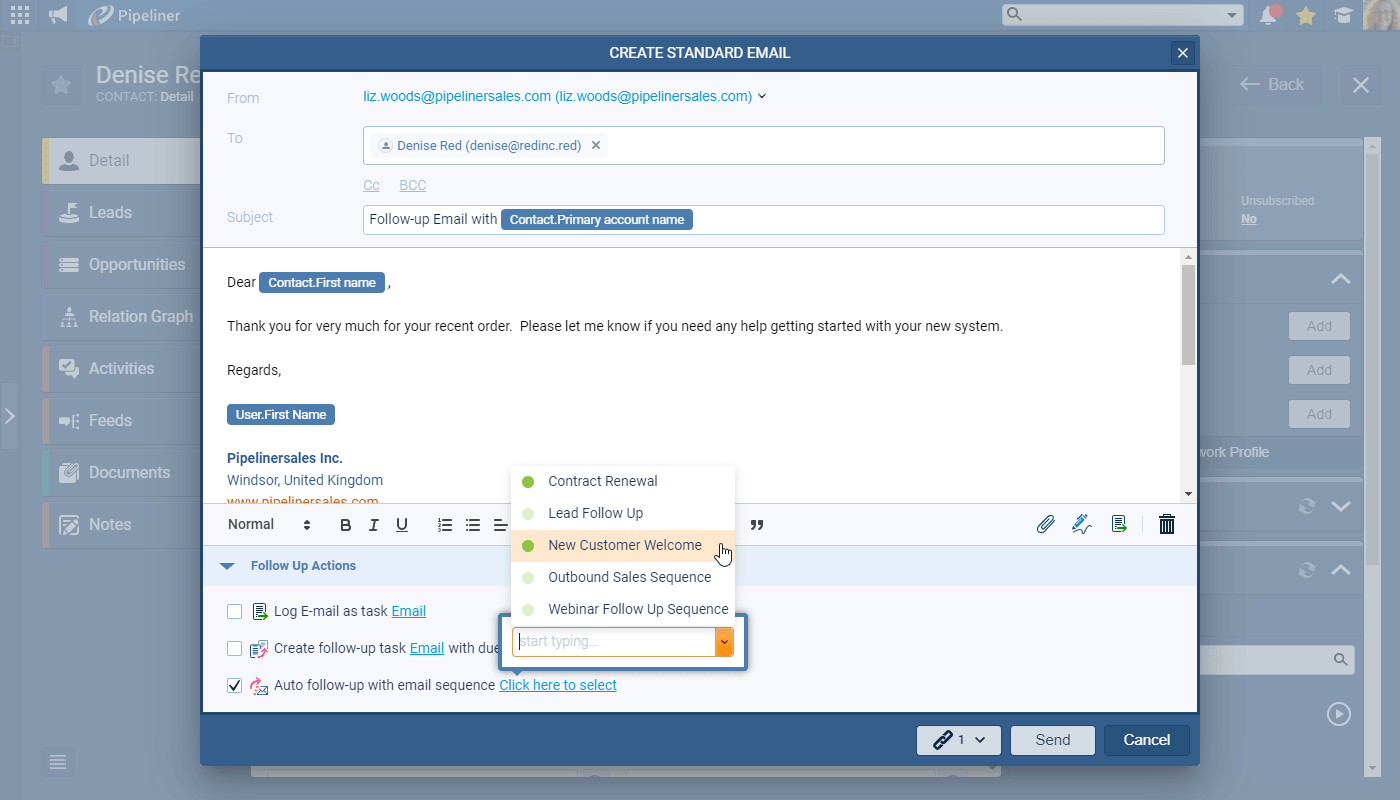
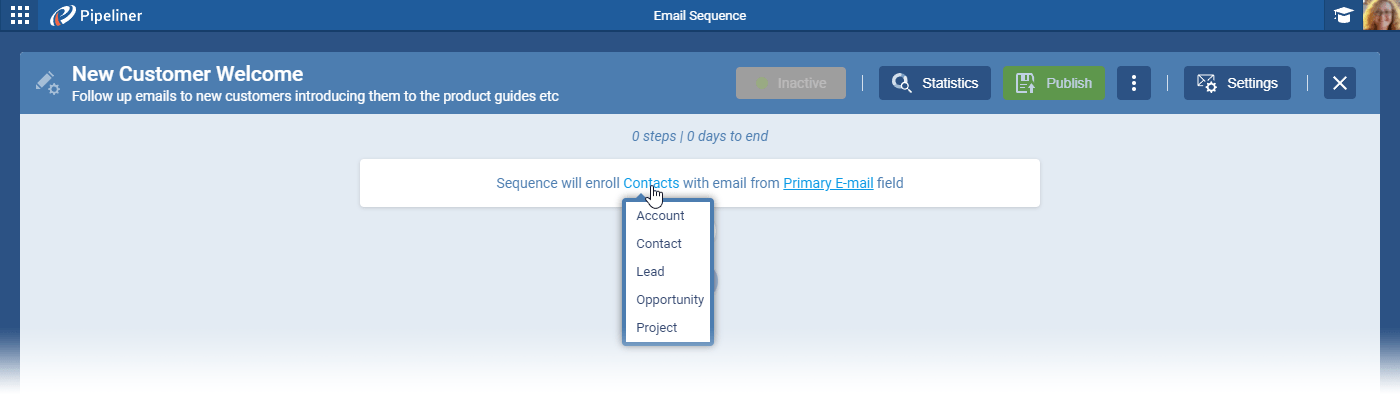
Stop paying for third-party outreach tools that don’t talk to your pipelinePipeline Sales pipelineis a visual representation of the stage prospects are in the sales process.. Pipeliner CRM Email Sequencing is natively integrated. You can enroll Contacts, Leads, Accounts, Opportunities, and even Projects into specific campaigns without ever leaving the system.
Core Capabilities
Build Sophisticated Journeys with Conditional Logic
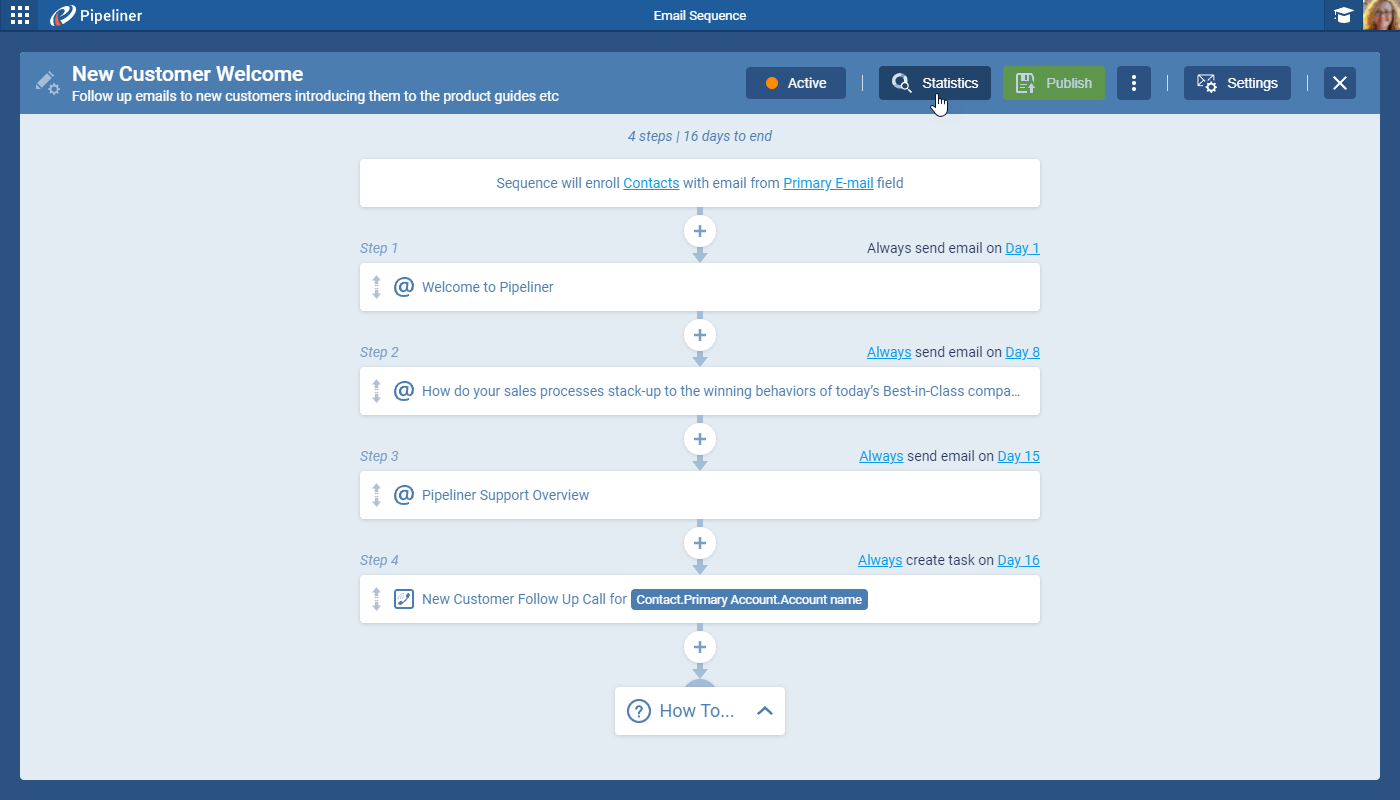
Linear email chains are a thing of the past. Pipeliner CRM allows you to design branching journeys based on recipient behavior.
- Behavioral TriggersTriggers Triggers are a set of signals or occurrences that meet certain criteria to be considered an opportunity to make a sale.: Configure steps that execute only if specific conditions are met, such as “If email not opened,” “If link not clicked,” or “If no reply within 3 days.”
- Smart Filtering: Use custom conditions to filter recipients by CRM dataData Data is a set of quantitative and qualitative facts that can be used as reference or inputs for computations, analyses, descriptions, predictions, reasoning and planning. fields, ensuring highly targeted messagingMessaging Messaging is the process of communicating your brand’s value proposition, the benefits you offer, and the perceived meaning of such communication among your target audience..
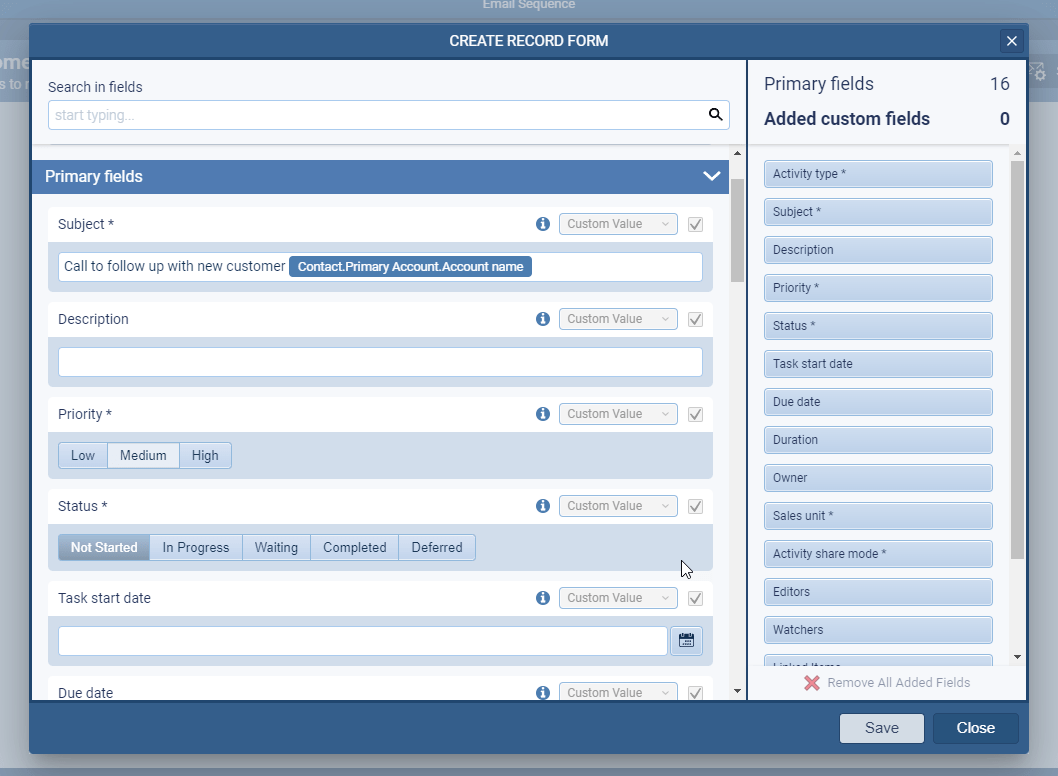
- Multi-Channel Tasks: It’s not just about email. You can program the sequence to create CRM Tasks for the record owner. For example, if a prospect clicks a link in Email #3, the system can automatically assign a “Call LeadLead Lead refers to a prospect or potential customer (who can be an individual or organization) that exhibits interest in your service or product; or any additional information about such entity.” task to your sales rep.
Seamless Automation (The Automatizer)
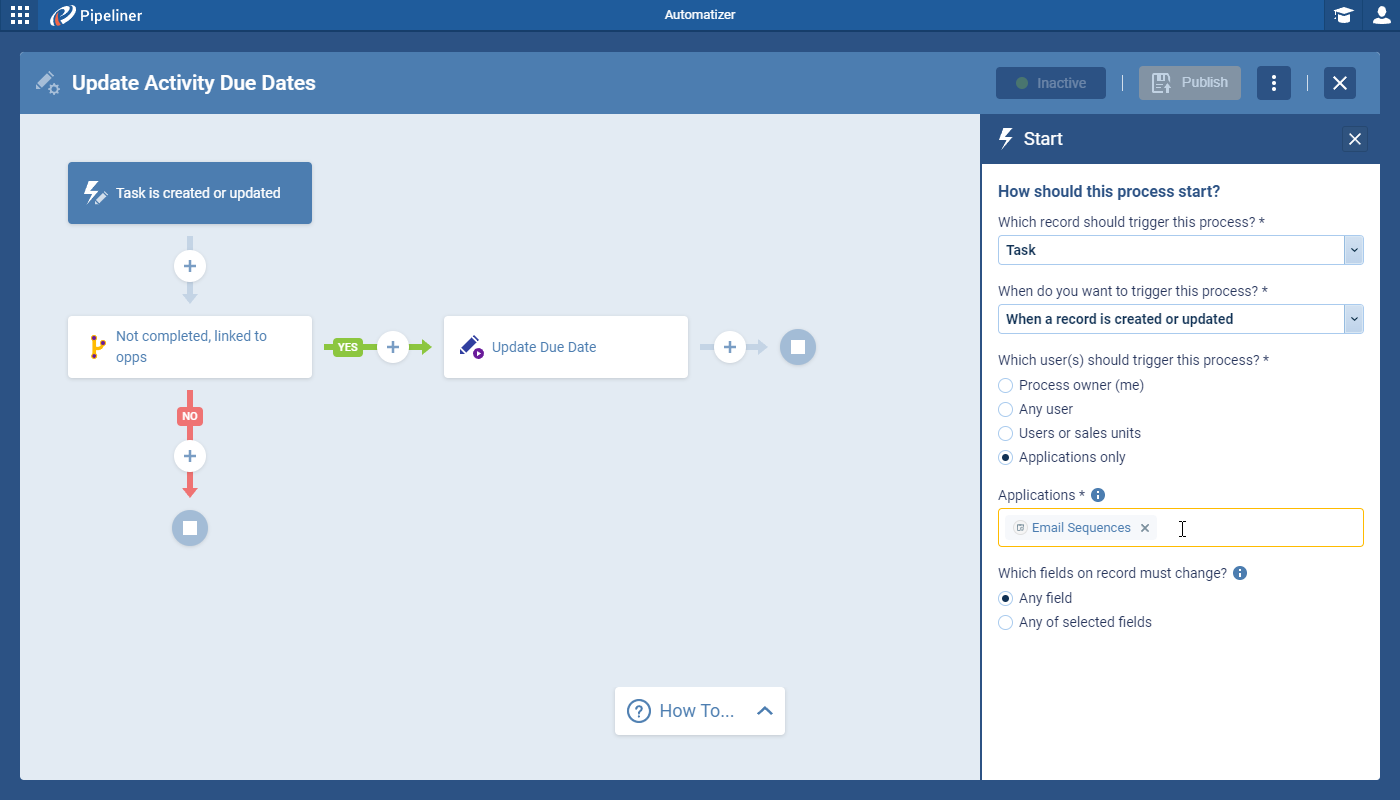
Take efficiency to the next level by connecting Email Sequences to the Pipeliner CRM Automation Hub.
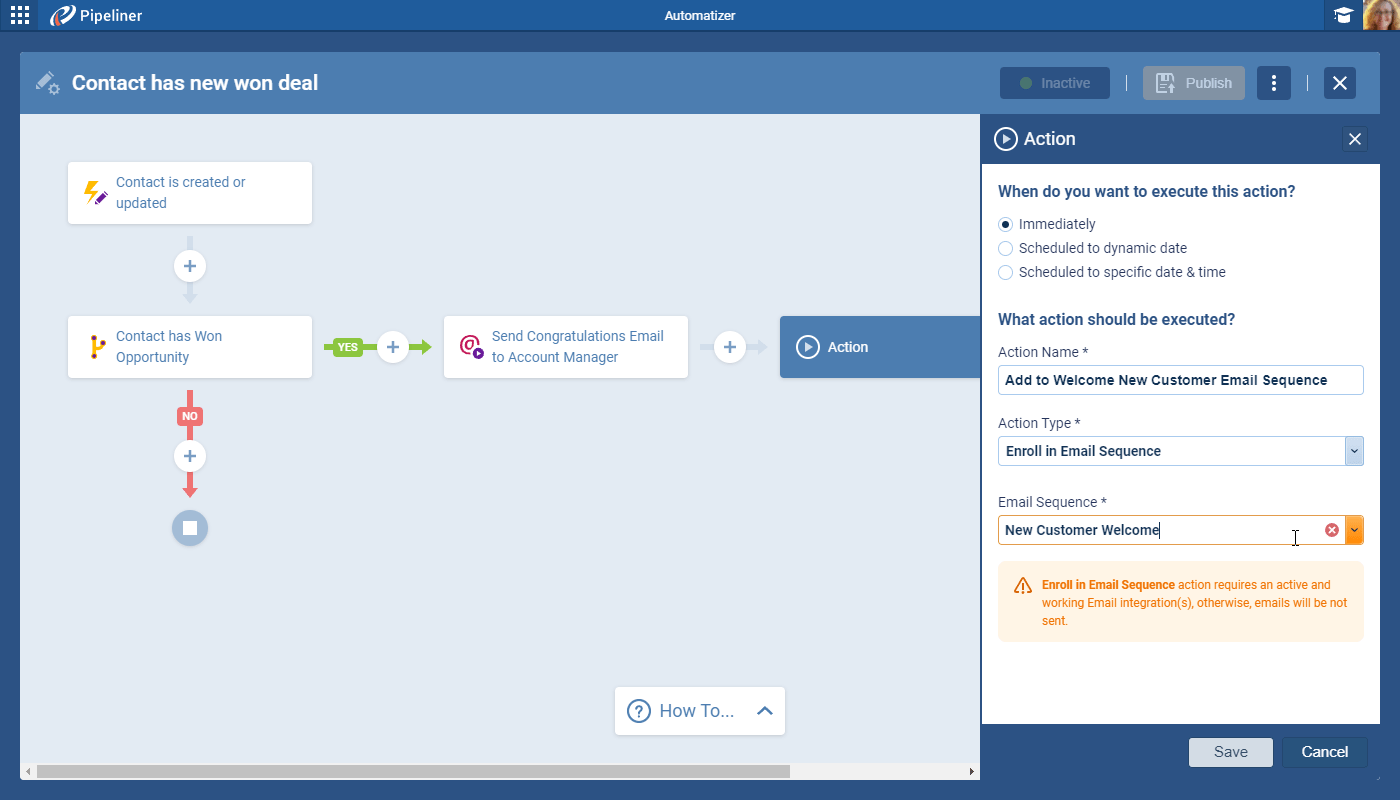
- Auto-Enrollment: Automatically enroll leads into a sequence when they enter a specific pipeline stage or when a new record is created.
- Triggered Actions: When a task is created within a sequence (e.g., a recipient replies), it can trigger further workflows, such as moving the Opportunity to a new stage or alerting a manager.
Deep-Dive AnalyticsAnalytics Analytics is the active study of different types of data with the aim of discovering meaningful patterns and translating these into insight (such as historical analyses and forecasts), or action (such as those intended to improve business performance). & OptimizationOptimization Optimization is the process or act of altering a system, design, or procedure such that it 1) attains full functionality or efficiency, or 2) generates maximum output, benefit, or impact.
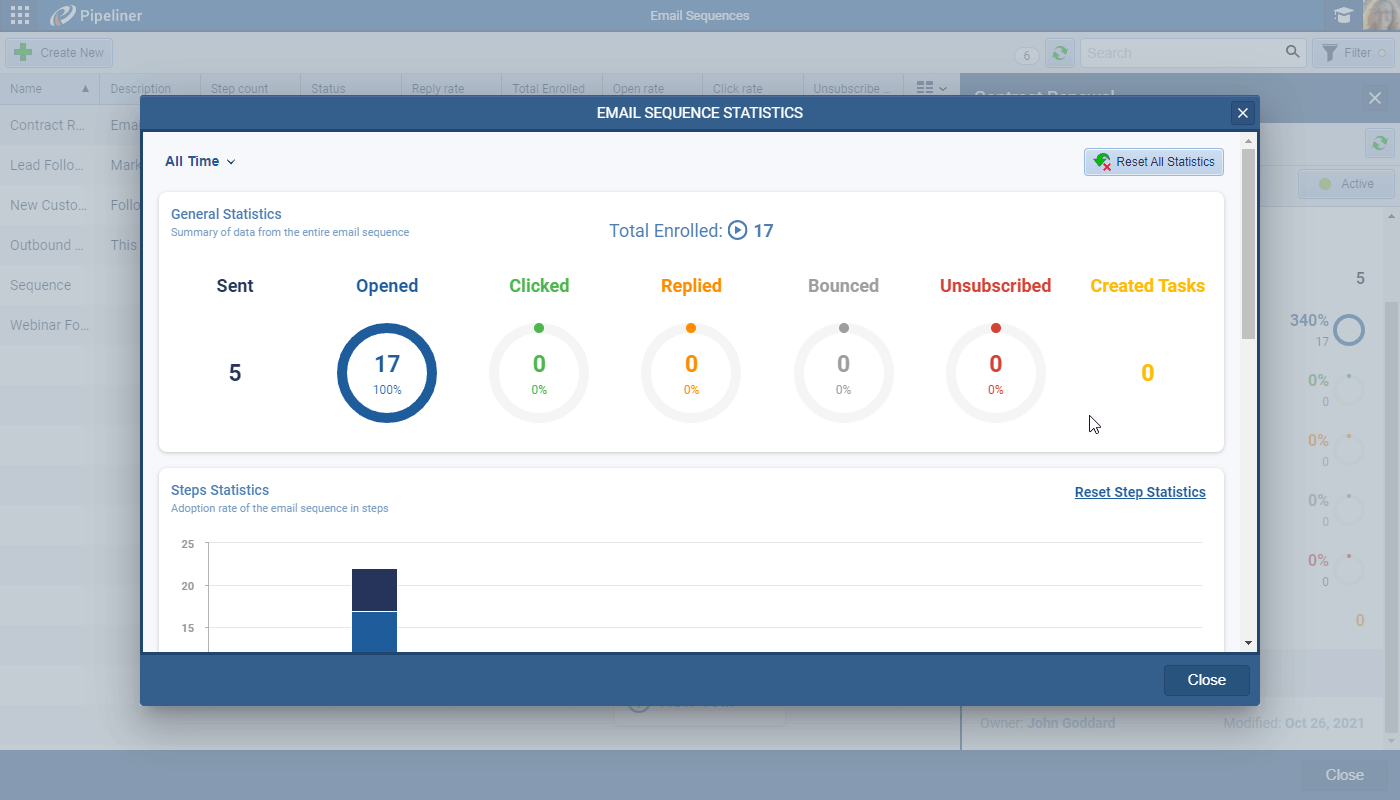
You can’t improve what you don’t measure. Pipeliner CRM provides a unified dashboard to monitor the health of your campaigns.
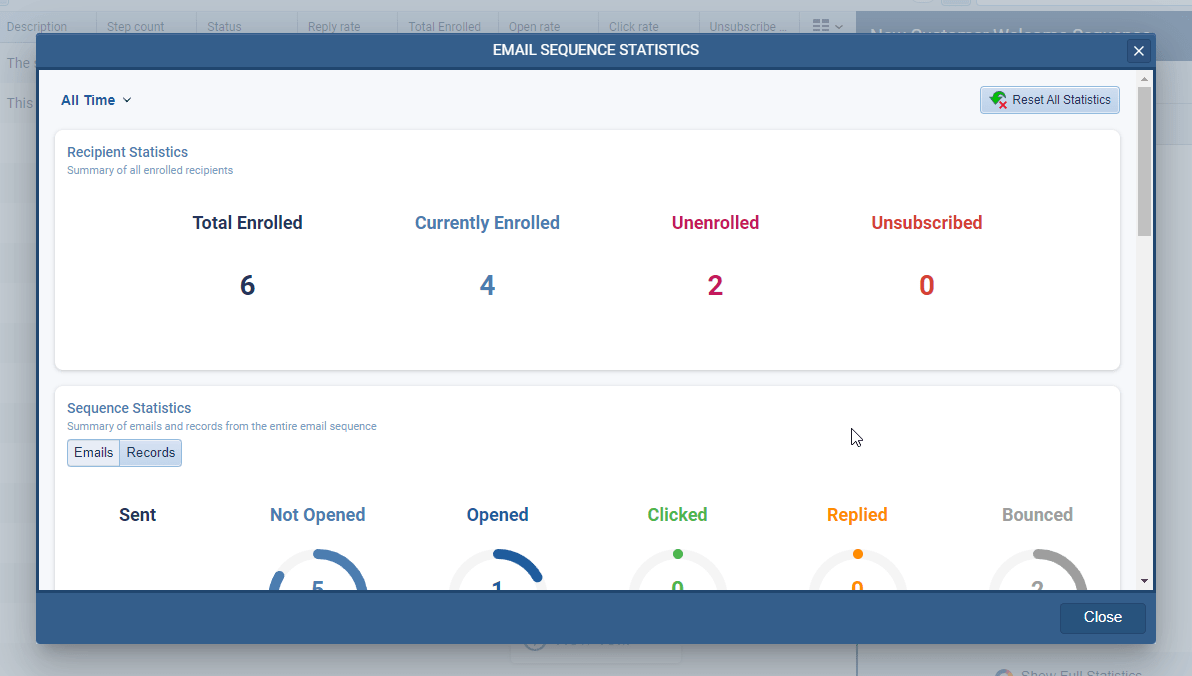
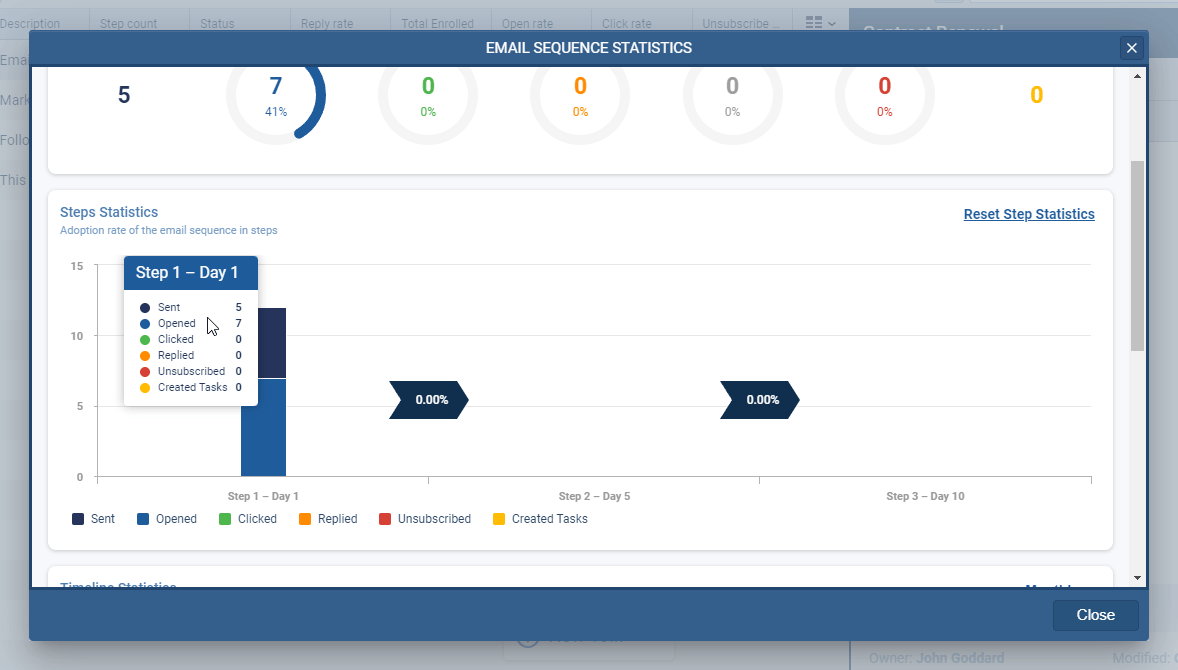
- EngagementEngagement Engagement is the state or process of keeping a specific class of audience (employees, management, customers, etc.) interested about a company or brand and invested in its success because of its perceived relevance and benefits to the audience. MetricsMetrics Metrics are quantities that are measured and used to:: Track Open Rates, Click Rates, Reply Rates, and Unsubscribes in real-time.
- Timeline Views: Visualize engagement over specific date ranges to understand seasonal trends.
- A/B Testing: Use the data to identify which subject lines and templates are driving conversions and which need rewriting.
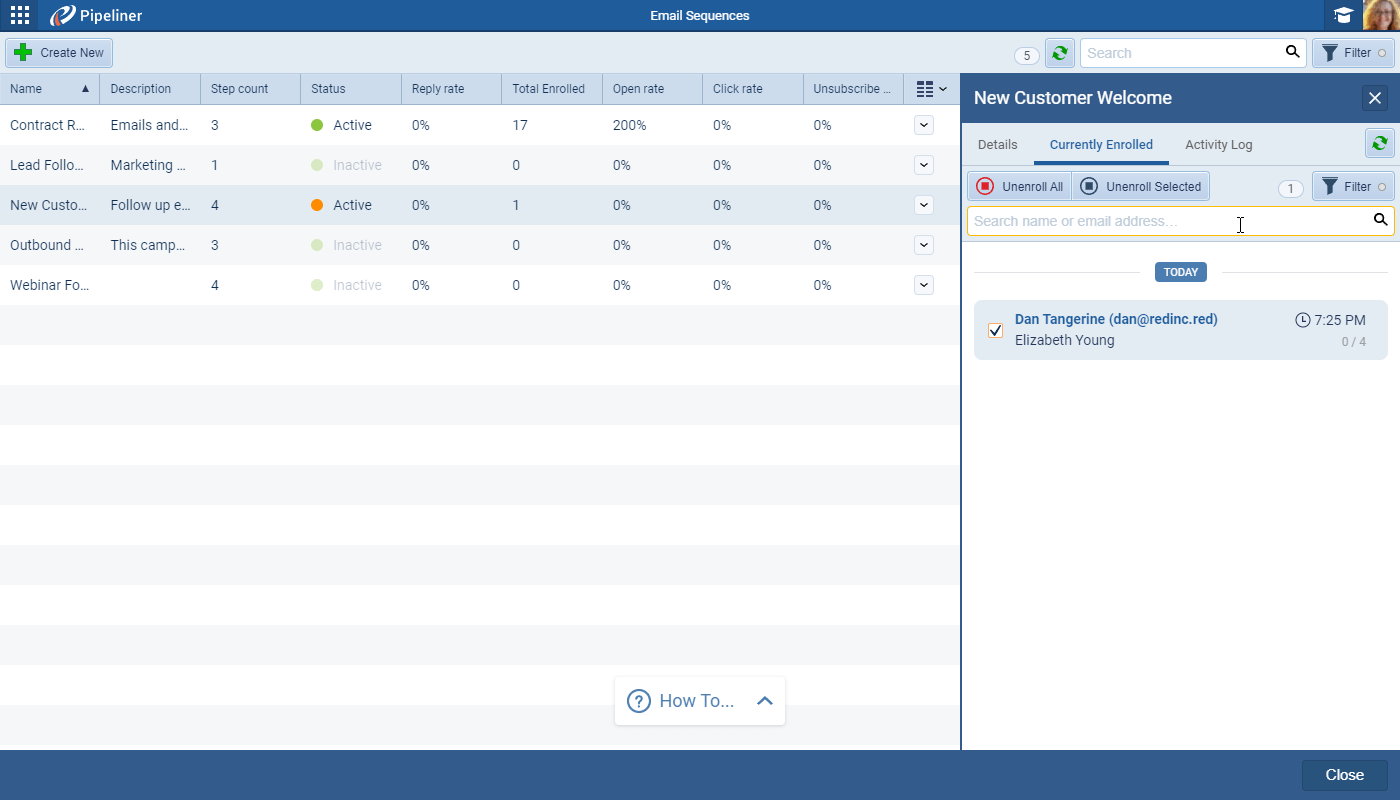
- List Management: Easily view who is currently enrolled, who has bounced, and who has unsubscribed.
Real-World Use Cases: How to Win with Sequences
Pipeliner CRM Email Sequences are flexible enough to handle virtually any communication scenario. Here are four powerful ways to utilize this feature:
New Lead ConversionConversion Conversion is the process of turning a target consumer into a paying customer; or more generally, the point at which a user performs a specific action favorable to a marketer or a seller.: Stop letting website visitors drift away. You can automatically enroll new leads into a multi-step “Education” sequence. Use this to share valuable contentContent Content refers to a material or document released in various forms (such as text, image, audio, and video) and created to inform, engage or influence specific audiences.—such as case studies or white papers—over a few weeks, guiding them naturally toward requesting a demo.
Deal Acceleration: Stalled deals are the enemy of revenueRevenue Revenue is the amount of money a business generates during a specific period such as a year or a quarter; also called sales.. When an Opportunity gets stuck in the “Proposal Sent” stage, trigger a gentle follow-up sequence. These automated nudges stay top-of-mind and ask whether the prospect has questions, preventing the deal from going cold without you having to check in manually.
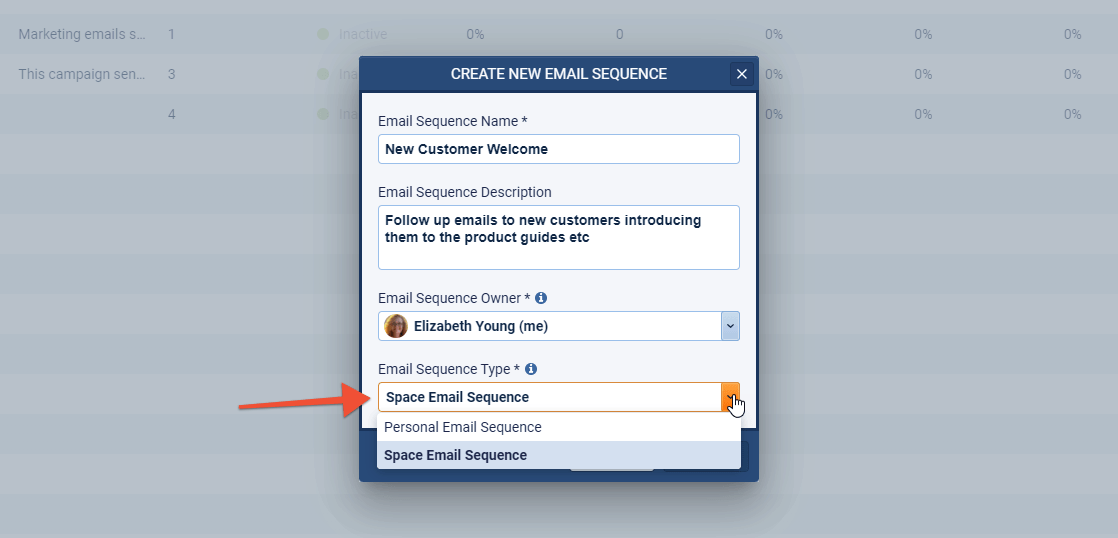
Seamless OnboardingOnboarding Onboarding is the process or act of introducing a new customer to your product or service; or integrating a newly hired employee into your workforce or team. The sale isn’t the end of the journey; it’s the beginning. Upon closing a deal, automatically enroll the Primary Contact into a “Welcome” sequence. This series can deliver training materials, introduce the accountAccount Account refers to a record of primary and background information about an individual or corporate customer, including contact data, preferred services, and transactions with your company. management team, and set expectations for the first 30 days, ensuring immediate customer satisfaction.
Event Management Coordinating webinars or conferences can be a logistical nightmare. Use sequences to handle the heavy lifting of sending invitations, registration reminders, and post-event “Thank You” notes. This ensures high attendance and engagement with zero manual effort from your marketingMarketing Marketing is the field, set of actions, or practice of making a product or service desirable to a target consumer segment, with the ultimate aim of effecting a purchase. team.
Ready to Automate Your Success?
Don’t let another lead fade away. Start building your first sequence today and turn your follow-up process into a competitive advantage.