Stop building complex CRM processes step-by-step. The powerful Pipeliner CRM Voyager AI Automatizer, a core component of the Voyager AI Assistant, is here to revolutionize how you manage your sales and administration workflows.
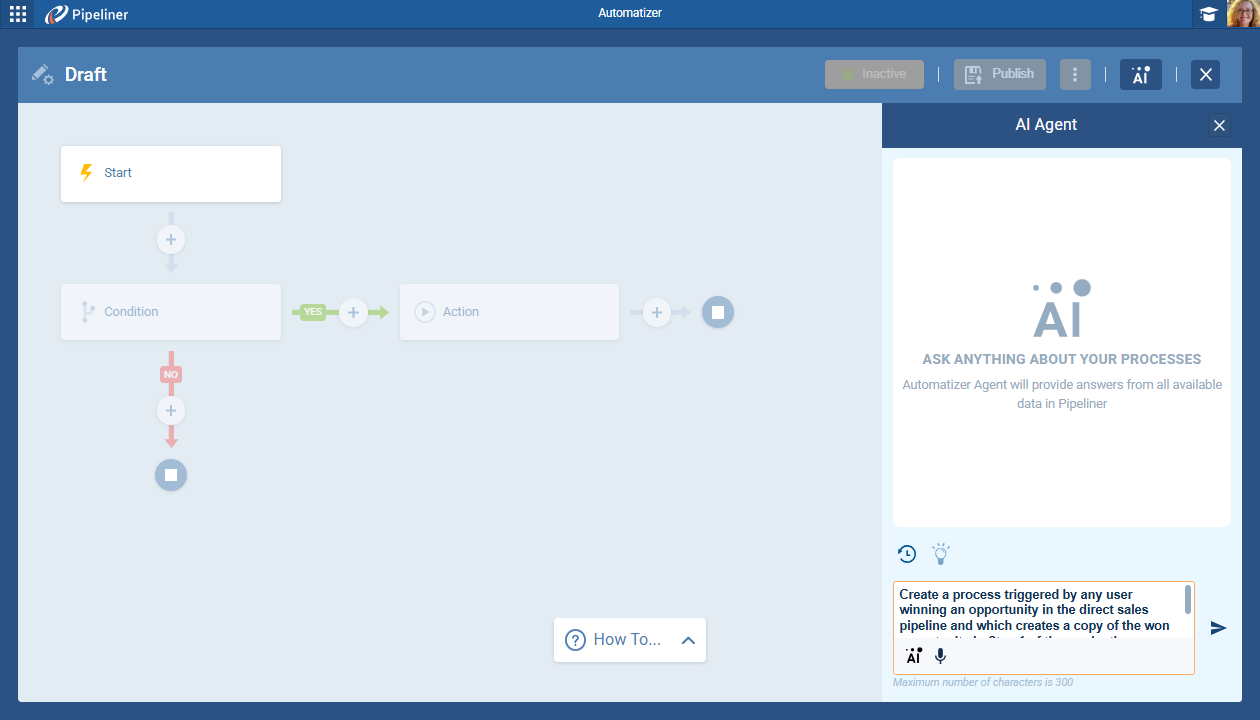
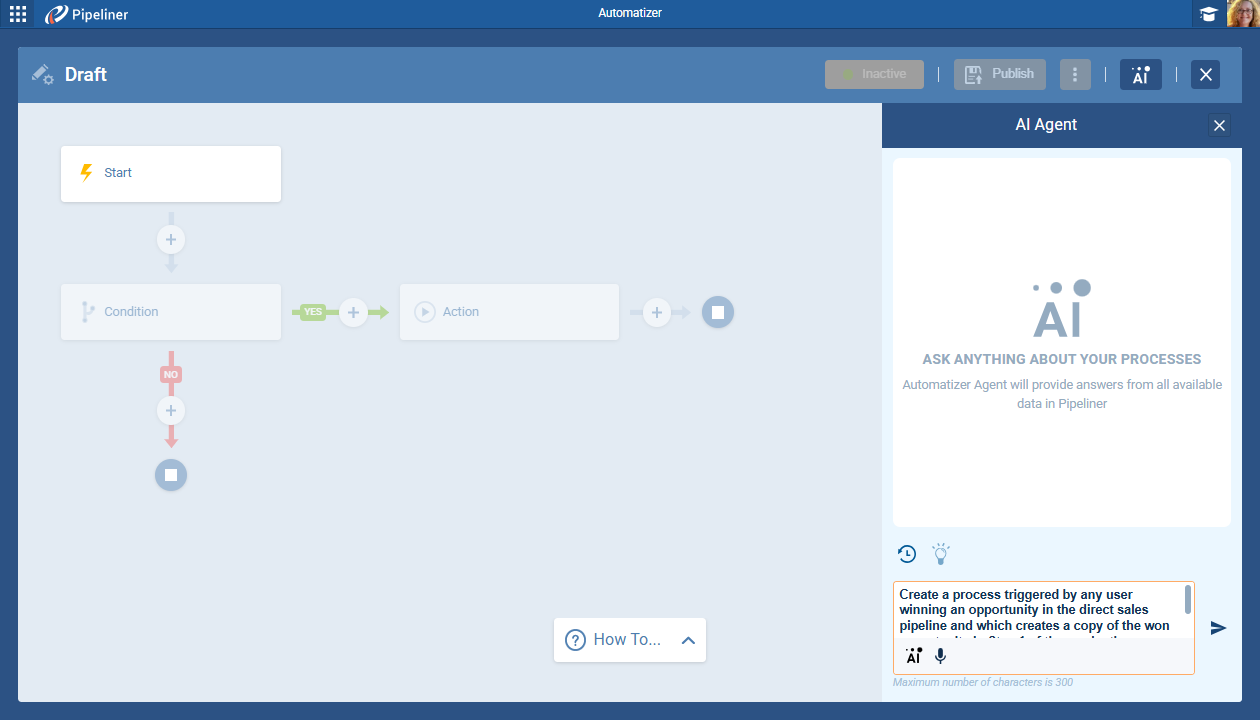
Tell the AI exactly what you want to achieve using natural language prompts (you can type or even speak your request), and watch your entire automation logic come to life in seconds. It’s not just faster—it’s the more innovative, more intuitive way to deploy your sales strategy.
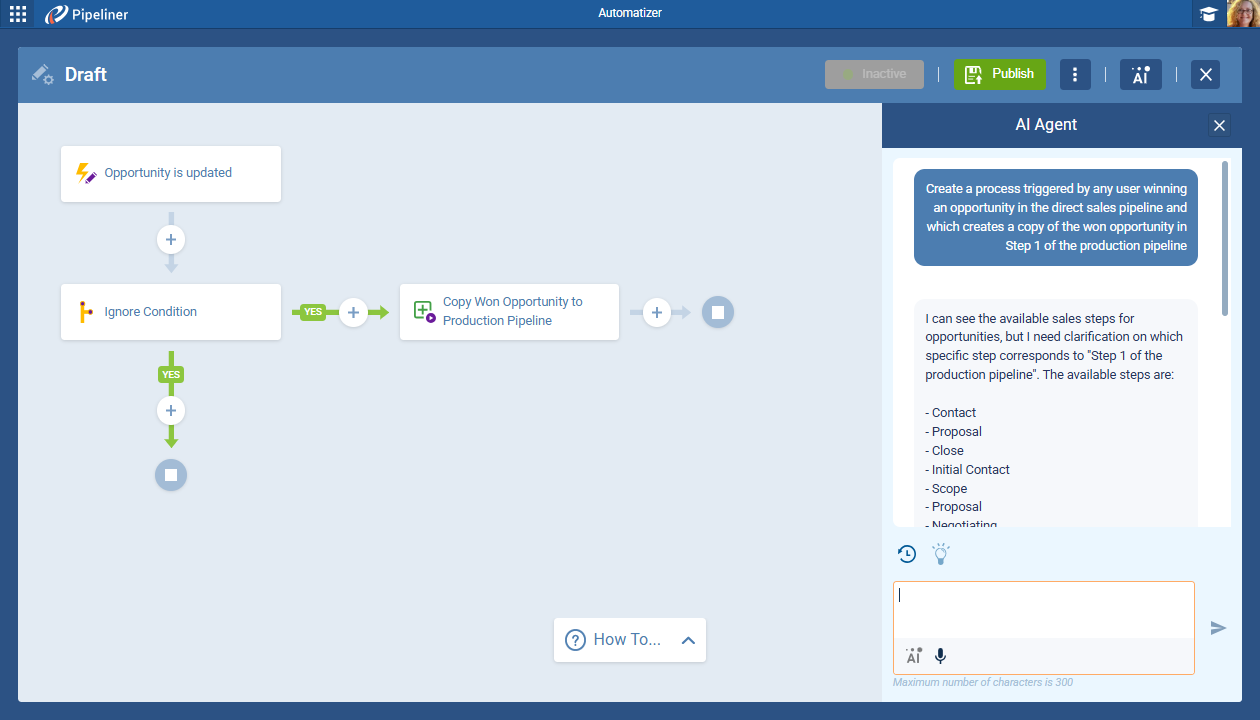
The Power of Intent: How the Voyager AI Automatizer Changes Everything
The Voyager AI Automatizer translates your human business intent directly into functional, error-free CRM logic. This capability delivers a direct competitive advantage:
- Instant Workflow Creation: Drastically cut down on development time. Go from an idea to a complete, structured process by simply articulating your request.
- No-Code Precision: Eliminate the need for complex configuration or interface mastery. Our AI Agent understands everyday language and instantaneously builds the necessary Trigger, Condition, and Action structure for you.
- Boost Productivity: Free up your CRM administrators and sales operationsSales Operations Sales Operations is a collection of aligned business processes, strategic implementations and other activities aimed at achieving organizational goals, specially in the areas of sales revenue, market coverage and growth. team from tedious manual configuration so they can focus on high-value, strategic initiatives that drive revenueRevenue Revenue is the amount of money a business generates during a specific period such as a year or a quarter; also called sales..
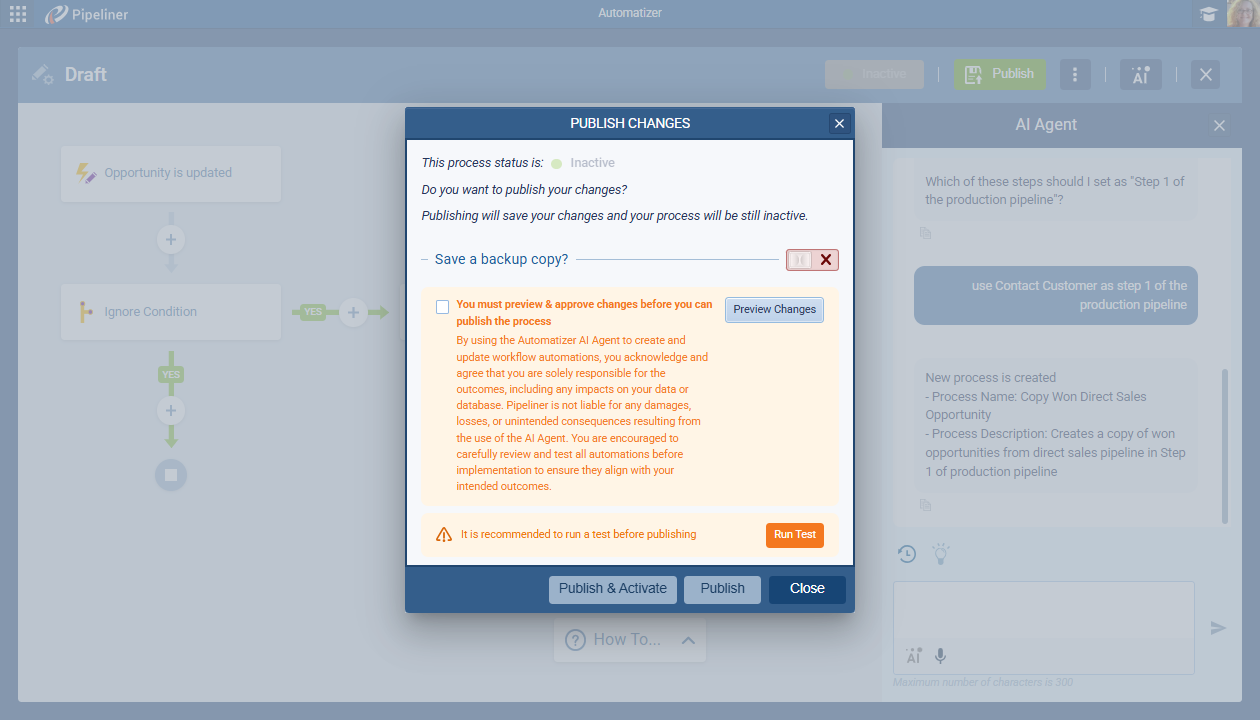
Create with Confidence: Built-in Safety and Refinement
Automation should be fast, but never risky. The Voyager AI Automatizer incorporates unique features that guarantee accuracy and compliance before a process ever goes live.
Guided Intelligence for Perfect Logic
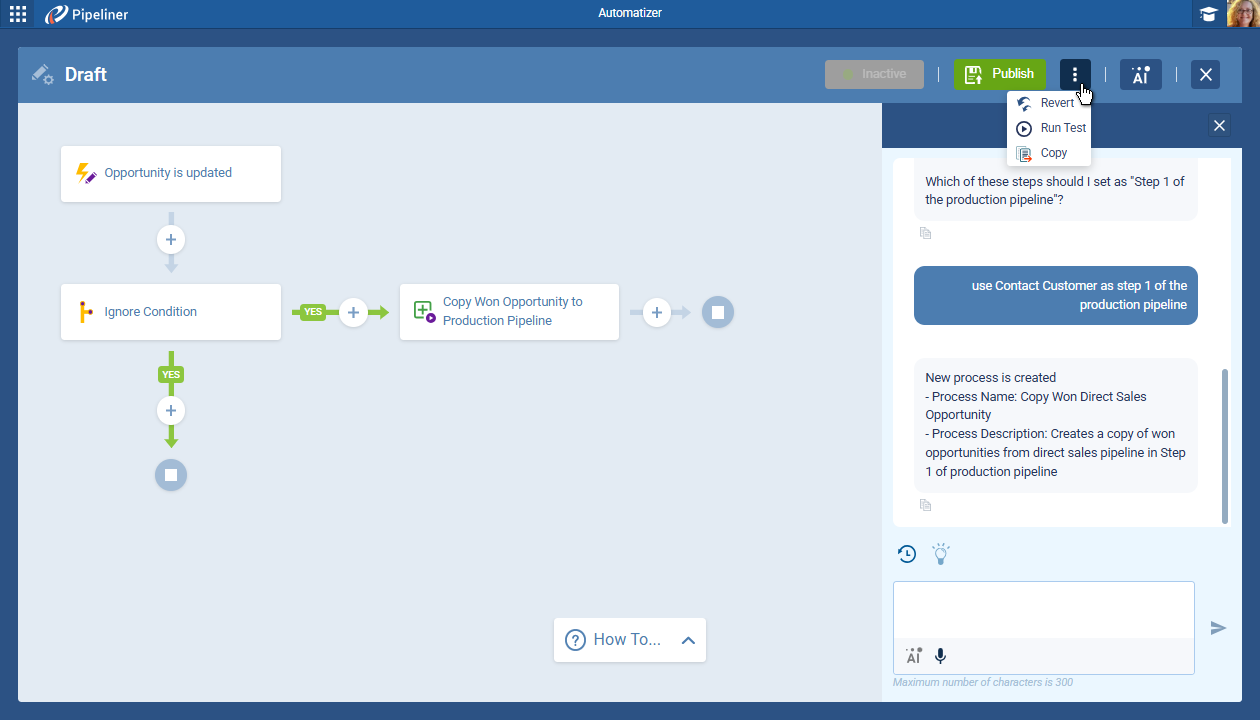
The AI guides you through defining the minimum process requirements (Trigger, Condition, Action), prompting you instantly for clarification if any instruction is ambiguous or incomplete. This ensures every automated process is complete and ready for deployment.
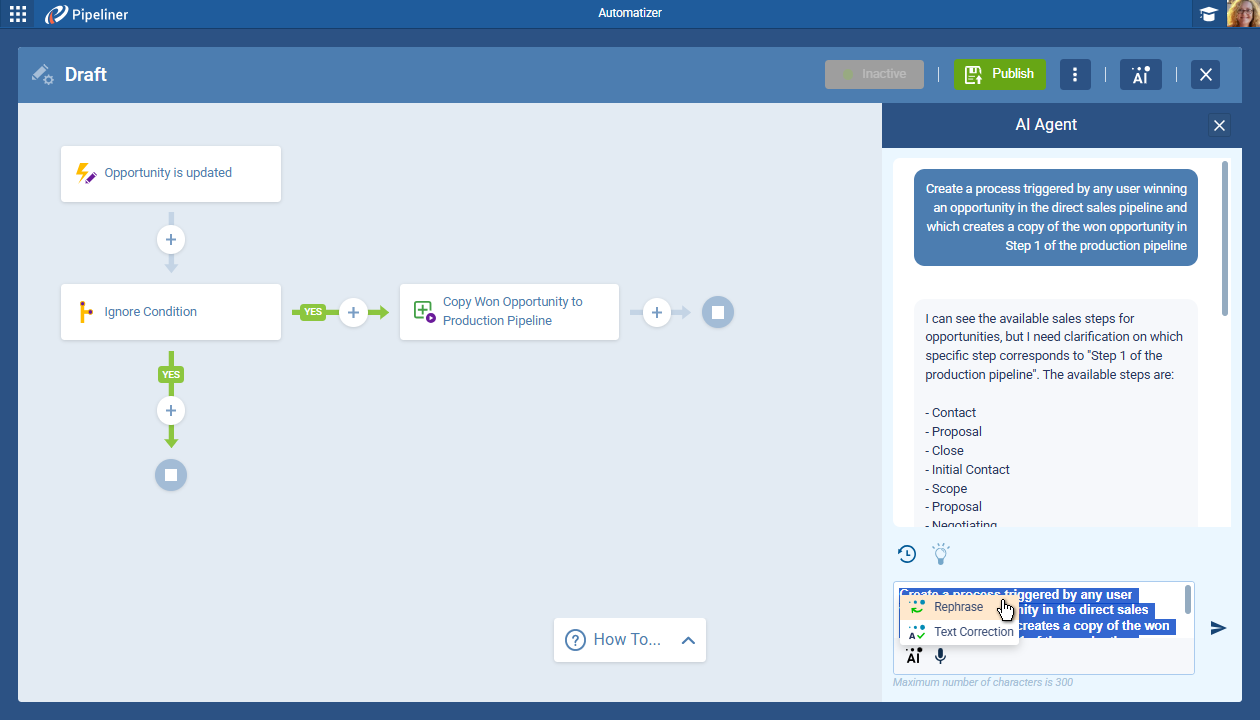
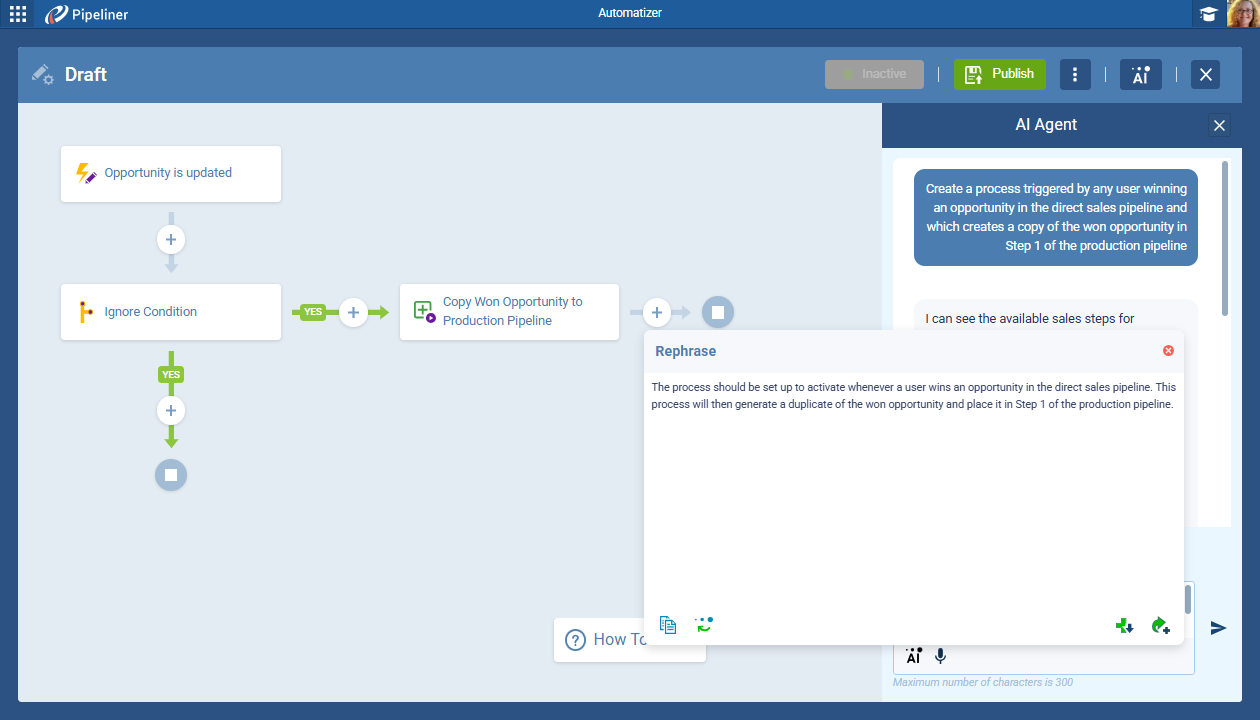
- You can use built-in AI features like Rephrase and Text Correction to effortlessly refine your input, maximizing the AI’s understanding and ensuring the best possible output quality. (Note: UserUser User means a person who uses or consumes a product or a service, usually a digital device or an online service. prompts have a 300-character limit to encourage focused instruction.)
Total Control and Oversight Before Publishing
With AI-generated workflows, total control is mandatory. Pipeliner CRM ensures precision through:
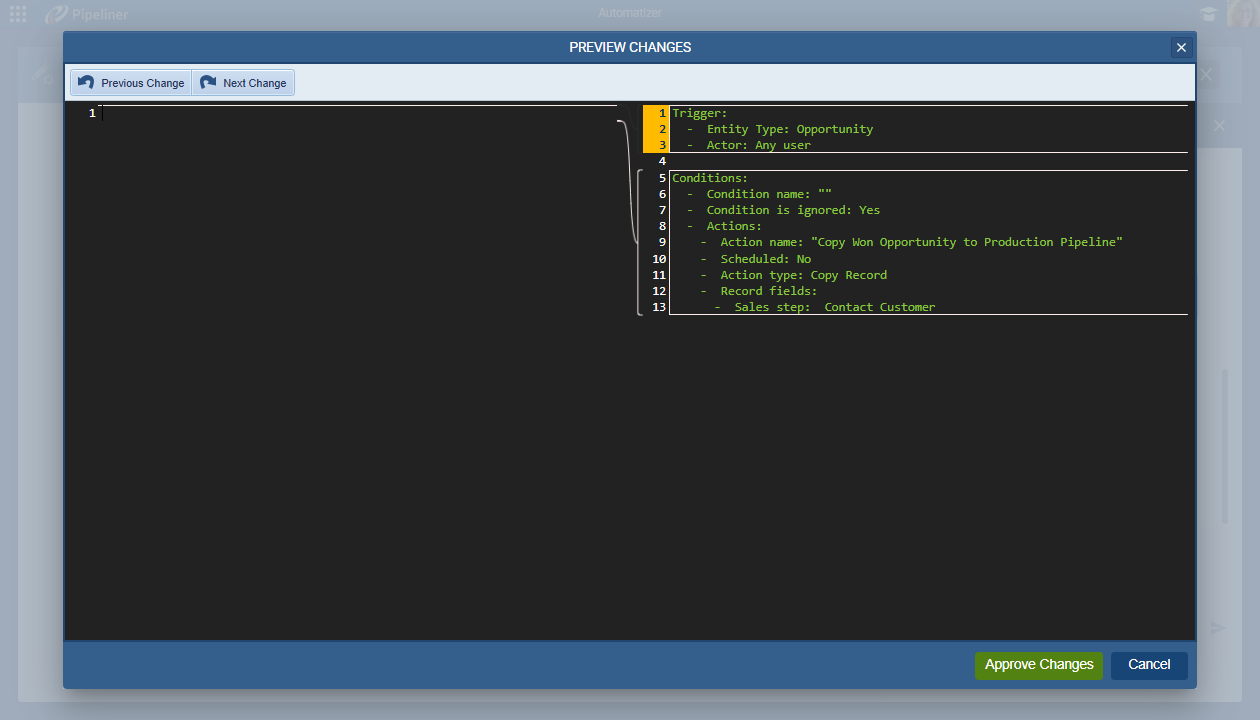
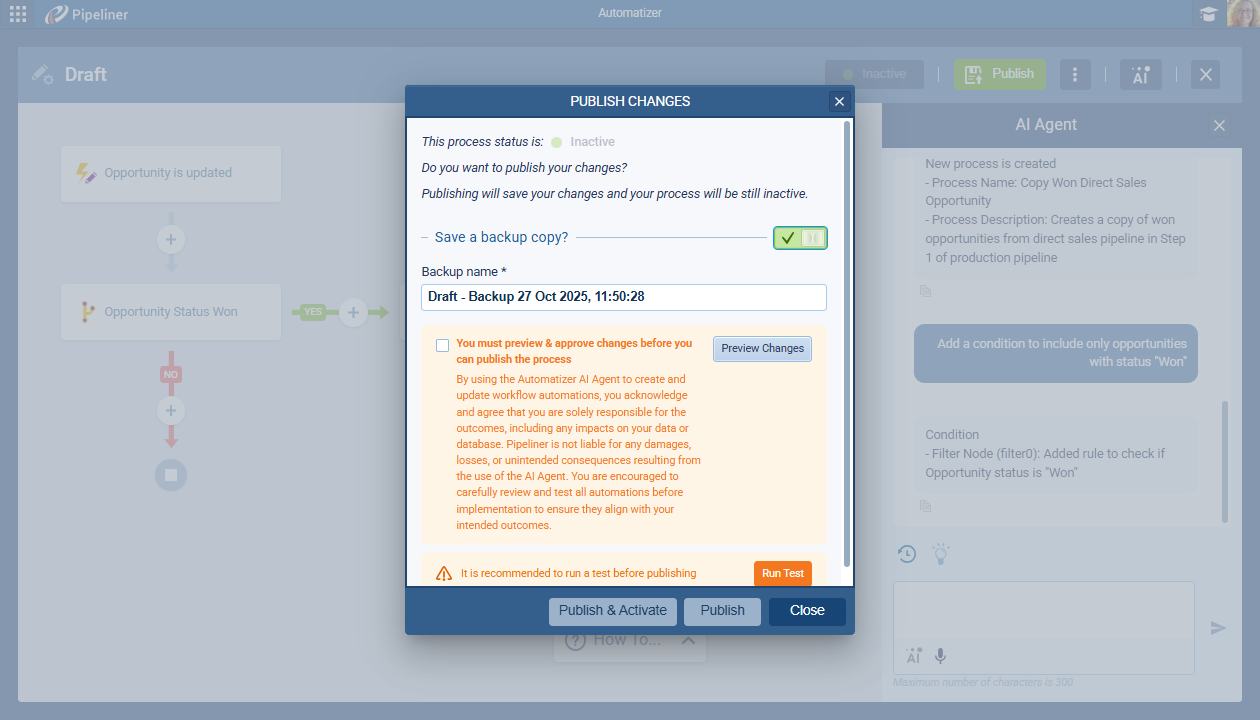
- Differential Analysis: Before publishing, you must preview and approve the changes. Our required approval system, which includes a side-by-side view, compares the new AI-generated process with the previously published version. This allows for meticulous, step-by-step review of the logic.
- Built-in Safety Net: Never worry about losing a functional setup. You can automatically create a backup of the current process upon publishing, providing an instant path to revert or audit changes.
Unlocking Your Full Automation Potential
What can you automate? Nearly everything. The Voyager AI Automatizer supports critical sales actions across your entire Pipeliner CRM, allowing you to deploy processes for quickly:
- Record Management: Create Records, Update Records, Copy Records, or Archive Records.
- Relationship & DataData Data is a set of quantitative and qualitative facts that can be used as reference or inputs for computations, analyses, descriptions, predictions, reasoning and planning. Flow: Manage related data by creating related records, updating associated records, or linking records together.
- Communication & Outreach: Automate follow-up by triggering email sends or enrolling/unenrolling records in email sequences.
- System & Flow Control: Change record ownership or trigger another process to create interconnected workflow chains.
Get Started Today
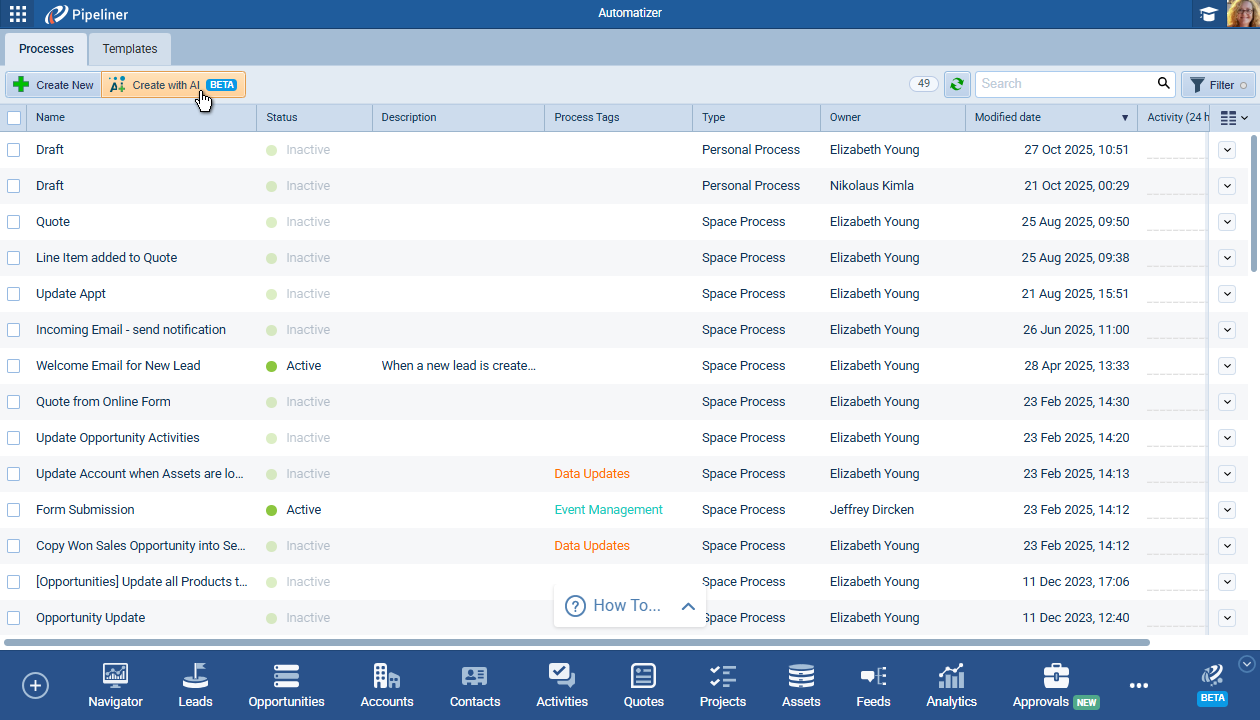
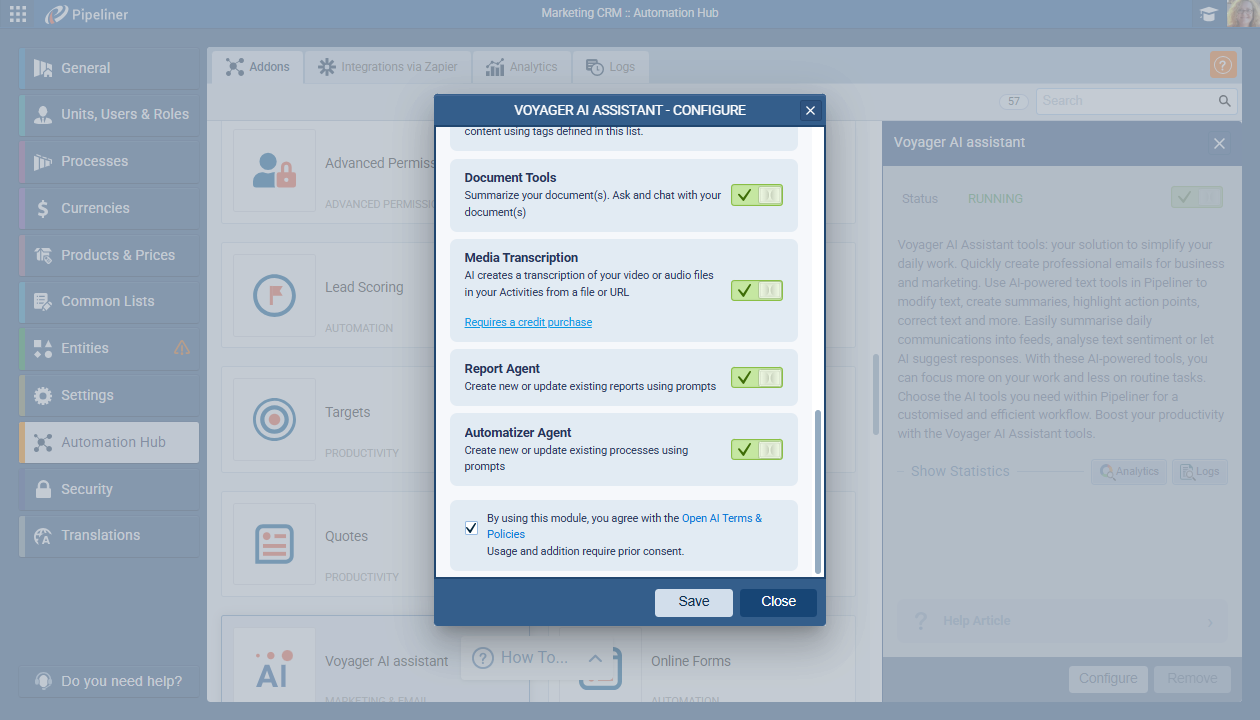
The Voyager AI Automatizer is the future of CRM workflow management. It’s easily enabled via the Voyager AI Assistant in the Automation Hub. Confirm the agent is running, click “Create with AI,” and start your conversation.
Publications
Screenshots
Share this page